Deezloader Not Working? Best Deezloader Alternatives in 2026
 By Olivia Anderson
Deezer Music Tips
Updated on 5/20/2026
By Olivia Anderson
Deezer Music Tips
Updated on 5/20/2026
If you're struggling with Deezloader issues like login errors, download failures, or sudden crashes, you're not alone. As Deezloader continues to be unstable, a growing number of users have been migrating to smoother and more secure Deezloader alternatives for downloading music. The good news is that several reliable tools on the market have emerged, not just filling the gap but actually exceeding Deezloader in both features and user experience. This guide covers the top Deezloader alternatives available today, helping you identify the one that best fits your requirements.
- Part 1: What Is Deezloader and Why Deezloader Stopped Working?
- Part 2: How We Evaluate the Best Deezloader Alternatives
- Part 3: Best Deezloader Alternative for Most Users
- Part 4: Other Deezloader Alternatives Worth Trying
- Part 5: Deezloader Alternatives Comparison Table
- Part 6: FAQs About Deezloader Alternatives
Part 1: What Is Deezloader and Why Deezloader Stopped Working?
Deezloader was once a widely popular music download tool, enabling users to download Deezer songs and albums directly. With its simple interface and free access to high‑quality audio, it quickly became a favorite among music enthusiasts. Recently, however, many users have found Deezloader increasingly unreliable. Official download links no longer work, and many installed versions fail to log in or even launch at all, which has left the tool essentially unusable. The main reason for this problem is that Deezer has strengthened its management and handling of copyrighted content complaints, which have halted development and updates for Deezloader, leaving most versions incompatible with current systems.
As a result, more users are now looking for dependable Deezloader alternatives to keep downloading high quality music. Next, we’ll walk through the top Deezloader alternatives available, providing feature breakdowns and side-by-side comparisons.
Discover the safest and best Deezloader alternative, TunePat Deezer Music Converter, and download your favorite Deezer music in HiFi audio quality today.
Part 2: How We Evaluate the Best Deezloader Alternatives
Before recommending specific Deezloader alternatives, let's outline the key criteria guiding our evaluation. Each tool is assessed across the following dimensions to help you identify which option best meets your needs.
1. Audio Quality
Audio quality is a top priority for most users. Deezer provides lossless FLAC streaming (16-bit/44.1 kHz, ~1,411 kbps) as well as high-bitrate MP3s at 320 kbps. An ideal alternative to Deezloader should preserve this original audio quality when downloading tracks locally. This review will focus on whether each tool can download high quality music.
2. Download Stability
A reliable tool should complete downloads smoothly, without frequent interruptions or failures. Even the most powerful tool becomes frustrating if it constantly fails. This review will test the performance of each tool under different network environments to evaluate its stability and reliability.
3. Batch Download & Speed
For users who need to download entire albums or playlists, batch download and fast download speed are essential. We evaluate whether each tool supports batch downloading and maintains consistent high-speed performance when processing large playlists or albums.
4. Security & Updates
Security is fundamental when choosing any third-party tool. Also, we check whether the software is continuously updated to stay compatible with platform changes, and scan for potential security risks such as bundled malware. Only actively maintained, secure, and reliable tools are suitable for long-term use.
5. Supported Devices
Besides platform and sound quality, users also care about which devices the tool can be used on. A good Deezloader alternative should not only support desktop systems such as Windows, Mac, and Linux, but also be compatible with mobile devices such as iOS and Android, and even support web player.
Part 3: Best Deezloader Alternative for Most Users
Next, we'll introduce a robust Deezloader alternative, TunePat Deezer Music Converter, designed to meet the needs of a wide range of users. TunePat integrates a built-in Deezer web player, allowing you to convert and download Deezer tracks directly. It supports multiple output formats, including MP3, AAC, WAV, FLAC, ALAC, and AIFF, while preserving original ID3 tags and HiFi audio quality. With download speeds up to 10x faster, you can quickly build a local music library and enjoy your favorite songs anytime, free from streaming limitations. Downloaded tracks can also be used across various devices and platforms, even uploaded to DJ software such as Serato DJ and Traktor DJ.
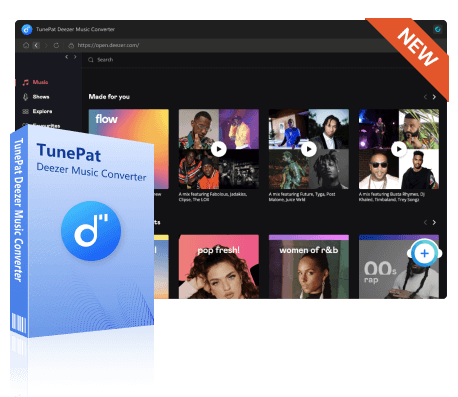
TunePat Deezer Music Converter
With the TunePat Deezer Music converter, you can get Deezer Music in MP3, AAC, WAV, FLAC, AIFF, or ALAC formats and play them offline.
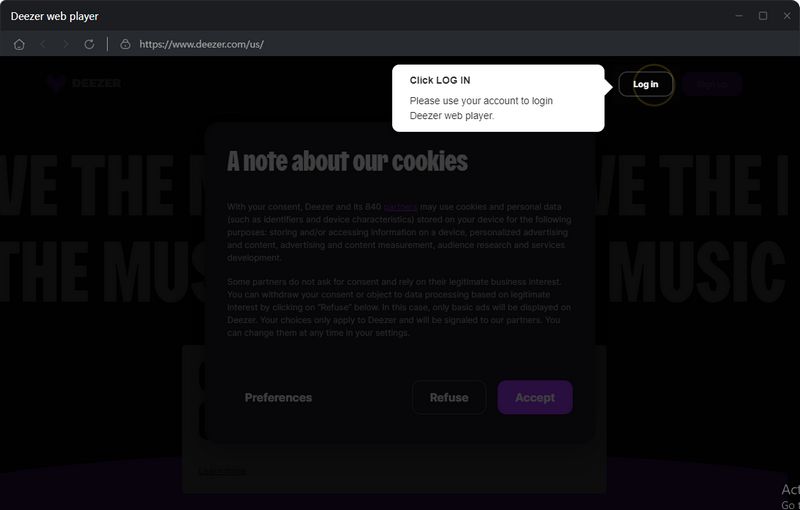
Step 1 Run TunePat Deezer music converter on your computer and log in to your Deezer account. The Deezer web player is embedded with TunePat by default. If you want to make it independent of TunePat, click the "Pop out Player" button.
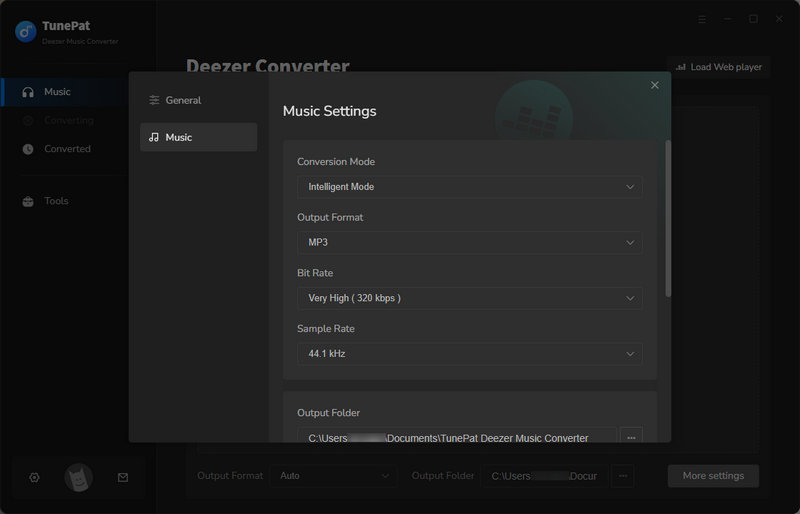
Step 2 Click the settings button. Here you can customize various parameters, such as conversion mode, output format, bit rate, etc. If needed, you can change the storage folder location and file naming conventions in this step. After making your selections, close the window; all changes will be applied automatically.
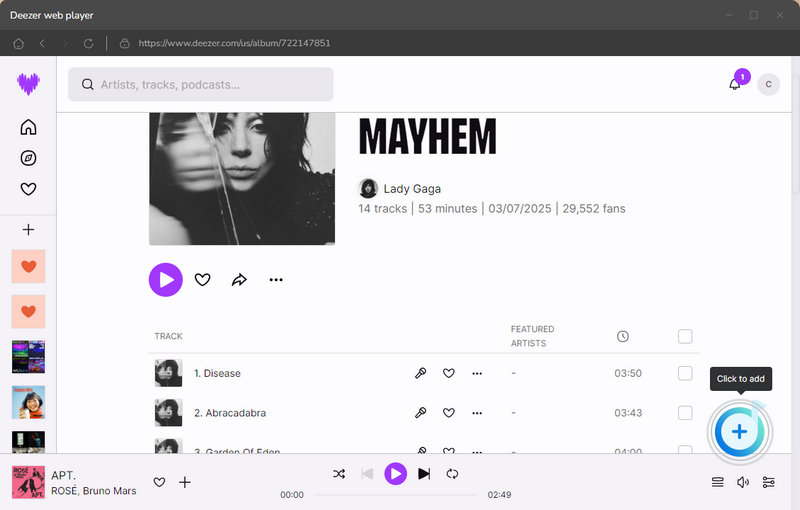
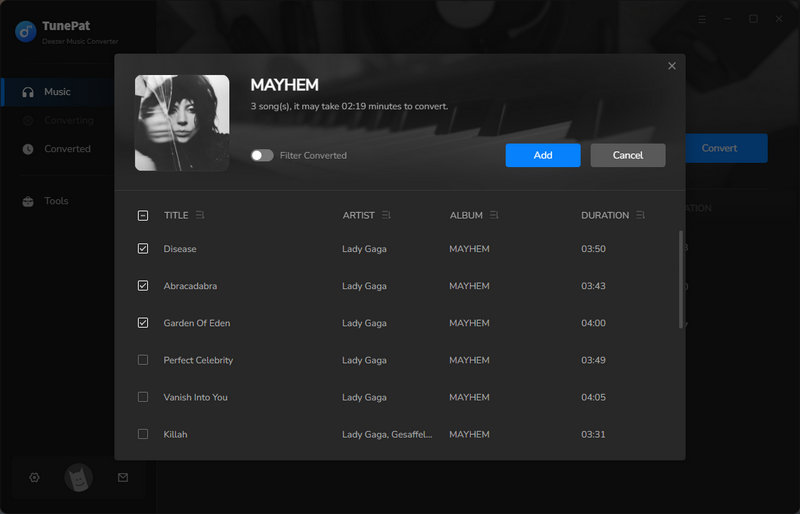
Step 3 Return to the Deezer web player, find and open the playlists or albums you wish to convert. Then, click the "+" button in the lower right corner. TunePat will automatically parse the songs and display them in the pop-up window. You can manually select the songs you need and then click "Add" to continue.
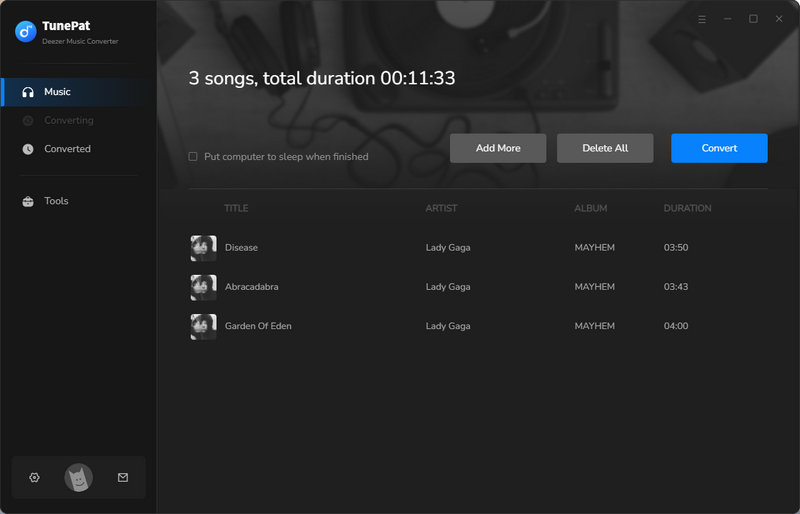
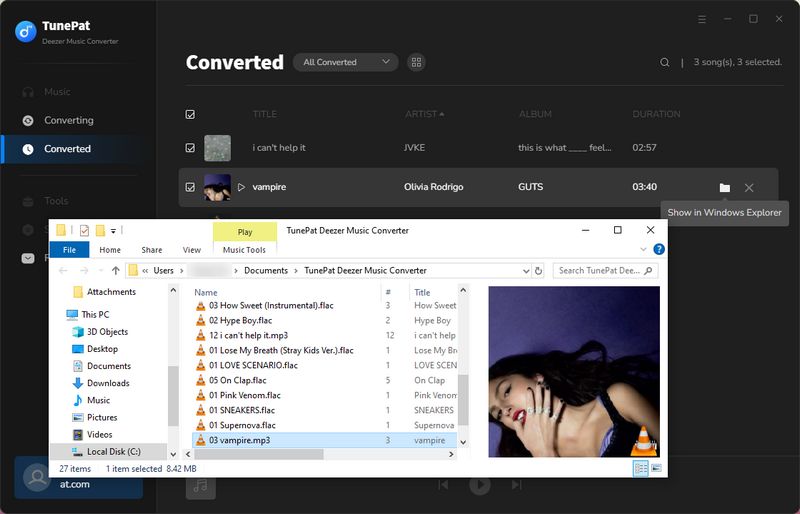
Step 4 If you need to add songs from other albums, you can click "Add More". Once ready, click "Convert" to start the conversion process. After the conversion is complete, the output folder will open automatically. You can also click the "History" button to view all conversion history. The converted Deezer tracks will retain HiFi audio quality and plain formats, allowing them to play perfectly on all major players and devices.
Part 4: Other Deezloader Alternatives Worth Trying
1. Allavsoft
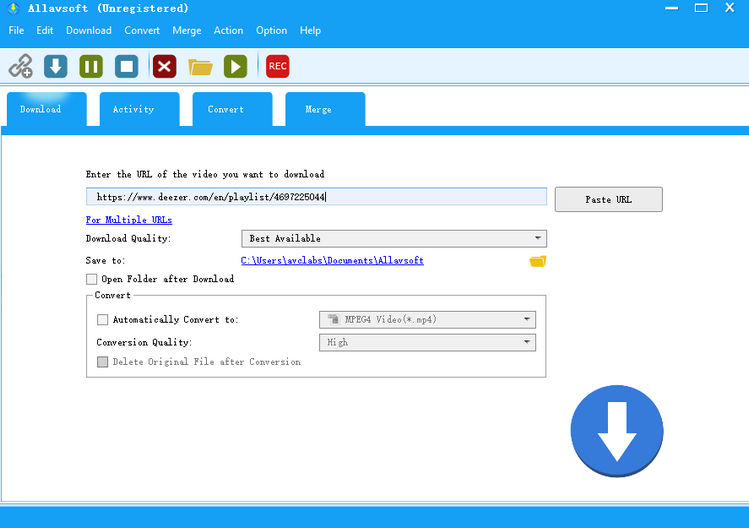
Allavsoft is a multi-platform video and audio downloader that supports over 1,000 websites, including Deezer. It enables users to save music in multiple formats, such as MP3 or FLAC, to accommodate different needs for sound quality and file compatibility. The desktop software is relatively simple to use. Paste a link into the input box, then select the desired audio quality, storage location, and output format. It should be noted, however, that in testing the downloaded audio did not meet lossless standards. Additionally, the trial version of the software comes with certain usage limitations.
2. AIDS Deezer Downloader
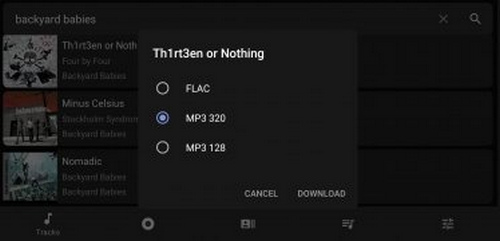
The AIDS Deezer Downloader APK is an unofficial Android application that allows users to download Deezer songs and save them locally in formats such as MP3, or FLAC. It is free to use and does not require users to log in through an official Deezer subscription. Users can either paste a Deezer song link or search directly within the app to find music. Once a track is selected, they are presented with 3 output options and can proceed to download directly. However, the app does come with notable drawbacks. As an unofficial tool, its reliability can be inconsistent, which means downloads frequently fail, and the experience is often interrupted by intrusive pop-up ads, making it less smooth in practice than it may first appear.
Part 5: Deezloader Alternatives Comparison Table
| Features | TunePat Deezer Music Converter | Allavsoft | AIDS Deezer Downloader |
|---|---|---|---|
| Overall Score | 4.6 / 5 | 3.4 / 5 | 2.8 / 5 |
| Download Speed | Fast, 10x Speed | Fast | Slow |
| Supported Devices | Windows & Mac | Windows & Mac | Android |
| Audio Quality | Lossless FLAC/WAV | 320 kbps MP3 | 320 kbps MP3 |
| Output Format | MP3, AAC, WAV, FLAC, AIFF, ALAC | MP3, FLAC, etc. | MP3, FLAC |
Part 6: FAQs About Deezloader Alternatives
Q1: Is Deezloader still working?
A: Deezloader no longer works reliably for most users. Login errors, failed downloads, and connection issues have become increasingly common. Instead of spending time troubleshooting repeated errors, switching to a stable and actively maintained Deezloader alternative is often the easier and more reliable solution.
Q2: Are there any free Deezloader alternatives?
A: Yes, there are some free Deezloader alternatives available. However, they often come with limitations in terms of features and stability. If you only download music occasionally, a free tool might be enough. But for users who want to download high quality music consistently and without interruptions, a well-maintained professional alternative like TunePat Deezer Music Converter usually provides a much smoother experience.
Q3: Are Deezloader alternatives safe to use?
A: Safety largely depends on where you download the software and how actively it is maintained. Tools from unknown sources may include unwanted ads or potential security risks, so it’s important to be cautious. Choosing a Deezloader alternative that has an official website, regular updates, and a solid user base is generally much safer. Well-maintained tools are also less likely to suddenly stop working or run into major errors.
Q4: Do I need technical skills to use a Deezloader alternative?
A: Not at all. Most modern Deezloader alternatives are designed to be simple and user-friendly. For everyday users, the process is very similar to using a standard downloader. No complicated setup or technical background is required.
Conclusion:
Deezloader was once the primary tool for downloading music from Deezer, but due to instability and a lack of updates, it is no longer a reliable option. Fortunately, several capable alternatives are now available that deliver smoother performance, stronger security, and more consistent download quality.
Whether you prioritize lossless audio, batch downloads, or device compatibility, a professional tool like TunePat Deezer Music Converter is an excellent choice. Other tools may be better suited for casual or mobile users. By selecting a well-maintained and dependable alternative, you can continue to enjoy your favorite Deezer music offline without the limitations of Deezloader.
Olivia Anderson
Senior Writer