
Want to download your favorite Last.fm songs as MP3 files? Since Last.fm focuses on music discovery and listening history rather than downloads, tracks often link to services like YouTube, Spotify, or Apple Music for playback. However, you can also save individual Last.fm tracks directly or record them using TunePat, without relying solely on external streaming services. Below, we'll show you how both methods work and when it makes sense to use another music service.
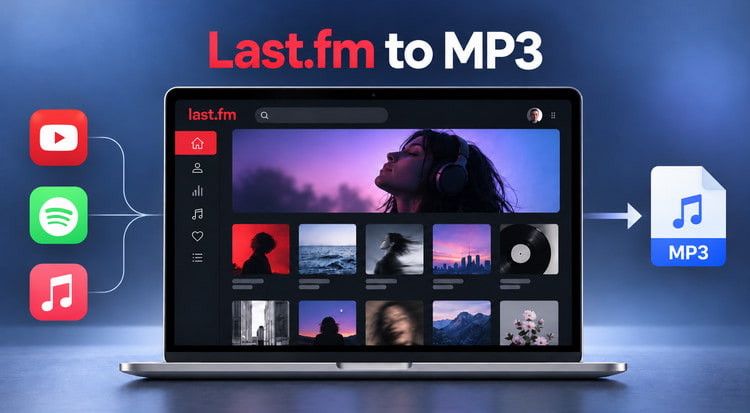
Can You Download Music from Last.fm as MP3?
Not directly. Last.fm doesn't offer a built-in option to download songs as MP3 files. When you click Play Track, the song may play through YouTube or another available music source. Some track pages also provide links to Spotify and Apple Music for listening.
However, playing a song isn't the same as downloading it. These playback links don't provide MP3 files you can save to your device, and connecting a streaming account to Last.fm doesn't enable direct MP3 downloads. The available playback sources may also vary depending on the track. To save songs you've discovered on Last.fm as MP3 files, you'll need a separate download or recording method. The next section explains how to do this.
How to Convert Last.fm Music to MP3
To save Last.fm music as MP3 files, TunePat Music One offers two methods: Download Mode and Recording Mode. You can download individual tracks directly without switching to another music service, or record audio during playback for more flexibility. Follow the steps below to get started.
Option 1: Download Last.fm Tracks Directly to MP3
Step 1 Open Last.fm in TunePat Music One
Launch TunePat Music One and select "Last.fm" from the list of supported platforms. Last.fm opens in Download Mode by default.
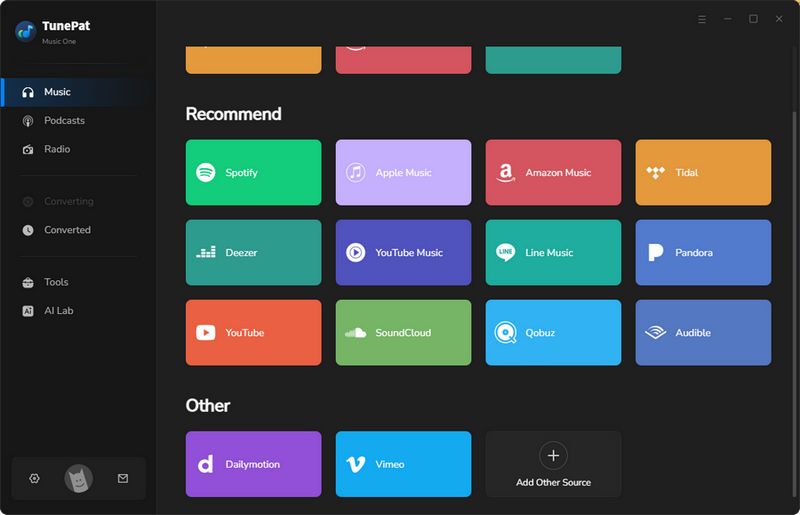
Step 2 Add a Last.fm Track
Navigate to the Last.fm song you want to download. Since Download Mode currently supports individual tracks only, make sure you're on a specific track page rather than an artist or playlist page. Click the "+" button in the bottom-right corner to analyze the track. Once the analysis is complete, you'll be taken to the conversion list automatically.
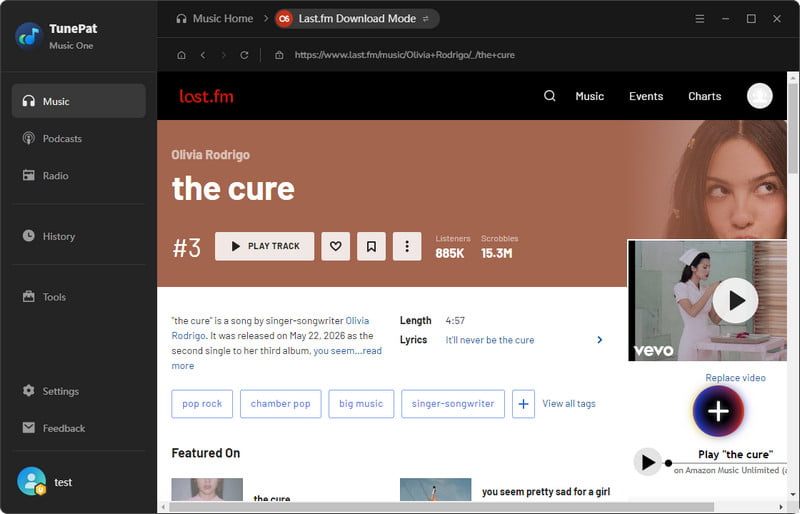
Step 3 Choose MP3 and Start Converting
Click "Settings" to customize the output preferences and select "MP3" as the format. Then click "Convert" to start downloading your Last.fm track.
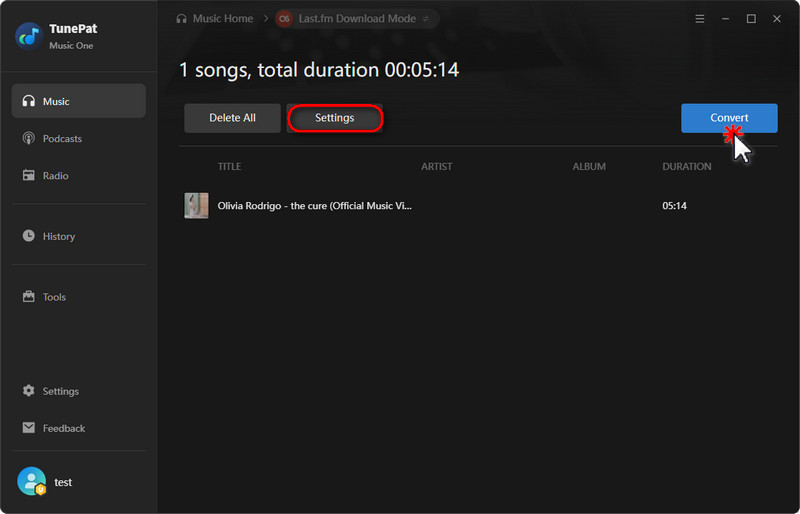
Option 2: Record Last.fm Music as MP3
If you prefer to capture music as it plays, you can switch to Recording Mode. Unlike the direct download option, this method lets you work with playback from artist or playlist pages.
Step 1 Start Recording Last.fm Music
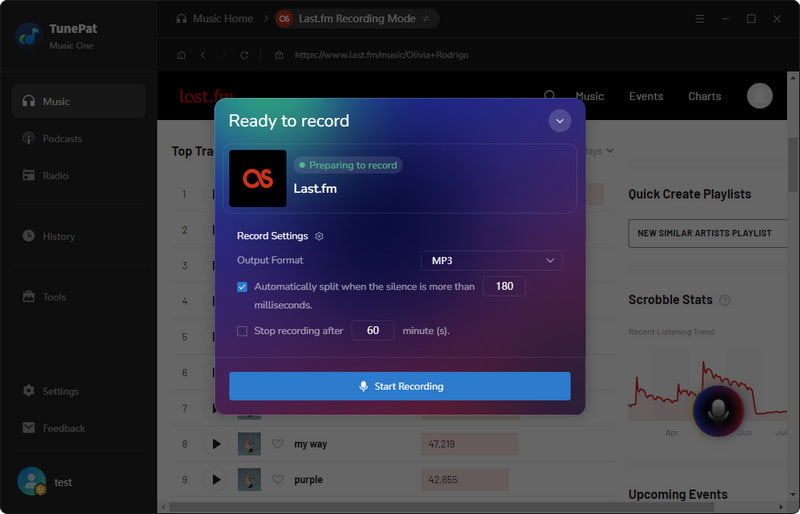
Open Last.fm in TunePat Music One and navigate to the artist or playlist you want to record. Click the recording icon in the bottom-right corner, choose "MP3" as the output format, and select "Start Recording" to begin capturing the audio.
Step 2 Stop and Save the Recording in MP3
Let the music play while TunePat records it. Once you've captured the audio you want, click the recording icon again and choose "Stop Recording" to finish and save the recording in MP3 format.
When to Use Linked Streaming Services for Last.fm to MP3
While TunePat Music One supports direct downloads of individual Last.fm tracks, linked services like YouTube, Spotify, and Apple Music are worth considering if you have multiple songs to save or want more audio quality options. Unlike recording music during playback, converting tracks through these services supports batch downloads and faster processing, with speeds of up to 10X on supported platforms and even 40X for Spotify in certain modes. These methods can also help retain the original audio quality, depending on the source and output format.
For example, if you've collected songs discovered on Last.fm into a Spotify playlist, you can convert Spotify playlists to MP3 in batches instead of recording them individually. Similar options are also available for music on YouTube and Apple Music.
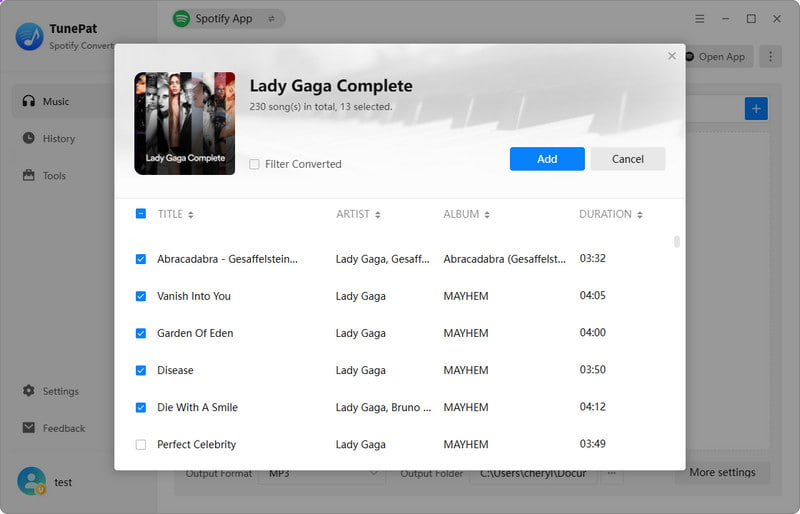
Keep in mind that you'll need to find the corresponding songs on these services first. These methods don't automatically download your Last.fm charts or listening history.
Which Last.fm to MP3 Method Should You Choose?
Not sure which method to use? Here's how the three options compare.
| Method | Best For | Key Considerations |
|---|---|---|
| Download Mode | Saving individual Last.fm tracks | Direct conversion without switching platforms; supports one track at a time |
| Recording Mode | Capturing music during playback | Works with artist or playlist playback; recording takes time |
| Linked Streaming Services | Saving multiple songs efficiently | Supports batch conversion and faster processing; requires finding tracks on the corresponding service |
For a single Last.fm song, Download Mode is the simplest starting point. Choose Recording Mode if you prefer capturing playback, or use linked streaming services when you need batch conversion and more output options.
FAQs About Last.fm to MP3
Q1: Can I Download My Last.fm Loved Tracks as MP3?
A: Last.fm's Loved Tracks feature lets you save your favorite songs to a personal list, but it doesn't store downloadable audio files. You can save individual songs using a compatible download or recording tool. To convert multiple loved tracks, you'll need to find the corresponding songs on a supported music service first.
Q2: Do I Need Last.fm Pro to Download Music?
A: No. Last.fm Pro provides extra features like advanced listening statistics, scrobble editing, and profile customization, but it doesn't include MP3 downloads. You don't need a Pro subscription to use a separate music converter, though the converter may have its own subscription or licensing requirements.
Q3: Can I Download Last.fm Music in 320kbps MP3?
A: Yes, if your conversion tool supports 320kbps MP3 output. However, the actual audio quality depends on the source recording and conversion method. Selecting 320kbps won't improve a lower-quality source, so it's best to check the available audio quality and output settings before converting.
Q4: Will Downloaded MP3 Files Be Added to My Last.fm Listening History?
A: Not automatically. Last.fm uses scrobbling to track the songs you listen to, rather than the files stored on your device. If you play downloaded MP3 files through a compatible music player with scrobbling enabled, those plays can be recorded in your Last.fm listening history.
Summary
If you only want to save a few songs from Last.fm, TunePat Music One's Download Mode is a good place to start. It lets you download individual tracks without having to find them on another platform first. Recording Mode is another option. For more conversion choices, you can also work with songs available on Spotify, YouTube, or Apple Music, especially when dealing with larger collections.
Dereck Martin
Staff Writer