
Spotify offers both free and paid account options. While free accounts allow you to play full songs, the trade-off is ads during playback. You also can’t download music for offline listening, and some premium features are unavailable. So, how much does Spotify Premium cost? What subscription plans are available, and what are the differences between them? In this article, we’ll break down Spotify’s subscription plans, pricing, and whether it's worth it. Let's dive in.
 Video Tutorial: How Much Does Spotify Cost?
Part 1: Spotify Subscription Plans: Free vs Premium
As mentioned above, Spotify Free accounts come with certain limitations. Meanwhile, Spotify Premium also offers several versions, each designed for different types of users. The table below details the key features, prices, and target audiences for each subscription plan. See which subscription plan offers you the best value.
| Spotify Plan | Monthly Price (USD) | Key Features | Best For |
|---|---|---|---|
| Free | $0 | Ads, no offline download, lower audio quality | Casual listeners |
| Premium Individual | $12.99 | Ad-free, offline download, lossless quality, 15h / month of audiobook time | Users seeking a complete experience |
| Premium Student | $6.99 | All Individual features, annual verification of student status | Students in an eligible institution |
| Premium Duo | $18.99 | All Individual features, Duo Mix, 2 accounts | Two users living together |
| Premium Family | $21.99 | All Individual features, parental controls, Family Mix, 6 accounts | Family members living together |
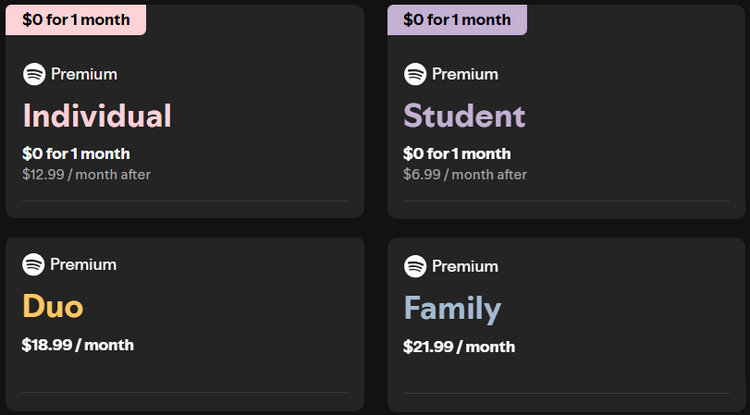
If you're a casual listener, the Spotify Free plan may suffice, but for those seeking a more robust experience, Spotify Premium offers several options. The Premium Individual plan is ideal for single adults or dedicated listeners. Eligible students can access the same full features at half the price with the Premium Student plan. For shared listening, the Premium Duo plan offers great value for couples or roommates, and the Premium Family plan delivers the lowest per-person cost for households with multiple members. Keep in mind that prices may vary depending on your country, which we’ll cover in the next section.
If you find Spotify’s free version too limited but feel a Premium subscription is too expensive, there are alternative ways to enjoy a more flexible music experience. TunePat Spotify Converter lets you download Spotify music for offline listening, giving you greater control over your playlists.
Part 2: Spotify Price Differences in Different Countries
Many people wonder how Spotify costs in their country. The answer isn't always the same, as Spotify's pricing varies across different countries. It is determined based on factors like exchange rates, local taxes, and market conditions. Moreover, Spotify's monthly fees are not set in stone. Over the past few years, Premium plan prices have increased in many markets. For instance, in the United States, the price for the Premium Individual plan has risen from about $9.99 per month to $10.99 and reached $12.99 by 2026. Spotify has stated that these adjustments are made to maintain the user experience and support creators and artists. Below, we will introduce Spotify's pricing in several key countries.
| Country | Individual (USD/Month) | Student (USD/Month) | Duo (USD/Month) | Family (USD/Month) |
|---|---|---|---|---|
| United States | $12.99 | $6.99 | $18.99 | $21.99 |
| United Kingdom | £12.99 | £5.99 | £17.99 | £21.99 |
| Germany | €12,99 | €6,99 | €17,99 | €21,99 |
| France | €12,14 | €7,07 | €17,20 | €21,24 |
| Spanish | €11,99 | €6,49 | €16,99 | €20,99 |
| Japan | ¥1,080 | ¥580 | ¥1,480 | ¥1,880 |
Overall, users in the United States and the United Kingdom generally pay more, while listeners in countries like Japan and Spain benefit from lower subscription costs. Across all regions, the Student plan remains the most affordable option, and Duo or Family plans offer the lowest cost per person.
Part 3: Is Spotify Premium Worth It
For many Spotify users asking, "Is Spotify Premium worth it?" the answer largely depends on your listening habits. A Spotify Free account provides basic access to music, but the Premium account offers a range of features that significantly enhance the listening experience. Its core advantages include, but are not limited to, ad-free listening, offline playback, lossless audio quality, and full control to skip tracks freely or play any song on demand. These features are particularly valuable for dedicated users. Specifically, if you want the full experience, you can consider subscribing to different versions to achieve a lower cost per person. For example, you can purchase the Family plan with your family, which offers the lowest per-person cost. Additionally, Spotify usually provides a 1-3 month free trial for Premium, allowing you to experience all features before committing to payment. If you want to learn more ways to access Spotify Premium for free, you can refer to this article.
Overall, if you listen to music frequently and value high-quality audio, offline listening, and an ad-free experience, then upgrading to Spotify Premium is undoubtedly worth it. On the other hand, if you only listen occasionally, the free plan may be sufficient. For users who prefer not to subscribe, the next section will introduce how to download Spotify music without a Premium account.
Part 4: How to Download Spotify Music Without a Premium Subscription
Not everyone is willing to commit to a long-term Spotify Premium subscription. Many users prefer to stay with Spotify Free accounts. However, Spotify Free does not officially support offline downloads, which can be frustrating for users who want to listen without an internet connection or save music to their local devices. Fortunately, this doesn’t mean offline listening is completely out of reach. With the help of certain third-party tools, users can download Spotify songs, albums, or playlists and save them as local audio files for personal offline playback and backup, even without a Premium subscription.
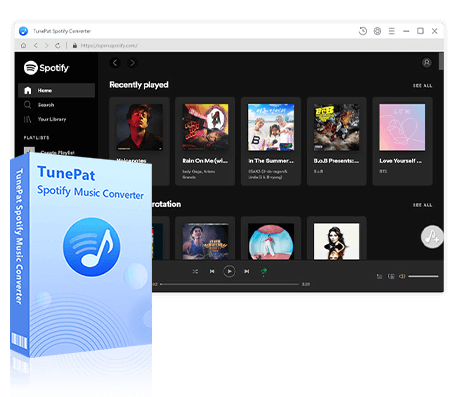
Next, we'll introduce a highly acclaimed and well-known tool, TunePat Spotify Converter, which allows you to download Spotify music without a Premium subscription. TunePat enables you to convert and permanently save various Spotify content, including songs, albums, playlists, podcasts, audiobooks, music videos, and podcast videos. It can convert music to multiple audio formats, such as MP3, FLAC, AAC, WAV, AIFF, and ALAC. This allows you to easily download ad-free music to your computer while retaining lossless audio quality, complete ID3 tags, and lyrics. TunePat supports up to 40X conversion speeds, making it especially suitable for processing large playlists and saving significant time.
TunePat Spotify Converter
TunePat Spotify Converter enables users to convert and get Spotify songs, albums, playlists, podcasts, radio, and audiobooks from the Spotify app or web player and then save them permanently.
Step 1 Launch TunePat Spotify Converter
Run TunePat, and you can switch the audio source on the main interface. Both the Spotify app and the Spotify web player are supported for downloads, so you can choose based on your preference. If you want to download Spotify music in lossless audio quality, please select the Spotify app. For faster speed, opt for the web player. Whichever you choose, remember to log into your Spotify account. Both free and premium accounts are supported, but downloading in lossless format requires a premium account.
Step 2 Modify Output Settings as Preferred
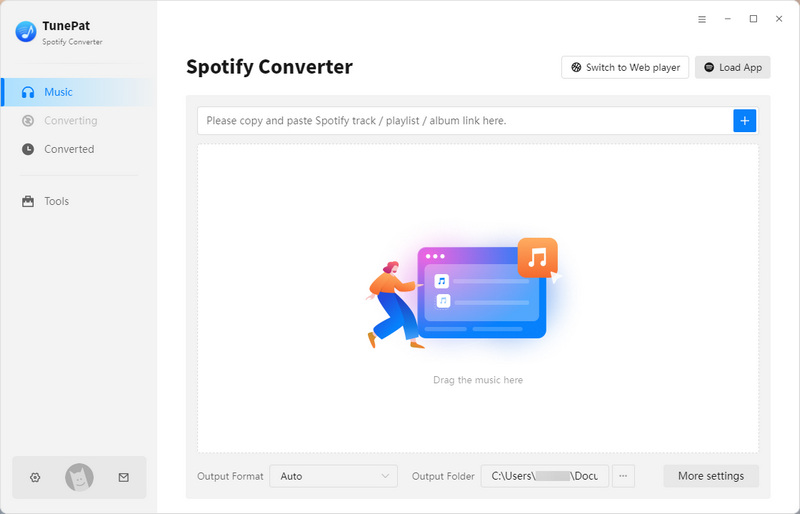
Before adding music, click the settings button to adjust output parameters, such as conversion mode, output format (MP3, AAC, FLAC, WAV, AIFF, ALAC), bit rate, sample rate, conversion speed, output folder, output filename, and more. Once you've made the changes, close the settings window; TunePat will automatically remember these adjustments, so you won't need to manually tweak them again for future downloads.

Step 3 Locate and Add Spotify Songs for Conversion
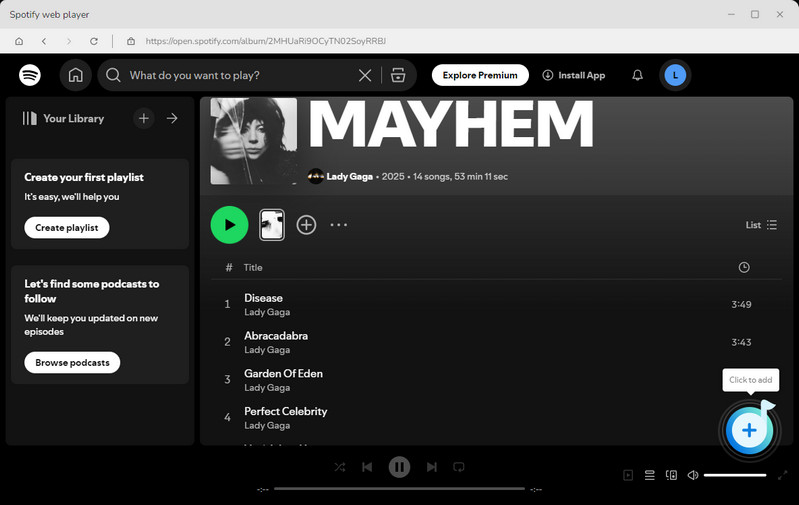
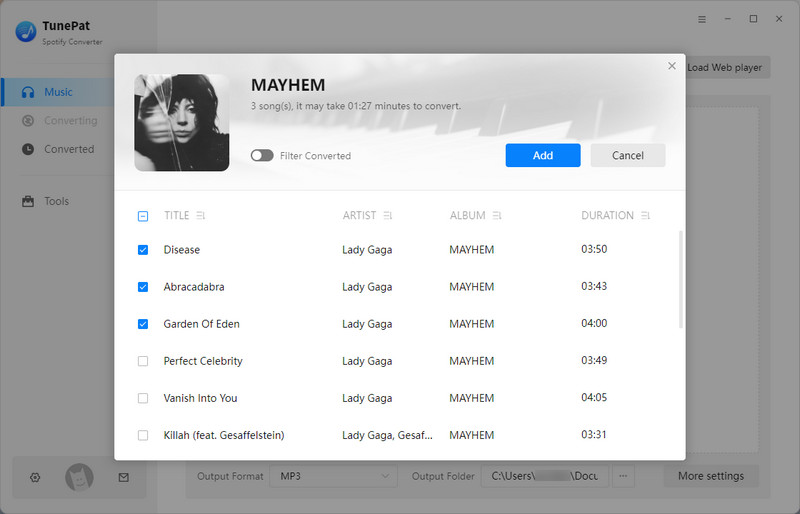
Return to Spotify and find the song, playlist, or album you want to convert. Then, click the "+" button and wait for TunePat to load. Once loading is complete, TunePat will open a window listing all songs currently available for conversion. You can manually select the songs, then click "Add" to proceed to the next step.
Step 4 Save Spotify Tracks Locally
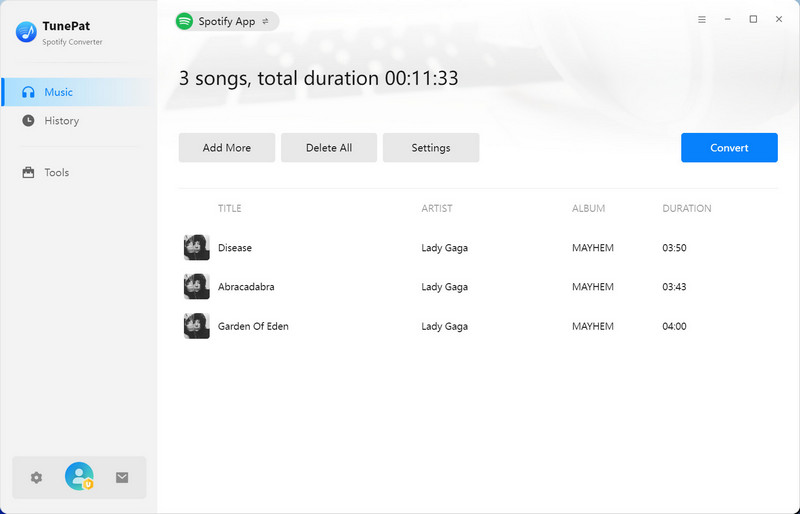
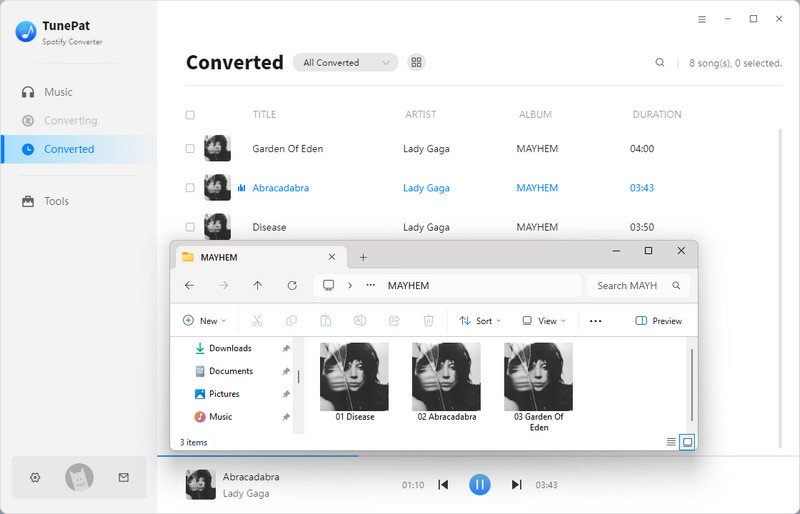
If you want to convert multiple playlists at once, click the "Add More" button on this page. After selecting all the songs, click "Convert" to begin the conversion process. When the conversion is done, the output folder will open automatically, allowing you to view the converted songs. No matter how Spotify's pricing changes, by using TunePat, you'll be able to keep these songs forever without any restrictions.
Part 5: FAQs About Spotify Subscription Plans
Q1: How does Spotify cost in different countries?
A: Spotify subscription prices are not uniform globally, varying primarily due to local currency values, tax policies, and marketing promotions.
Q2: Has the Spotify Premium price increased recently?
A: Spotify has raised prices several times in multiple markets worldwide over the past two years, resulting in dynamic price changes across different countries.
Q3: Can I switch between Spotify plans anytime?
A: Yes, you can upgrade, downgrade, or cancel your Spotify plan at any time through your account settings.
Q4: How to cancel a Spotify Premium subscription?
A: You can cancel your Premium plan at any time in your account settings. Your Premium service will continue until the next billing date, after which your account will automatically revert to the Free account. Once switched to the Free account, you will still be able to play music, but it will be accompanied by advertisements. If you prefer not to listen to music with ads, you might consider using TunePat Spotify Converter. This tool allows you to download Spotify music even with a free account.
Q5: Does Spotify cost extra for multiple devices?
A: No, your Premium plan can be used on multiple devices, but simultaneous playback is limited to one stream per account.
Conclusion:
In summary, Spotify offers both free and premium subscription plans, each with its unique advantages and target user groups. Additionally, Spotify's pricing varies by region, currency, and taxes, and the cost of Premium subscription plans may change over time. Therefore, when considering a Premium subscription, it is essential to understand the local subscription options and pricing. For users who wish to listen offline without subscribing to Premium, third-party tools like TunePat Spotify Converter provide a flexible solution, allowing even Free account users to permanently download their Spotify playlists.
Whether you are a casual listener or a dedicated music enthusiast, by choosing the right subscription plan or utilizing third-party tools, you can maximize the value you get from Spotify based on your needs. We hope this guide helps you clearly understand how Spotify costs and make the choice that best suits you.
Olivia Anderson
Senior Writer