How to Download Spotify Songs with Eevee Spotify
 By Olivia Anderson
Spotify Tips
Updated on 3/26/2026
By Olivia Anderson
Spotify Tips
Updated on 3/26/2026
Eevee Spotify is a third-party Spotify IPA that has attracted iOS users who want extra features or a way to download Spotify songs outside the official app. Because of this, many people start wondering how to download Eevee Spotify and whether it actually works or is safe to use.
This guide explains what Eevee Spotify actually is, how its download feature works in practice, its limitations and risks, and what a safer alternative you can consider if you need real, permanent Spotify downloads.
- Part 1: What Is Eevee Spotify?
- Part 2: How Eevee Spotify Download Works?
- Part 3: How to Use Eevee Spotify (Overview Only)
- Part 4: Is Eevee Spotify Safe and Legal?
- Part 5: Better and Safer Alternative to Eevee Spotify 👍
- Part 6: Eevee Spotify vs Spotify Music Downloader
- Part 7: FAQs About Eevee Spotify Download
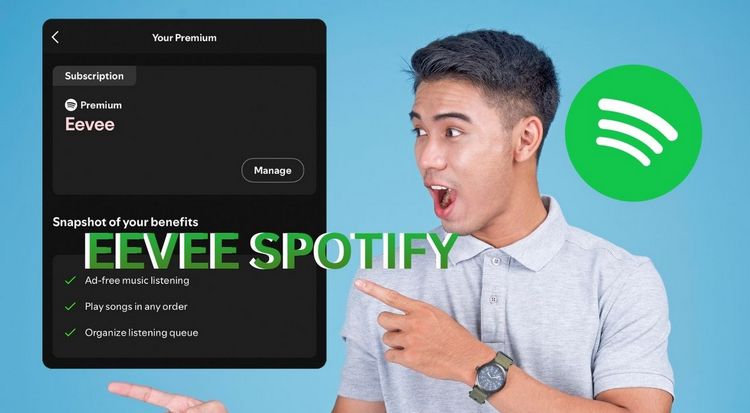
Part 1: What Is Eevee Spotify?
1.1 Eevee Spotify IPA Explained
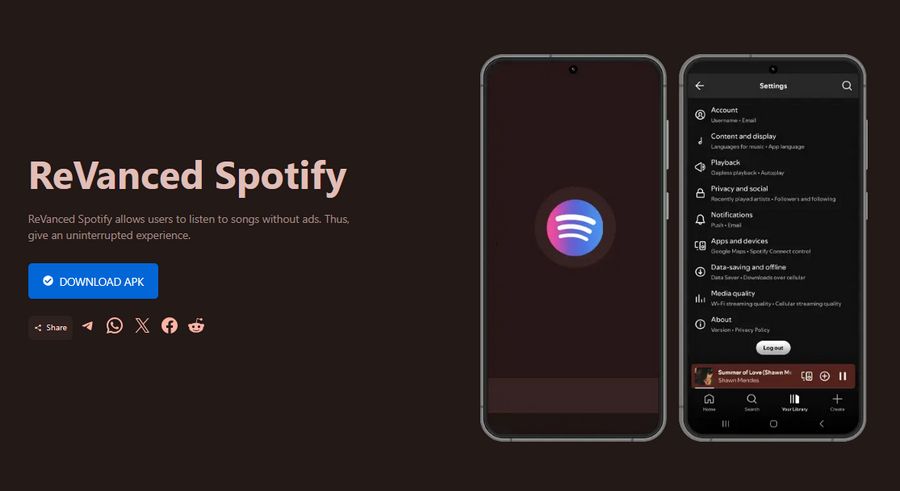
Eevee Spotify is a third-party modified version of the Spotify app, distributed as an IPA file. It is not developed, supported, or endorsed by Spotify.
Because it is not available on the App Store, Eevee Spotify must be installed through sideloading tools such as AltStore or Sideloadly. This means it operates outside Apple's official app ecosystem.
Commonly mentioned features include:
- Ad-free listening
- Unlimited skips
- Access to certain Premium-like behaviors, like higher audio streaming quality, etc.
1.2 What Eevee Spotify Claims to Do
Eevee Spotify is often described as a way to download Spotify songs without a Premium subscription. This claim is one of the main reasons users try the app.
However, the meaning of "download" in Eevee Spotify is not always the same as downloading real music files, which leads many users to misunderstand its capabilities.
Are you ultimately looking for audio files that play perfectly outside the Spotify app? Want to play them on any device you like without an internet connection? Try this safer and more effective Eevee Spotify alternative. Download Spotify music in MP3 or Lossless FLAC now: 👇
Part 2: How Eevee Spotify Download Works
Now that we've covered what Eevee Spotify is, it's worth taking a closer look at how its download feature actually works. In particular, it helps to clarify what "download" means here and what it doesn't offer for offline listening.
2.1 Can Eevee Spotify Really Download Spotify Songs?
Many people who want to know how to download Eevee Spotify expect to get real audio files, but Eevee Spotify does not save Spotify songs in standard formats like MP3, WAV, or FLAC.
Instead:
- Songs are cached inside the app
- Playback is only possible within Eevee Spotify
- Files cannot be exported, transferred, or opened in other players
In practice, this means Eevee Spotify's downloads function more like temporary offline caching than true music downloads.
2.2 Key Limitations You Should Know
Understanding these limitations helps explain why many users eventually look for alternatives:
- Downloaded content disappears if the app is revoked or removed.
- Cached songs stop working when the certificate expires.
- Music remains tied to the app and the Spotify account.
- There is no access to real audio files on the device.
For anyone who wants permanent local music files, these restrictions are a major downside.
Part 3: How to Use Eevee Spotify (Overview Only)
If you're learning how to download Eevee Spotify, you're likely more interested in how it works in practice than in every setup detail. The section below focuses on how Eevee Spotify is commonly used, rather than step-by-step installation instructions that can quickly become outdated.
How to Install Eevee Spotify on iOS?
Step 1 Use a sideloading tool such as AltStore or Sideloadly to install the Eevee Spotify IPA.
Step 2 Sign the Eevee Spotify IPA with your Apple ID.
Step 3 Trust the developer profile on your device to allow the app to run.
Step 4 Once installed, open Eevee Spotify and tap the download option within the app.
Step 5 Save songs for offline playback inside Eevee Spotify.
Step 6 Listen to downloaded songs without an internet connection for a limited period.
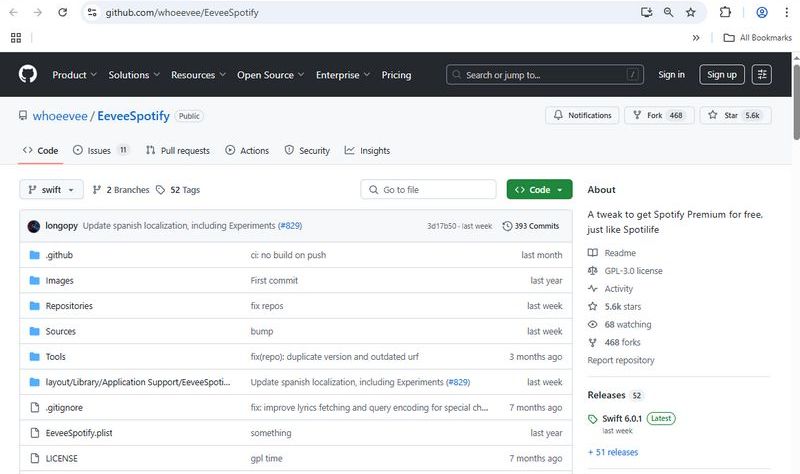
*Important Notes:
1. Installing Eevee Spotify requires sideloading with tools like AltStore or Sideloadly, involving signing in with your Apple ID and trusting developer profiles. Apple often revokes certificates, causing the app and downloads to stop working unexpectedly.
2. Eevee Spotify shows a "download" or offline playback button in its interface, but this is only superficial. It doesn't create real offline files like MP3. Downloads often work only temporarily or stop due to certificate revocations and app limits. For reliable offline listening, consider Spotify Premium or dedicated Spotify downloader.
Part 4: Is Eevee Spotify Safe and Legal?
After understanding how Eevee Spotify downloads work, it's equally important to consider the potential risks involved in using a third-party Spotify IPA.
4.1 Account and Device Risks
Using modified Spotify apps may involve:
- Apple ID security concerns during sideloading.
- Possible Spotify account monitoring or restrictions.
- App crashes, bugs, or unexpected behavior.
While not every user encounters issues, these risks should be weighed carefully. If you want to completely avoid the risks mentioned above, a secure Spotify desktop downloader would be more suitable for you. It's simple to use; you can download entire Spotify playlists or albums to your device with a single click as MP3, FLAC, M4A, etc. Want to give it a try?
4.2 Why Eevee Spotify Often Stops Working
One of the most common complaints about Eevee Spotify is instability. This usually happens because:
- Apple revokes the app's certificate.
- iOS system updates break compatibility.
- Spotify changes its backend or APIs.
As a result, Eevee Spotify is rarely a reliable long-term solution.
Part 5: Better and Safer Alternatives to Eevee Spotify
Given these limitations and risks, it's not surprising that many users start looking for a more stable way to download Spotify music.
❓ Why Do Many Users Look for an Eevee Spotify Alternative?
- Downloads that do not suddenly disappear.
- Real audio files can be kept permanently.
- A solution that does not rely on cracked or revoked iOS apps.
For these needs, desktop-based Spotify downloaders are often more practical. How can you download Spotify songs as real MP3 files? TunePat Spotify Converter is an excellent and safe alternative to Eevee Spotify. This well-designed tool is specifically created to convert Spotify songs, albums, playlists, podcasts, audiobooks, and more into MP3 or other formats, allowing you to permanently save them to your computer, phone, or other devices.
The files you get can be played without any restrictions from the Spotify app and don't rely on modified IPA files. Therefore, TunePat is generally more stable and suitable for long-term use. The operation is also very simple, and we will provide a detailed guide below.
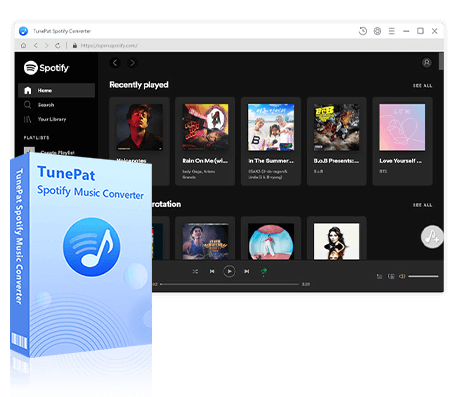
TunePat Spotify Converter
TunePat Spotify Converter enables users to convert and get Spotify songs, albums, playlists, podcasts, radio, and audiobooks from the Spotify app or web player and then save them permanently.
💡 If you want to get lossless Spotify songs, please refer to these 9 methods to get Spotify Premium for free.
Step 1 Launch TunePat Spotify Converter
Run TunePat. On the main interface, there is a button in the top left corner to switch between "Spotify App" and "Spotify web player". Please select one of these sources to get your songs. If you want to download lossless Spotify music, choose the Spotify App. After selecting, log into your Spotify account either within the Spotify app or TunePat's built-in web player. Both free and premium accounts are supported.
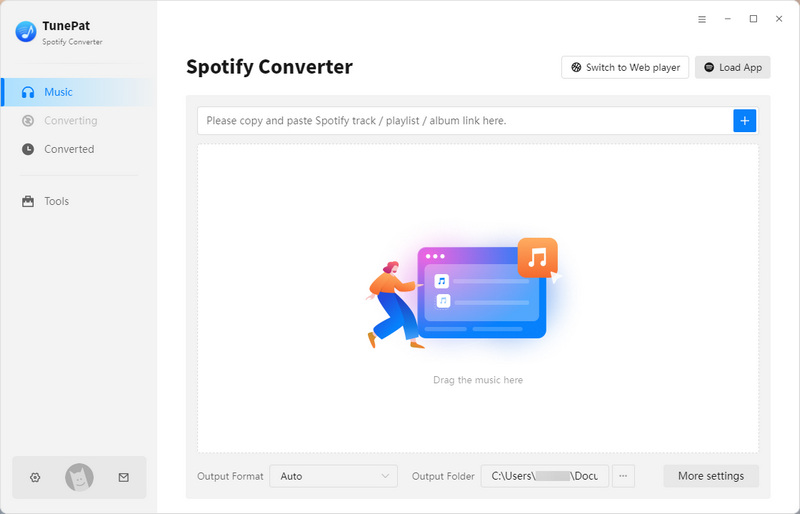
Step 2 Finish the Output Settings
Before selecting songs, click the "Settings" button in the left sidebar to adjust your output parameters. You can change the conversion mode, output format (MP3, AAC, FLAC, WAV, AIFF, ALAC), bit rate, sample rate, output folder, output file name, and more. Just make sure your playback device supports the chosen format and has enough storage space. Once done, close the settings window to automatically apply these changes until your next adjustment.

Step 3 Open Spotify Songs You Wish to Convert
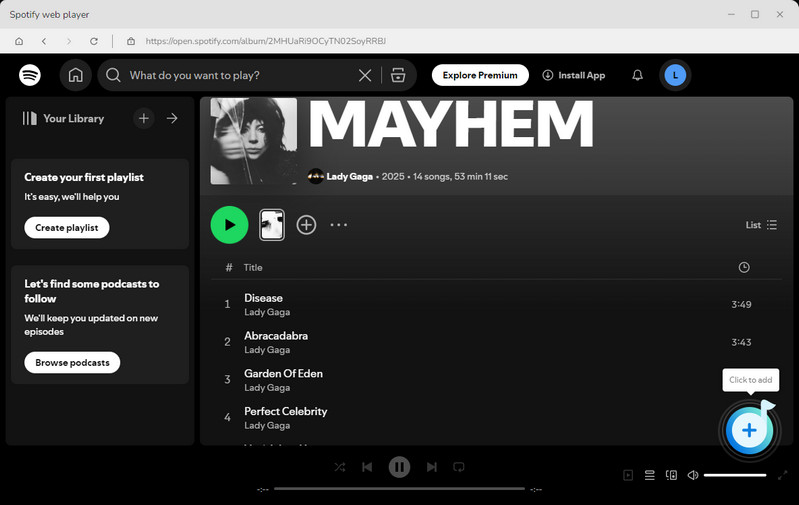
Go back to the Spotify library, find or open the songs, playlists, or albums you want to convert. Then, click the "+" button at the bottom right to let TunePat analyze your selection.
Step 4 Add Spotify Music to the List to be Converted
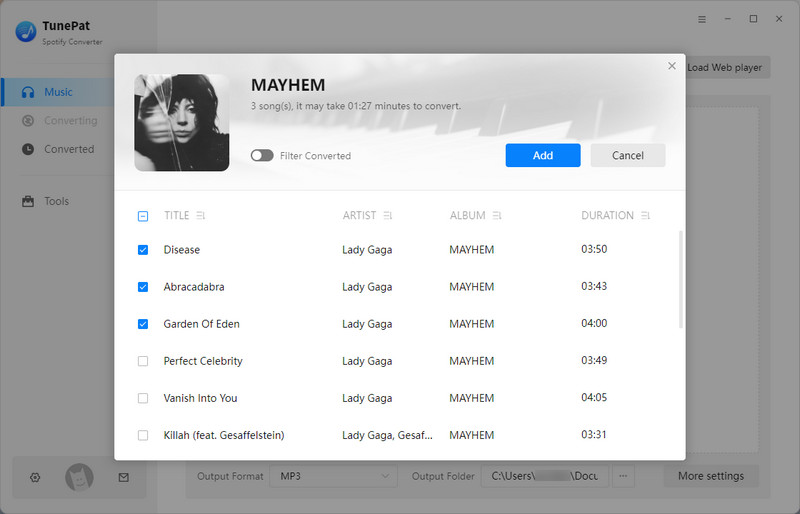
After analysis, a pop-up window will appear listing all the Spotify songs available for conversion, with all items selected by default. You can manually uncheck any songs you don't want. Then, click "Add" to proceed to the next step.
Step 5 Convert Spotify Tracks to Usable Audio Files
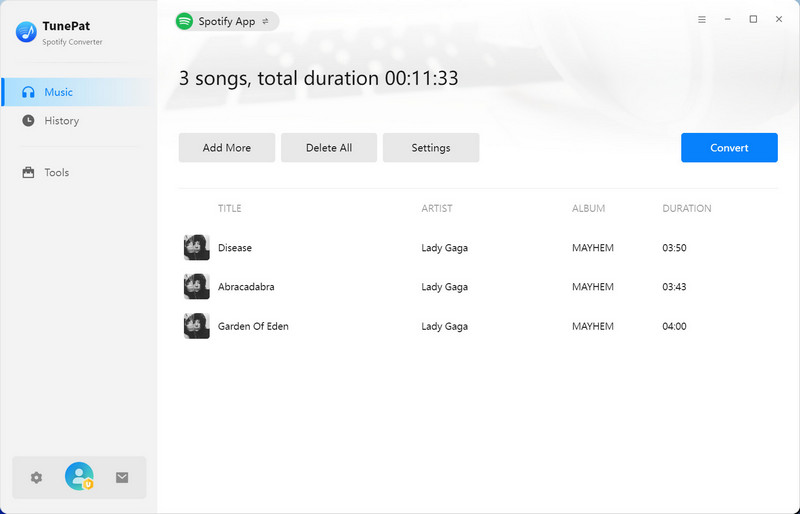
On this page, you will see an Add More button. This is useful if you want to convert songs from different playlists or albums in one batch. Once you've finalized your song selection, click "Convert" to start the process.
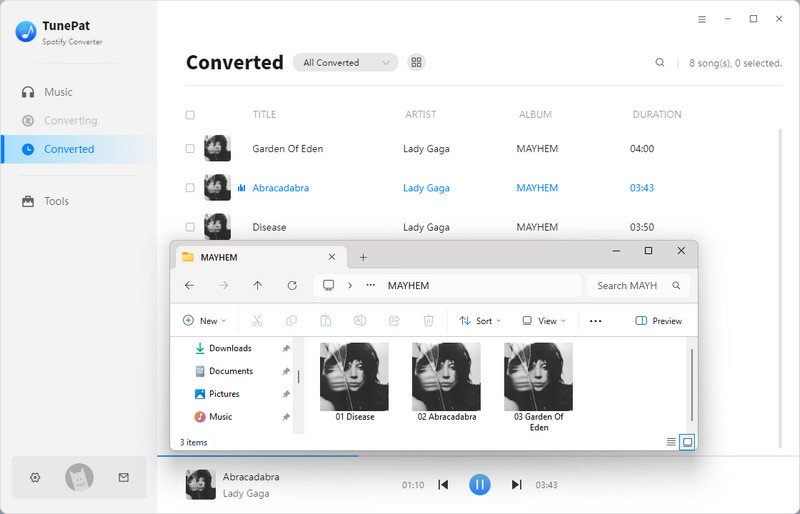
TunePat uses advanced decoding technology to convert your songs. Please wait patiently while the conversion completes. The output folder will automatically open, and you can also check your conversion history in the "History" module. The resulting files are real, fully editable audio files that can be transferred and used freely, and this is what sets TunePat apart from Eevee Spotify.
Part 6: Eevee Spotify vs Spotify Music Downloader
To make the differences clearer, a quick comparison helps highlight which option suits different needs.
| Feature | Eevee Spotify | Spotify Music Downloader |
|---|---|---|
| Download Type | Cached within app (not real files) | Real audio files (MP3, FLAC, etc.) |
| Stability | Dependent on certificates (often revoked) | Stable and consistent |
| Device Support | iOS only (sideloading required) | Multiple platforms (PC, Mac, mobile) |
| File Ownership | Temporary access (within app only) | Permanent local files |
| Ease of Use | Requires sideloading and technical steps | Usually straightforward |
📝 Who Should Use Which Option?
- Eevee Spotify: Suitable for short-term testing or casual offline listening.
- Spotify downloader: Better for users who want permanent files, backups, or cross-device playback.
Part 7: FAQs About Eevee Spotify Download
Q1: Does Eevee Spotify Still Work?
A: As of 2026, Eevee Spotify may work temporarily, but frequent Apple certificate revocations often cause the app to stop functioning unexpectedly. Due to this instability, it is not a reliable long-term solution for downloading Spotify songs.
Q2: Can Eevee Spotify Export MP3 Files?
A: No, Eevee Spotify cannot export real audio files like MP3s. It only caches songs within the app for offline playback, meaning you cannot extract or use these files outside the app. To get Spotify in MP3, use this green and safe Spotify Downloader.
Q3: Will Eevee Spotify Get My Spotify Account Banned?
A: Using third-party modified apps like Eevee Spotify carries inherent risks. Spotify's terms of service prohibit unauthorized apps, so there is a possibility your account could face restrictions or bans if detected.
Q4: Why Is Eevee Spotify Download Not Working?
A: Download failures often happen because Apple revokes or expires the app's enterprise certificates, causing it to stop working until it is re-signed or updated, which may not always be possible. Other reasons include unstable internet connections, iOS system updates breaking compatibility, or changes in Spotify's backend that affect the app's functionality.
Q5: Is there a Safer Way to Download Spotify Music?
A: The safest way is to use Spotify Premium for official offline downloads. Alternatively, dedicated Spotify downloaders like TunePat Spotify Converter let you convert songs to real MP3 files for permanent offline use, without relying on unstable modified apps.
Conclusion:
Eevee Spotify can be tempting for iOS users who are trying to figure out how to download Eevee Spotify to access premium-like Spotify features without a subscription. Its in-app offline playback makes it appealing, especially for short-term use.
However, if you've been wondering how to download Eevee Spotify and use its features, it's important to know that its download function is limited and unstable, relying on temporary caches rather than real audio files. Frequent certificate revocations and app crashes mean it's far from a reliable long-term solution.
If you want to keep your Spotify music and listen offline without hassles, your best bet is either subscribing to Spotify Premium or using a dedicated Spotify downloader. TunePat Spotify Converter lets you save songs as real MP3 files, so you can enjoy your favorite tracks anytime, with no need to worry about app crashes or limits.
Olivia Anderson
Senior Writer