
Looking to download MP3 songs? This guide covers four options: song search sites, online converters, official and artist-authorized downloads, and all-in-one desktop software. Compare them below to find the right option, with hands-on results for the tested tools covering song availability, playable MP3 files, audio quality, and metadata.
Quick Guide: Which MP3 Download Option Fits Your Needs?
| Category | For Example | Best For |
|---|---|---|
| MP3 Song Search & Download Sites | Tubidy, OKmusi, MP3Files | Searching by song title or artist, no link needed. |
| Online Link-to-MP3 Converters | SaveMP3, CnvMP3, OFA Downloader | Converting a supported song or video link to MP3. |
| Artist-Authorized Downloads | Jamendo, Free Music Archive, 7digital | Getting authorized free tracks or buying music. |
| All-in-One Desktop MP3 Downloader | TunePat Music One | Batch downloading music from supported services, such as Spotify, YouTube, and Apple Music. |
How We Tested These MP3 Download Options
Test setup: We tested on November 5, 2026, using Windows 11 and Chrome 156.0.8078.80. Our search sample included 20 songs covering releases from the previous 24-96 hours, recent hits, classics, and tracks in Korean, Hindi, and Japanese alongside other languages.
What we checked: For search sites, we reviewed the first 10 artist-search results and searched for each sample song by title and artist. For online converters, we tested individual media URLs. Download checks covered file completeness, MP3 playback, audio quality, and metadata. We also reviewed official sources for music selection and download conditions, and desktop software for supported services, batch conversion, and output settings. Individual sections distinguish hands-on findings from feature descriptions.
Part 1: Search for MP3 Songs by Title or Artist
These websites are designed for finding music directly. Instead of starting with an existing media link, users can search by song title or artist name.
1. Tubidy
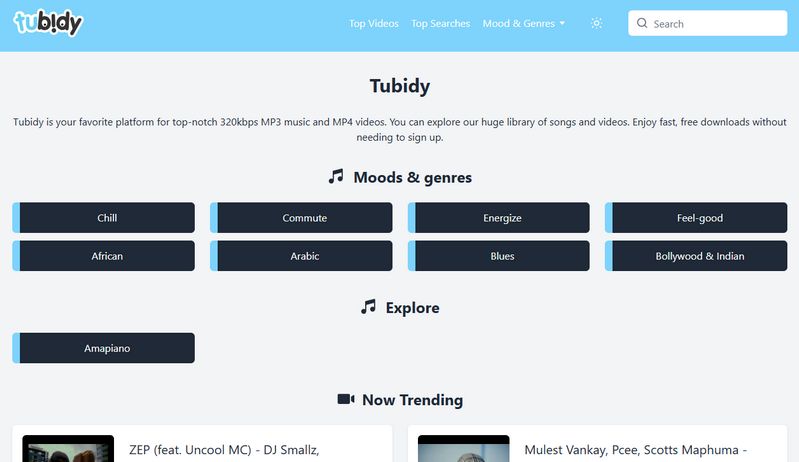
Tubidy is a free music and video search website offering MP3 and MP4 downloads. You can search by song title or artist name, with results primarily drawn from YouTube in our tests. The interface looks straightforward, but downloading takes some care: redirects and misleading buttons can make the actual download link difficult to find.
Our Test Results
| What We Tested | Our Findings |
|---|---|
| Artist search accuracy | All of the first 10 results matched the artist we searched for, with no duplicates or obviously unrelated results. |
| Music availability | We found all 20 test songs. |
| Successful MP3 downloads | All 20 songs were successfully saved as complete, playable MP3 files. |
| File quality and metadata | The files were labeled 320 kbps, but spectral analysis showed a cutoff near 16 kHz , which may indicate prior lossy encoding or low-pass filtering. ID3 tags and album artwork were not retained. |
| Download experience | No pop-up ads appeared during our tests, but redirects occurred frequently. Some buttons could easily be mistaken for the actual download button, which required scrolling further down the page to find. |
TunePat Music One lets you download songs, playlists, and albums while preserving their original audio quality, so you can enjoy your favorite music offline without compromising sound quality.
2. OKmusi
OKmusi is a free online downloading tool. It supports downloads in MP3, MP4, and M4A formats; however, for higher audio quality or higher resolution, you will need to download its desktop version. The website also features a built-in online music player, allowing users to preview tracks before downloading them.

Our Test Results
| What We Tested | Our Findings |
|---|---|
| Artist search accuracy | All of the first 10 results were related to the searched artist, but included interviews and lyric videos rather than a clean list of songs. |
| Music availability | Some Japanese songs in our test sample could not be found. |
| Successful MP3 downloads | All attempted downloads produced complete, playable MP3 files. |
| File quality and metadata | The downloaded files had a bitrate of 128 kbps. ID3 tags and album artwork were not retained. |
| Download experience | Repeated prompts encouraging users to download the desktop version appeared during testing, interrupting the online download experience. |
3. BigMP3
BigMP3 is a free online music downloader that allows users to search for songs by title, artist, or keyword. It lists multiple audio formats, including MP3, FLAC, M4A, OPUS, and WAV, with MP3 bitrate options ranging from 64 to 320 kbps. The website also supports video downloads and online audio trimming.

Our Test Results
| What We Tested | Our Findings |
|---|---|
| Artist search accuracy | All of the first 10 results were related to the searched artist, but included interviews and lyric videos rather than a clean list of songs. |
| Music availability | We found all 20 test songs. |
| Successful MP3 downloads | We were redirected to another online tool to complete the downloads. All attempted downloads produced complete, playable MP3 files. |
| File quality and metadata | The files were labeled 320 kbps, but spectral analysis showed a cutoff near 16 kHz, which may indicate prior lossy encoding or low-pass filtering. ID3 tags and album artwork were not retained. |
| Download experience | The download process involved frequent redirects to an online tool, making it less straightforward to locate and complete the actual download. |
4. MP3ify
MP3ify is a free online tool that allows users to search for music by song title, artist name, or keywords, or to perform conversions directly using a video link. The platform supports downloads in MP3 and MP4 formats, along with a variety of other audio formats and quality settings. However, free users face certain limitations regarding the number of conversions and audio quality; for instance, downloading files with a bitrate of 192 kbps or higher, or processing videos longer than 10 minutes, requires the user to log in to an account.

Our Test Results
| What We Tested | Our Findings |
|---|---|
| Artist search accuracy | 6 of the first 10 results were original songs by the searched artist. The remaining results included interviews and other unrelated content. |
| Music availability | All 20 test songs were found. |
| Successful MP3 downloads | Free users are limited to two conversions per day. Both produced complete, playable MP3 files. |
| File quality and metadata | The downloaded files had a bitrate of 128 kbps. ID3 tags and album artwork were not retained. |
| Download experience | No ads or redirects appeared during our tests, making the download process relatively straightforward. |
5. MyGOMP3
MyGOMP3 is an online music search and download website that allows users to look for songs by title or artist name. It is designed to help users find and download music without installing dedicated desktop software.

Our Test Results
| What We Tested | Our Findings |
|---|---|
| Artist search accuracy | 7 of the first 10 results were original songs by the searched artist. |
| Music availability | We found 18 of the 20 test songs. For the remaining two, searches returned multiple tracks with the same title, but we could not locate the intended songs. |
| Successful MP3 downloads | All 18 songs were successfully saved as complete, playable MP3 files. |
| File quality and metadata | The downloaded files reported a bitrate of 128 kbps. Song title, artist, and album tags were missing, but artwork was retained. |
| Download experience | No ads appeared during our tests, but frequent redirects interrupted the download process and made it less straightforward. |
6. MP3Files
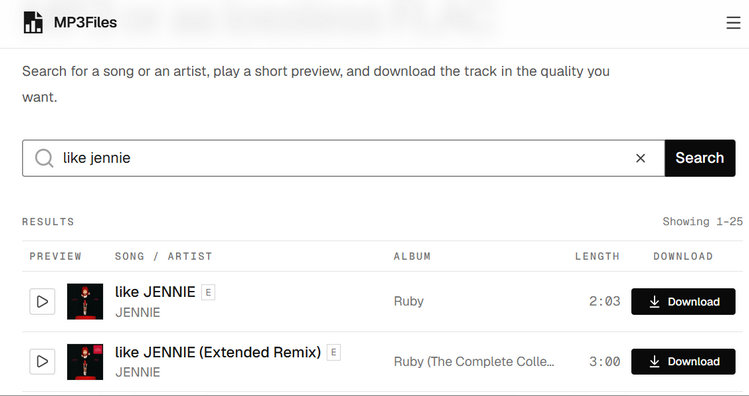
MP3Files is an online music search and download website that allows users to look for audio tracks by song title or artist name. It provides a browser-based way to find and download music without requiring dedicated desktop software.
Our Test Results
| What We Tested | Our Findings |
|---|---|
| Artist search accuracy | Search results accurately matched the requested artist and songs, with no unnecessary alternative versions or unrelated results. |
| Music availability | Most new releases in our sample were not found. Some Korean and Japanese songs appeared only when searched using English titles or alternative spellings. |
| Successful MP3 downloads | The tested tracks could be successfully saved as MP3 files. |
| File quality and metadata | Available audio quality varied by track, with most songs offering only 128 kbps. However, both ID3 tags and album artwork were successfully retained. |
| Download experience | The website features a clean, simple interface with no ads or redirects, making the download process straightforward and hassle-free. |
Part 2: Convert Song or Video Links to MP3 Online
Already have a link to the song or video you want to save? These online MP3 converters let you paste a supported URL and download the audio through your browser. Supported platforms, output quality, and free download limits vary between tools.
1. SaveMP3
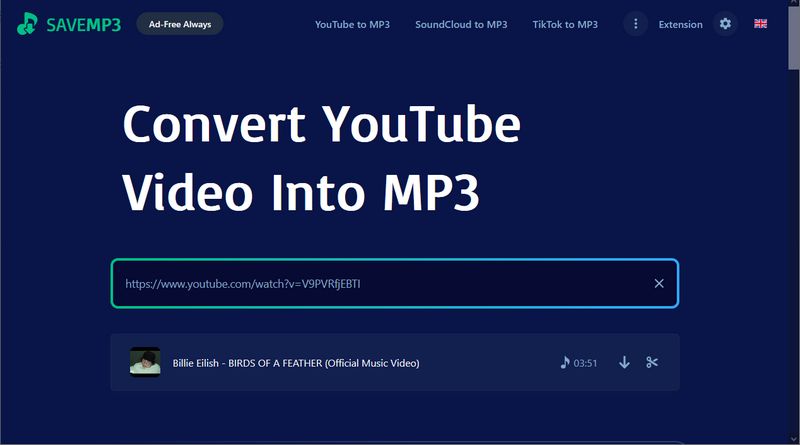
SaveMP3 is a free online audio conversion tool that allows users to extract MP3 audio from videos on platforms such as YouTube, SoundCloud, TikTok, Facebook, and Instagram. The site also supports the conversion of playlists and channel content, and includes a built-in MP3 trimming tool, making it easy for users to clip audio segments.
Our Test Results
| What We Tested | Our Findings |
|---|---|
| Link recognition and download success | We tested links from YouTube and SoundCloud, and both platforms were successfully recognized. All tested links were converted and downloaded successfully. |
| Audio format and quality | The output format was MP3 at 128 kbps. No alternative bitrate options were available. |
| Metadata retention | Song titles, artist information, album details, and album artwork were retained in the downloaded files. |
| Download experience | No pop-up ads appeared during testing, but redirects occurred during the download process. |
2. FLVTO
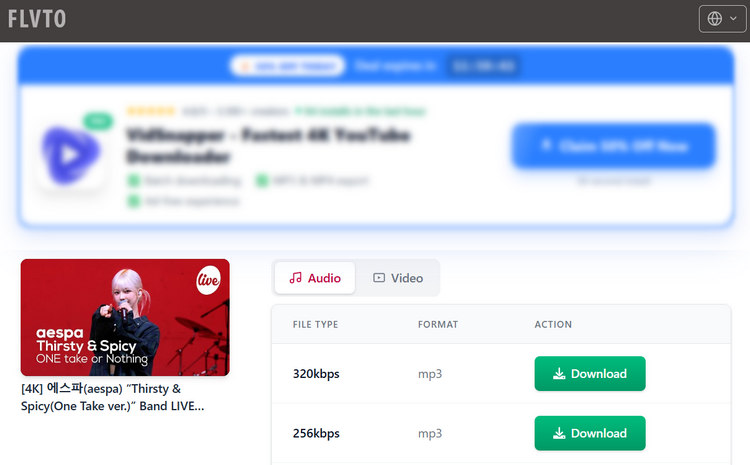
FLVTO is a free online video-to-audio converter. It primarily supports YouTube links, allowing users to convert videos into MP3, MP4, M4A, or OPUS formats. Featuring a simple web interface, it enables you to convert online videos into downloadable audio files in just a few easy steps, although redirects and desktop software promotions interrupted the process in our test.
Our Test Results
| What We Tested | Our Findings |
|---|---|
| Link recognition and download success | We tested a YouTube link, which was successfully recognized and converted. |
| Audio format and quality | The downloaded file reported 320 kbps, matching our selected setting, but its spectrum showed a cutoff near 16 kHz. |
| Metadata retention | Song metadata and album artwork were not retained in the downloaded files. |
| Download experience | Frequent redirects and desktop software promotions interrupted the download process. |
3. CnvMP3
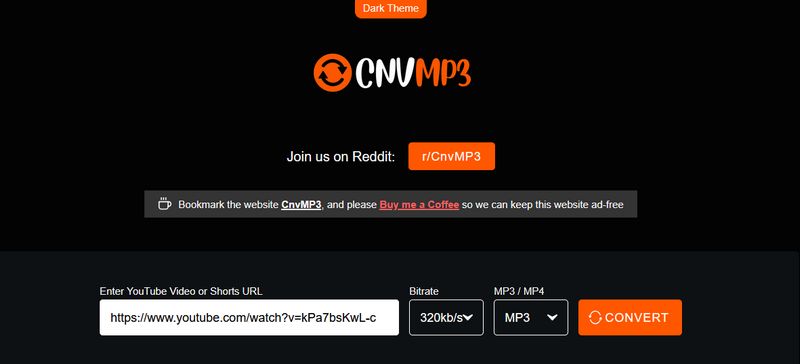
CnvMP3 is a free online tool for converting videos to audio, allowing users to download audio and video content from YouTube and various other platforms, including TikTok, Instagram, Facebook, Reddit, Twitch, and X. The tool supports output in MP3 and MP4 formats; for MP3 files, the site claims to offer bitrates of up to 320 kbps, while video output is available at resolutions up to 1080p.
Our Test Results
| What We Tested | Our Findings |
|---|---|
| Link recognition and download success | The YouTube link we tested was successfully recognized and converted. |
| Audio format and quality | We selected the 320 kbps option, but the downloaded file reported a bitrate of 239 kbps in its file properties. Spectral analysis showed a cutoff near 20 kHz. |
| Metadata retention | Song titles, artist information, album details, and album artwork were retained in the downloaded files. |
| Download experience | No ads or redirects appeared during our tests, making the conversion and download process straightforward. |
4. MP3Convert
🔗 https://mp3convert.org/pNzT/
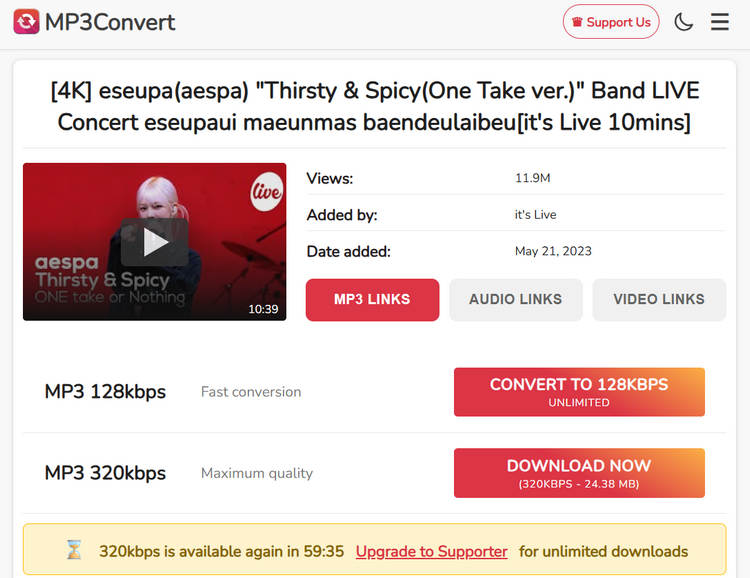
MP3Convert is a free online tool for converting YouTube videos to MP3 format, offering a choice between 128 kbps and 320 kbps bitrates. You can perform basic conversions without needing to install any software or register an account. However, free users are subject to certain limitations: for instance, audio duration cannot exceed 60 minutes, and downloads at 320 kbps quality are restricted to once per hour.
Our Test Results
| What We Tested | Our Findings |
|---|---|
| Link recognition and download success | The YouTube link we tested was successfully recognized and converted. |
| Audio format and quality | We selected the 320 kbps option, but spectral analysis showed a cutoff near 16 kHz. |
| Metadata retention | Song titles, artist information, album details, and album artwork were not retained in the downloaded file. |
| Download experience | No ads or redirects appeared during testing. Free users could download one 320 kbps file per hour. |
5. OFA Downloader
🔗 https://oneforalldownloader.com/
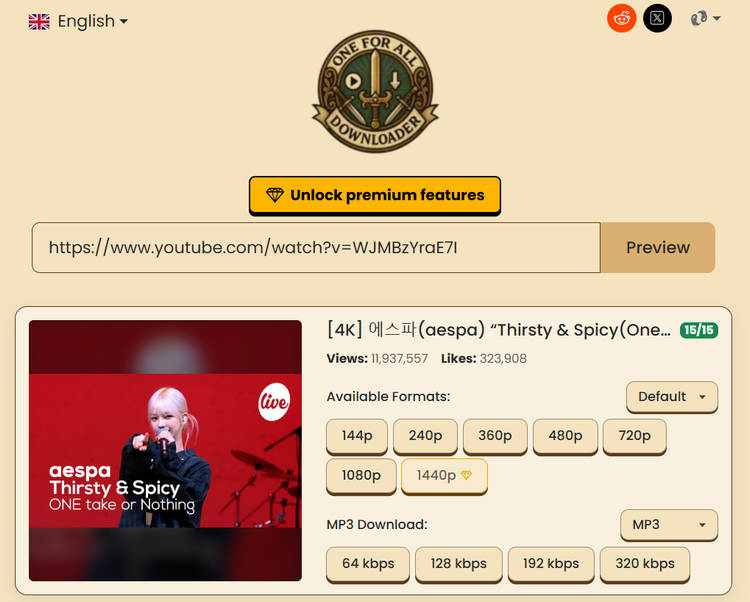
OFA Downloader (One For All Downloader) is a browser-based audio and video downloader with a free tier. It advertises support for over 1,000 websites, including YouTube and TikTok, and offers audio downloads in MP3, M4A, OPUS, WAV, and FLAC. For MP3 output, users can select 64, 128, 192, or 320 kbps.
Our Test Results
| What We Tested | Our Findings |
|---|---|
| Link recognition and download success | The YouTube link we tested was successfully recognized and downloaded. |
| Audio format and quality | The downloaded file reported 320 kbps, matching our selected setting, and its spectrum showed a cutoff near 20 kHz. |
| Metadata retention | Titles, artist information, and album artwork were retained, but the album tag was missing from the downloaded files. |
| Download experience | No ads or redirects appeared during our test. The site displayed a free download limit of 15 files per day. |
Part 3: Download Free or Paid MP3s from Authorized Sources
These platforms offer music for free download or purchase, with permission from artists or rights holders. Browse independent tracks and background music, or buy individual songs and albums. Check each release for available formats and download conditions.
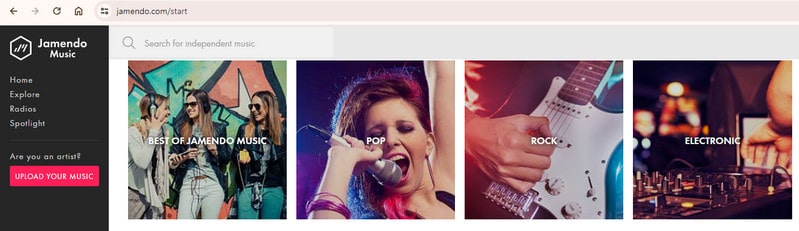
1. Jamendo Music
🔗 https://www.jamendo.com/start
- Best for: Discovering independent artists and downloading music they have made available for free.
- Download availability: Artists decide whether to enable free downloads, so some tracks may only be available for streaming.
- Usage conditions: Check the license attached to each track before reusing it in a video or other project. A free download does not automatically permit every type of use; Jamendo Licensing is a separate service for licensing music.
Jamendo Music is a platform where independent artists share their music under Creative Commons licenses. It is a useful option for discovering unfamiliar tracks across different genres, rather than searching for the latest mainstream chart hits. You can stream music before downloading, and tracks with downloads enabled can be saved for offline listening.
2. Free Music Archive
🔗 https://freemusicarchive.org/home
- Best for: Exploring original music beyond familiar chart hits.
- Music selection: Approach FMA as a place to discover unfamiliar artists and tracks, rather than a replacement for a mainstream music store.
- Download and reuse: Check the conditions shown for each track. Permission to download a song does not necessarily include permission to remix it or use it in a video.
Free Music Archive (FMA) offers original music for free download, with a catalog that encourages discovery rather than simply finding songs you already know. You can explore different genres and artists, making it a useful starting point for expanding your listening collection. Some tracks can also be used in creative projects, depending on their individual licenses.

3. Pixabay Music
- Best for: Finding background music for videos, presentations, and other creative projects.
- Music selection: Particularly useful for background tracks and instrumentals, including music for focused listening or relaxation.
- Usage conditions: Downloads are covered by the Pixabay Content License. Review its terms before using a track in a published project.
Pixabay Music offers free music downloads with an emphasis on tracks suited to different moods and creative uses. Searches such as "relaxing piano", "upbeat", or "cinematic" fit this library better than looking for a particular mainstream artist. Its themed collections also make it convenient to browse when you know the atmosphere you want but do not have a specific song in mind.
4. 7digital
- Best for: Buying individual songs or albums to build a personal offline music collection.
- Payment and account: Downloads require a purchase and a 7digital account. Check the listed price for the track or album you want.
- Download format: Available formats include MP3 and FLAC, depending on the release.
7digital is a digital music store where you can purchase songs and albums as downloadable audio files. After purchasing, you can download your music from the My Music section of your account and play it with compatible software or devices, without relying on a streaming subscription.

Part 4: Download Albums & Playlists with Desktop Software
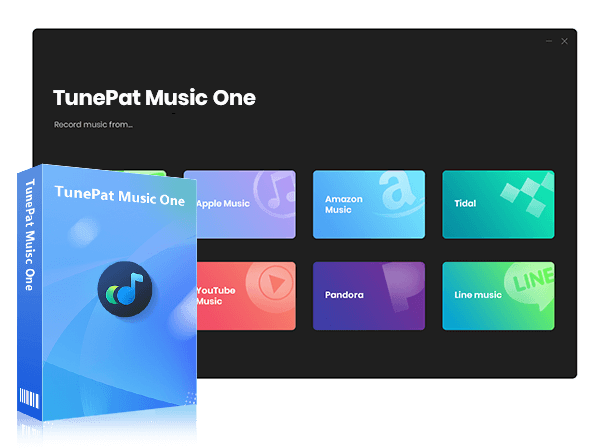
If you regularly download albums or playlists, TunePat Music One offers a desktop option for processing multiple tracks together. It supports services including Spotify, Apple Music, Amazon Music, and YouTube Music, with MP3 output, adjustable settings, and metadata retention.
TunePat Music One
It is an all-in-one converter that can support any music streaming platform.
Step 1 Download and launch TunePat Music One on your computer. This guide uses Spotify as an example to demonstrate how to download music in MP3 format using TunePat Music One. Click "Spotify" and follow the on-screen prompts to log in to your Spotify account via the embedded web player.
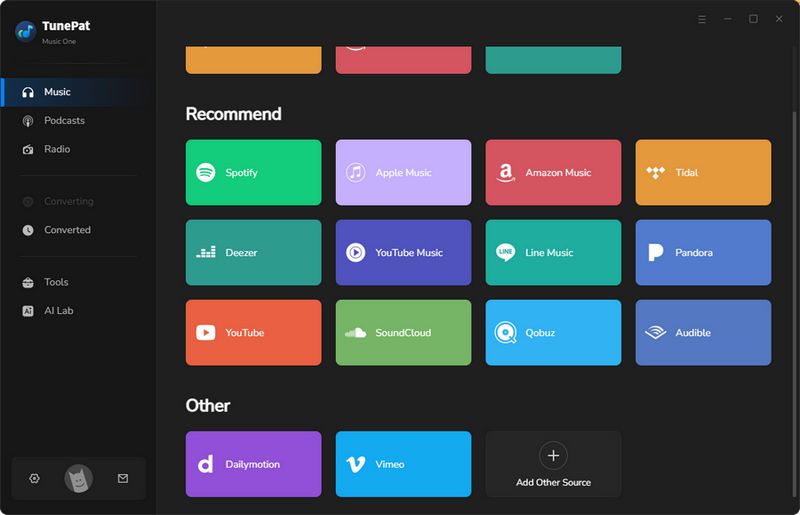
Step 2 Before downloading your Spotify music, click the settings icon and set the "Output Format" to MP3. You can also adjust other parameters, such as the conversion mode, bit rate, and sample rate. Next, return to the Spotify web player, locate the tracks or playlists you wish to download, and click the "+" button. TunePat will automatically analyze the content. Select the desired songs and click "Add" to import them into TunePat.

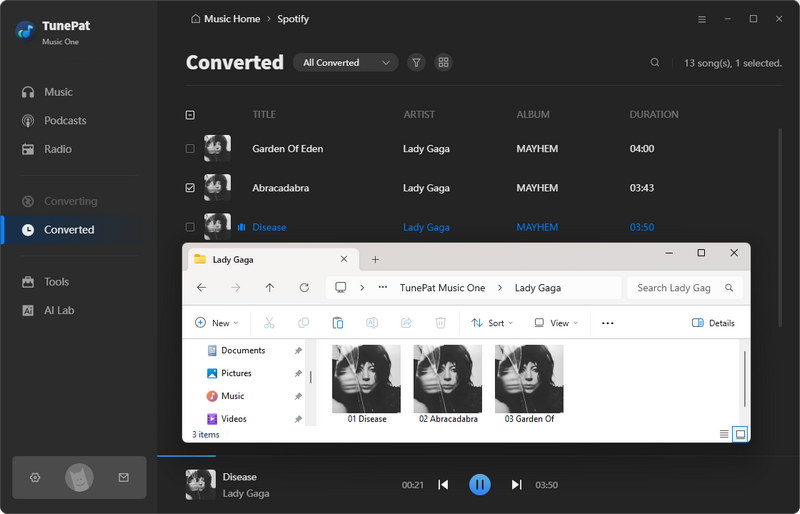
Step 3 Now, click "Convert" to begin the conversion process. Once finished, all your selected music will be converted. You can view your converted files by clicking "History" in the left-hand sidebar.
Conclusion
Choose a search site to find songs by title or artist, an online converter for existing links, or an authorized platform for free downloads and purchases. For downloading albums and playlists from supported services, TunePat Music One offers a desktop option with batch conversion. Download it and try it out!
Dereck Martin
Staff Writer