Is Tubidy MP3 Music Download Still Worth Using in 2026?
 By Olivia Anderson
Music Tips
Updated on 7/29/2026
By Olivia Anderson
Music Tips
Updated on 7/29/2026
In today's digital world, many users search for tubidy mp3 music download to quickly access free MP3 songs online. Tubidy is a popular online platform that lets users download music and videos without registration.
While it may seem convenient at first, many users still have concerns about its safety, stability, and download reliability. This guide takes a closer look at what Tubidy is, how Tubidy MP3 music download actually works, the potential risks involved, and the best alternatives in 2026.
Part 1: What is Tubidy?
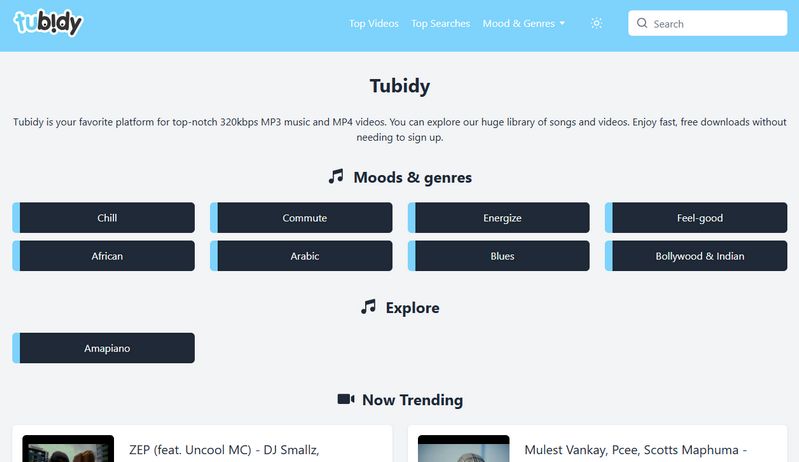
Tubidy is a popular online platform that allows users to download MP3 songs and MP4 videos for free without registration. By providing easy search options and categorized recommendations, it serves as a quick solution for casual offline listening. However, a closer look reveals that Tubidy operates under multiple unverified domains and mirror sites. While these websites look almost identical, they are not consistent in performance, and many of these domains may not work properly for downloading songs.
Key limitations and risks:
*Note: Looking for a safe MP3 music downloader without ads or redirects? Want higher-quality audio downloads? Click below to try this music converter, which supports batch downloading songs from Spotify, Amazon Music, Apple Music, TIDAL, YouTube Music, and more. 👇
Part 2: Step-by-step Guide of Tubidy MP3 Music Download
Now that we understand what Tubidy is, let's go through a simple step-by-step process for Tubidy MP3 music download.
Step 1 Open a Tubidy site in your browser. Use the search bar to find your target song or artist.
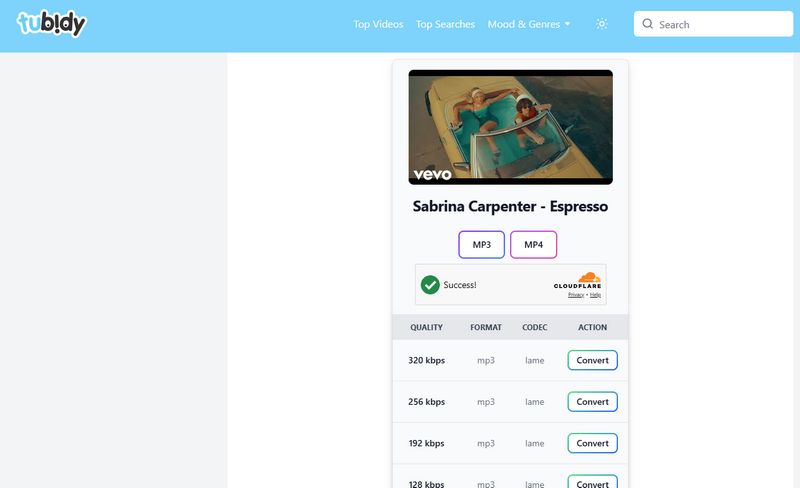
Step 2 Open the song page and scroll past the fake top buttons. Find the quality table and click "Convert" next to 320 kbps.
Step 3 Wait for the conversion process to finish. Once completed, click "Download Now" to save the MP3 file.
Part 3: Top 3 Alternatives to Tubidy
Although Tubidy MP3 music download is widely used for quick access to music, it often comes with redirects and misleading download buttons. Because of this, many users turn to cleaner and more reliable alternatives, such as all-in-one music downloaders, Spotify-based download tools, etc. Some of these even allow full playlist downloads in ZIP format, which is much more convenient.
#1: TunePat Music One – The Safe 320 kbps MP3 Downloader Solution
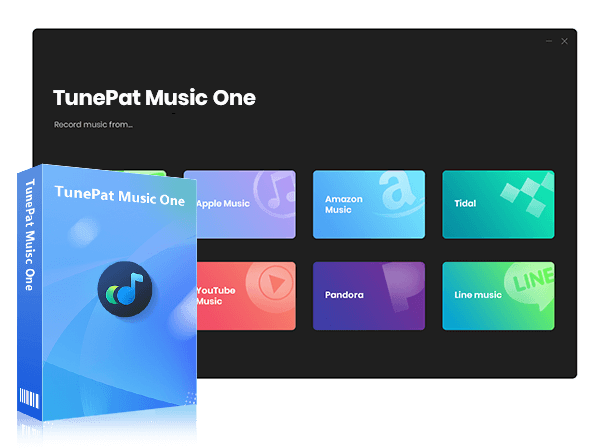
Among many Tubidy MP3 music download alternatives, TunePat Music One stands out as a secure and comprehensive desktop converter. While Tubidy suffers from unclear music sources and unstable single-track downloads, TunePat allows users to safely batch-download entire playlists and albums from major platforms like Spotify, Apple Music, Amazon Music, and YouTube Music into high-quality 320 kbps MP3, FLAC, or WAV formats with all original ID3 tags preserved.
Below, we will introduce how to use TunePat to download MP3 music step by step.
Why it's a game changer:
Let's be real. Free websites like Tubidy are super frustrating because they are packed with fake download links and weird pop-up ads. TunePat Music One actually works without any of that nonsense:
Tired of fighting with broken websites? Pick your system below and try it out!
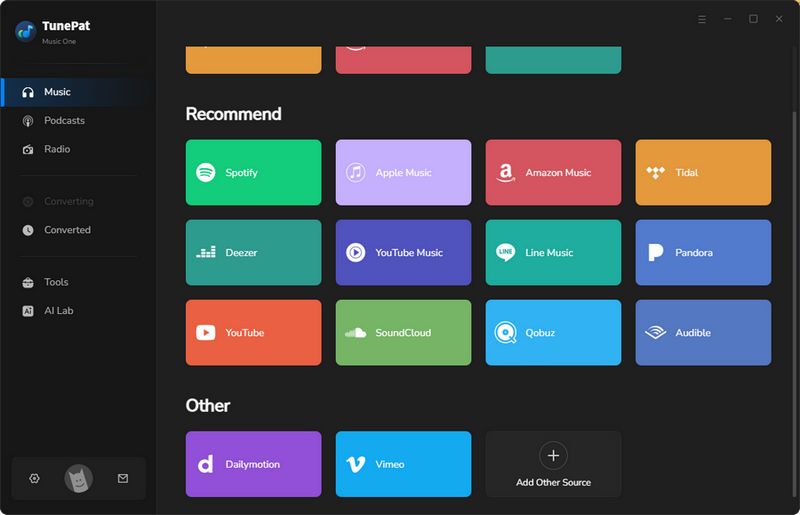
Step 1 Launch TunePat Music One and select your preferred streaming source (e.g., Spotify, Apple Music).
Step 2 Open your target playlist or album within the embedded web player and click the "+" icon to analyze the tracks.
Step 3 Choose "MP3" as the output format and click "Convert" to start the high-speed batch download.
Who Should Choose TunePat Music One:
This option is a good fit for people who often download music and like to keep everything organized in one place. For example, if you regularly save full playlists or albums from Spotify or Apple Music, it saves you a lot of time compared to downloading songs one by one.
It also works well if you listen to music offline often, such as during commuting, workouts, or travel. Instead of searching for songs every time, you can simply download them in batches and keep your music ready whenever you need it.
#2: Free Online Spotify Downloaders – Download Spotify to 320 kbps MP3 Music
As mentioned above, although Tubidy MP3 music download is convenient, it has many redirects and even fake download buttons. Therefore, there are now many clean and ad-free Spotify online downloaders that can be used as alternatives.
Some even support downloading an entire playlist as a ZIP file, which is more convenient than Tubidy. Examples include SpotiDownloader, SPOTISAVER, and SpotiSongDownloader. We will use SPOTISAVER as an example.
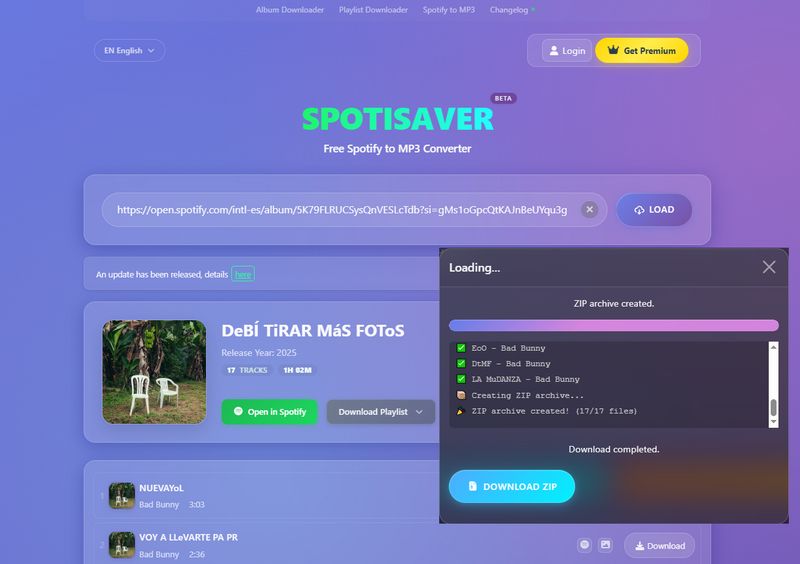
Because SPOTISAVER is a convenient Spotify link to MP3 tool, users only need to paste a Spotify link to download songs, albums, or playlists. It also supports downloading playlists as ZIP files. For free users, up to 100 songs can be downloaded, which is enough for users with smaller music libraries.
Step 1 Copy and paste the Spotify link into the designated field on the website.
Step 2 Click the "LOAD" button to parse it.
Step 3 Choose the "Download" option to download a single track, or select "DOWNLOAD ENTIRE PLAYLIST" to download the full album or playlist at once.
Who Should Choose Free Online Spotify Downloaders:
These tools are more suitable for people who just want to quickly save a playlist without installing anything. For example, if someone sends you a Spotify playlist or you find one on social media, you can copy the link and download it right away.
They are not designed for heavy use, but they are convenient when you only need a few songs or a small playlist and want something fast.
#3: Free YouTube to MP3 Download Sites – Convert YouTube to MP3
If compared to Spotify, you prefer YouTube as a more comprehensive platform where you also watch videos and want to download music from videos into MP3 format, then YouTube to MP3 downloaders are also an alternative option to Tubidy MP3 music download.
Although after testing 10+ safe YouTube to MP3 download sites, none of them support batch conversion of YouTube videos to MP3, the good news is that there are still relatively safe options with no ads and no redirects. We will use EzMP3 as an example.
Step 1 Browse YouTube and copy the video link of the target content.
Step 2 Open EzMP3 in your browser and paste the link into the text box.
Step 3 Select your desired audio quality, ranging from 64 kbps to 320 kbps. Click the "Convert" button, then click "Download MP3" and wait for the MP3 music file to be saved to your device.

Who Should Choose Free Online Spotify Downloaders:
This option is ideal if you usually find music while browsing YouTube instead of searching on music platforms. For example, you might hear a song in a vlog, a live performance, or a short video on YouTube and want to save it as an MP3 file for offline listening.
These tools are mainly used for downloading YouTube to MP3 music, but many of them also support saving videos as MP4 if you need the full video as well. Tools like Loader.to and Y2Mate allow you to simply paste the video link and convert it into MP3 or MP4, depending on what you prefer.
Part 4: FAQs About Tubidy MP3 Music Download
Q1: Is Tubidy safe to use?
A: Tubidy is not fully consistent in terms of safety across its websites. In most cases, users may still encounter ads, pop-ups, or misleading download buttons, so extra caution is needed when navigating and clicking.
Q2: Can Tubidy download 320 kbps MP3 music?
A: In some cases yes, but it's not guaranteed. The quality varies because files come from different sources and are not always consistent.
Q3: Why are there so many Tubidy websites?
A: There is no official centralized Tubidy website, so different mirror or copy sites have appeared over time. Some are created to keep access available if one domain goes down, while others simply replicate the original interface. Because they are not officially managed, availability and stability can vary.
Q4: Can I download full playlists from Tubidy?
A: No, Tubidy is mainly designed for single-track downloads. If you try to save playlists, you'll need to download songs one by one.
Q5: What should I use instead of Tubidy?
A: Many users switch to other download tools or converters that support playlists and offer more stable audio quality, such as TunePat Music One. These options are usually more reliable for long-term use.
Conclusion
In short, Tubidy MP3 music download feels convenient at first, especially when you just want a quick MP3 file without signing up. But the experience isn't always consistent, and you may run into unstable pages or unclear download sources along the way.
If you only use it occasionally, it might be enough. But for anyone who regularly saves music or cares about stability and quality, tools like TunePat Music One tend to offer a more reliable experience, with support for higher-quality audio downloads, batch processing, and access to multiple streaming platforms. Over time, this makes the whole process feel more predictable and less frustrating.

Olivia Anderson
Senior Writer