SpotDL Review: Open-Source Spotify Downloader & Alternatives
 By Olivia Anderson
Spotify Tips
Updated on 3/26/2026
By Olivia Anderson
Spotify Tips
Updated on 3/26/2026
SpotDL is a popular open-source Spotify downloader hosted on GitHub. It helps users download Spotify tracks, albums, and playlists by extracting metadata from Spotify and matching the audio from external sources. Unlike browser-based downloaders, SpotDL runs locally as a command-line tool on Windows, macOS, and Linux, offering greater transparency and control.
In this SpotDL review, we focus on the official GitHub version, covering how it works, the installation process, pros, and limitations. We also compare it with the SpotDL online tool, which shares the name but provides a very different, browser-based experience. Additionally, we introduce a safe and reliable alternative to SpotDL to help you find the best Spotify downloader for your needs.
Part 1: What Is SpotDL?
SpotDL is an open-source Spotify downloader hosted on GitHub that allows users to download Spotify tracks, playlists, and albums by extracting metadata and finding matching audio from external sources. Unlike browser-based downloaders, it runs locally on Windows, macOS, and Linux as a command-line tool, giving users more transparency and control over their downloads.
👍 Who Should Use SpotDL?
- Tech-savvy users who are comfortable with command-line tools.
- Those who want full control over their downloads without third-party tracking.
- Users need to batch download large playlists or albums.
- Fans of open-source software who prefer free tools without paywalls.
❌ Who Might Find SpotDL Challenging?
- Beginners unfamiliar with command-line interfaces.
- Users who prefer a graphical user interface (GUI).
- Those expecting consistent, guaranteed audio quality directly from Spotify. (Get high-quality Spotify songs with this SpotDL alternative.)
- Users seeking official customer support.
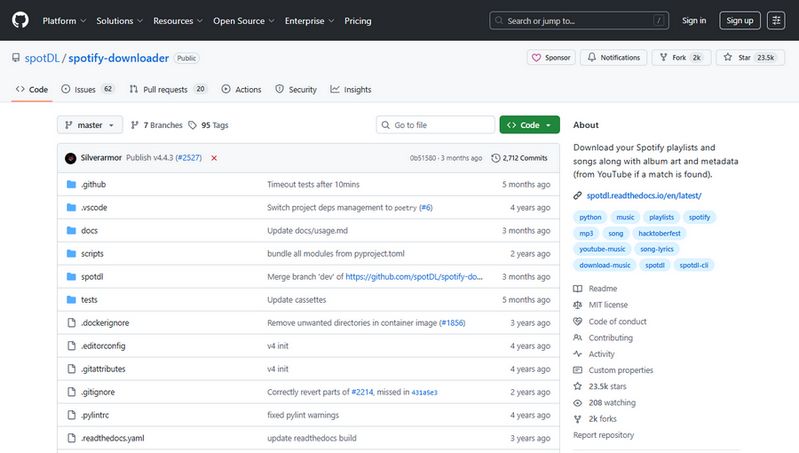
Part 2: How to Install and Use SpotDL?
If you're ready to try SpotDL, here's a simple step-by-step guide to install and use it. Follow these instructions carefully to get SpotDL up and running on your computer.
If the installation process feels too complicated or confusing, and you want to quickly download and batch export Spotify songs, try this easy-to-use Spotify downloader designed for music lovers of all ages. You can get Spotify Lossless music with ease. 👇👇
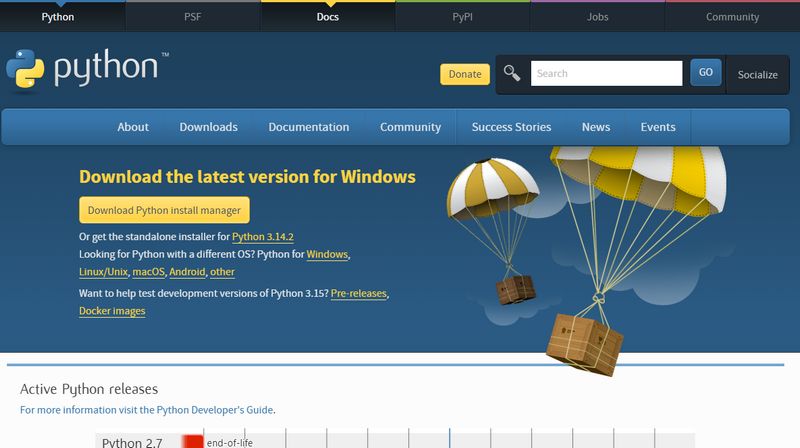
Step 1: Install Python
Step 1 Go to the official Python website (https://www.python.org/downloads/) and download the latest version of Python 3.
Step 2 When running the installer, make sure to check the box that says "Add Python 3.x to PATH" before clicking Install.
Step 3 Follow the prompts to finish the installation.
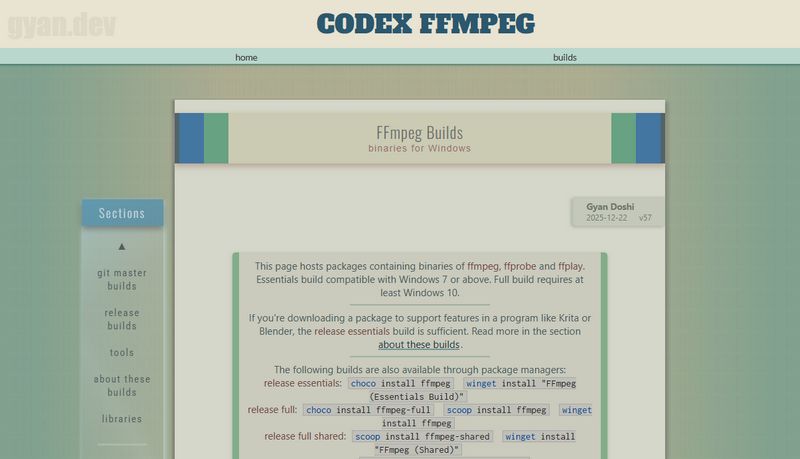
Step 2: Install FFmpeg (Needed for audio processing)
For Windows:
Step 1 Visit the FFmpeg Windows builds page (https://www.gyan.dev/ffmpeg/builds/) and download the "static build" ZIP file.
Step 2 Extract the ZIP file to a folder on your computer (for example, C:\ffmpeg).
Step 3 Add the bin folder inside that folder (e.g., C:\ffmpeg\bin) to your system PATH environment variable.
For macOS:
Open the Terminal app and type: brew install ffmpeg
(If you don't have Homebrew installed, visit this website (https://brew.sh/) for instructions.)
Step 3: Install SpotDL
Step 1 Open Command Prompt (Windows) or Terminal (macOS/Linux).
Step 2 Type the following command and press Enter: pip install spotdl
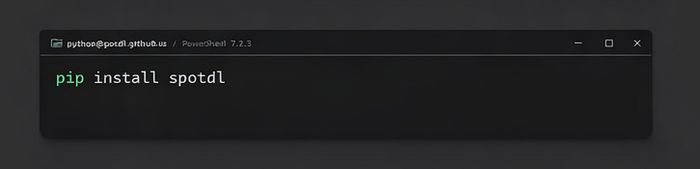
Step 4: Check if SpotDL is installed correctly
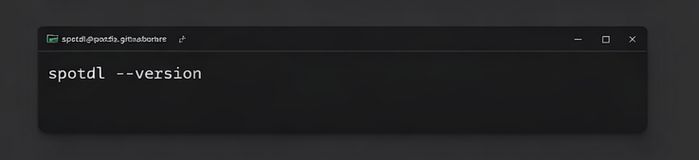
Step 1 In your command line window, type: spotdl --version
Step 2 If it shows a version number (e.g., 4.3.0), you're ready to go!
Step 5: Download Spotify Music
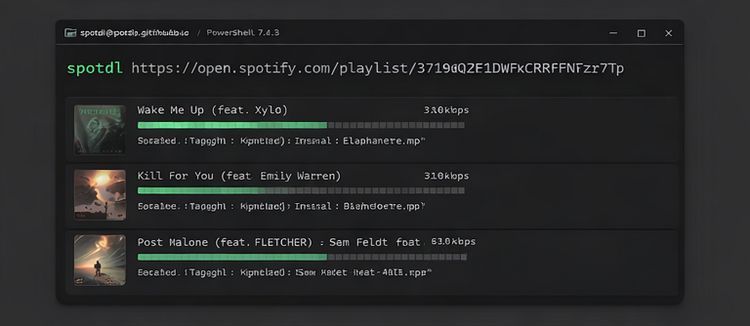
To download a single song: Run this command with spotdl https://open.spotify.com/track/xxxxxxxxxxxx
To download a full playlist or album: Run this command with spotdl https://open.spotify.com/playlist/xxxxxxxxxxxx
To change the folder where downloads are saved: type spotdl [URL] --output "C:\Users\YourName\Music"
Part 3: SpotDL Review: Pros and Cons
Now that you've learned how to install and use SpotDL, this SpotDL review will explore its main pros and cons. Knowing these advantages and limitations will help you decide if SpotDL is the right Spotify downloader for you.
Pros
-
 Open-source and completely free to use.
-
Supports batch downloading of playlists and albums.
-
Downloads high-quality MP3s up to 320 kbps.
-
Keeps full metadata and album art for a complete music library.
-
Runs locally on Windows, macOS, and Linux, ensuring privacy.
-
Lightweight and fast command-line tool.
Cons
-
 No graphical interface; requires command-line use, which can be hard for beginners.
-
Audio quality depends on external sources like YouTube, so it may vary.
-
Only supports MP3 format, no lossless options like FLAC.
-
Download success isn't 100%, especially for large or rare playlists.
-
No official customer support; relies on community help.
-
Setup requires installing Python and FFmpeg, which can be tricky for some users.
Want to batch download high-quality Spotify music in lossless formats like FLAC, WAV, or ALAC? Looking for a safe and simple way to download Spotify playlists with one click, without installing Python or FFmpeg? Try this 100% clean and user-friendly Spotify downloader today. 👇👇
Part 4: Is SpotDL Safe and Legal? What You Need to Know
Now that we've covered the main pros and cons in this SpotDL review, it's important to address two key questions many users ask before downloading music: Is SpotDL safe? And is it legal? Understanding these points will help you use SpotDL wisely and keep your privacy secure. Let's take a look.
Is SpotDL Safe to Use?
If you download SpotDL from the official GitHub page, it's generally safe. Because SpotDL runs directly on your own computer, it doesn't send your data anywhere else, unlike many browser-based downloaders that rely on external servers. This means your Spotify account info and listening habits stay private and secure.
That said, make sure you only download SpotDL from its official source (https://github.com/spotDL/spotify-downloader). Avoid unofficial copies or shady websites to stay protected from malware or scams.
Is SpotDL Legal?
Here's where things get a bit tricky. SpotDL doesn't pull audio directly from Spotify. Instead, it finds matching tracks from other sites like YouTube. Even so, downloading copyrighted music without permission can violate Spotify's terms and copyright laws in many countries. We recommend using SpotDL strictly for your own personal, offline listening. Avoid sharing or distributing the music you download.
Part 5: SpotDL vs. SpotDL Online Tool
If you've searched for SpotDL on Google or other search engines, you may have noticed that besides the official GitHub version, there is also a Spotify online downloader using the same name. As mentioned earlier in this SpotDL review, while GitHub SpotDL is relatively safe and transparent, it requires command-line usage and basic technical knowledge. This makes it less suitable for some users, especially those who are not familiar with computers or only want to download a few songs occasionally.
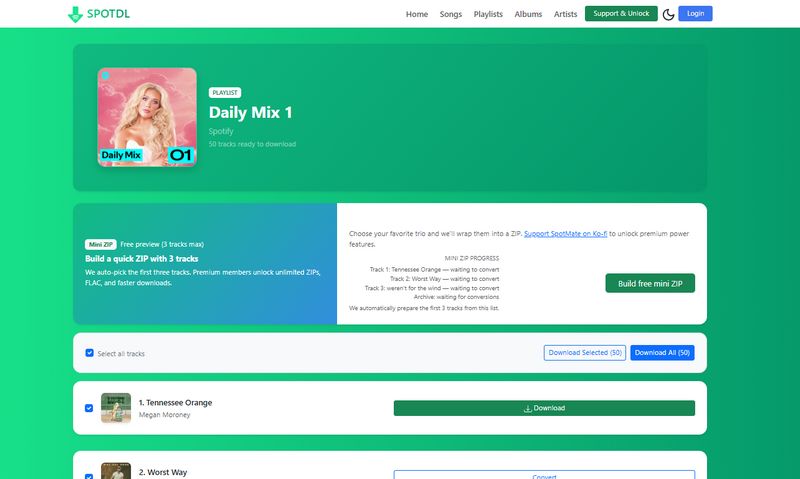
For these users, the SpotDL online tool (https://spotdl.io/v2) may seem like a more convenient alternative. It's easy to access, requires no installation, and works directly in the browser. But can it truly replace the GitHub version? And more importantly, how does it compare in terms of safety and privacy? Let's compare the two options.
| Feature | GitHub SpotDL | SpotDL Online Tool |
|---|---|---|
| Runs Locally | ✅ Yes | ❌ No |
| Data Sent to Servers | ❌ No | ✅ Yes |
| User Privacy | High | Limited |
| Transparency | Open-source, fully visible | Proprietary, limited info |
| Risk of Tracking | Very low | Higher |
| Ease of Use | Moderate to High (CLI-based) | ⭐ Easy (Browser-based) |
| Free to Use | ✅ Yes (Fully free) | ⚠️ Limited free |
Overall, if privacy, control, and transparency are your top priorities, GitHub SpotDL remains the safer choice. For users who value convenience and only need to download a few songs occasionally, the SpotDL online tool can still be considered a practical alternative, despite its limitations in privacy and data transparency.
Part 6: Top SpotDL Alternative for Spotify Downloads
While both GitHub SpotDL and the SpotDL online tool have their strengths, neither option is ideal for every user. Some listeners want the simplicity and convenience of an online downloader, but without compromising on safety or privacy. Others prefer the security and transparency of a desktop tool, yet find command-line operations too limiting or time-consuming.
This is where a more advanced SpotDL alternative comes into play. The tool called TunePat Spotify Converter that we introduce next combines the ease of use and efficiency of online downloaders with the security, stability, and long-term support typically associated with professional desktop software. Backed by a dedicated development team and regular updates, it offers a safer and more reliable experience than community-maintained tools.
Beyond that, this alternative goes a step further by supporting audio quality up to Spotify Lossless, significantly exceeding what GitHub SpotDL can deliver. It also provides greater flexibility for local music management, making it easier to organize your downloads exactly the way you prefer. In addition to Spotify songs and playlists, it supports a wide range of Spotify content types, including albums, podcasts, audiobooks, radio, and even music videos, along with customizable output settings for file naming and sorting.
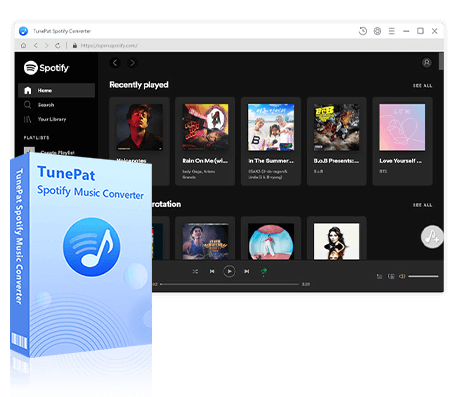
TunePat Spotify Converter
TunePat Spotify Converter enables users to convert Spotify audio content from the Spotify app or web player.
In this section, we'll introduce the best SpotDL alternative, and by the end, you'll understand why it stands out as one of the best options available.
Step 1 First, install and run TunePat. TunePat lets you convert music using either the Spotify desktop app or the Spotify web player. To download Spotify Lossless songs, pick the "Spotify App" option. If you want a quicker setup, choose the "Spotify web player". Just log in with your Spotify Premium or Free account to get started.
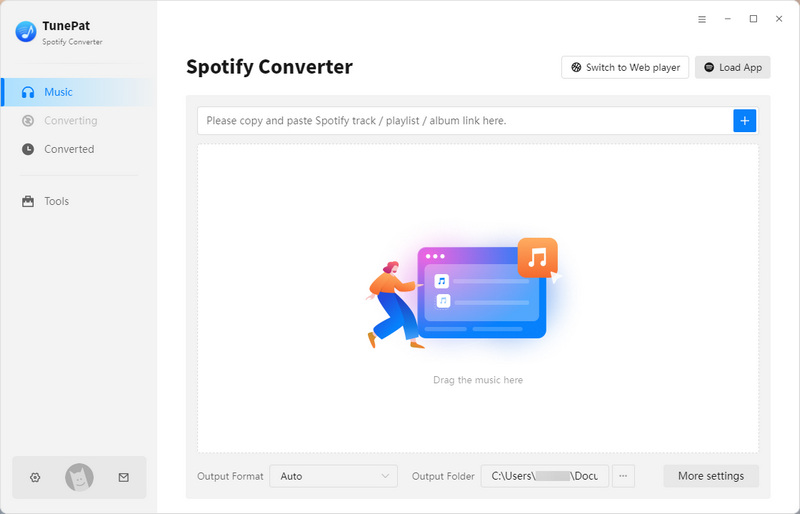
Step 2 Go to the "Settings" area, where you can change how the conversion works. You can choose your favorite output format like MP3, AAC, FLAC, WAV, AIFF, or ALAC. You can also adjust the audio quality and pick where the converted files will be saved. For example, here we choose "MP3".

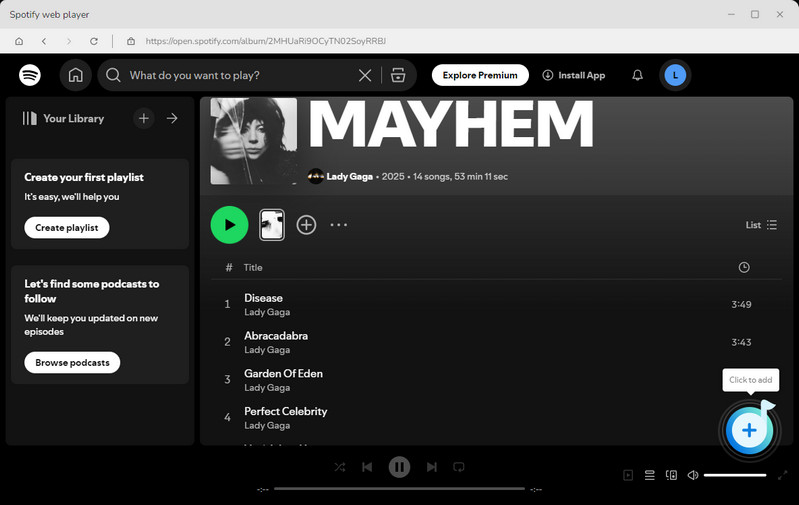
Step 3 Once your settings are ready, look through your Spotify library and pick the songs, albums, playlists, or podcasts you want to convert. Click the "+" button at the bottom right to start TunePat's analysis of the content.
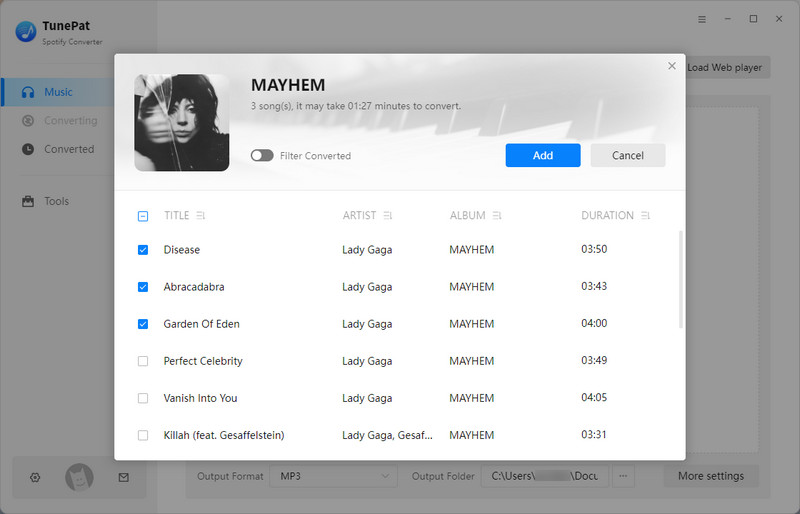
Step 4 After the analysis finishes, TunePat will show all the tracks in a new window and select them automatically. You can uncheck any Spotify tracks you don't want, then press the "Add" button to confirm your selection.
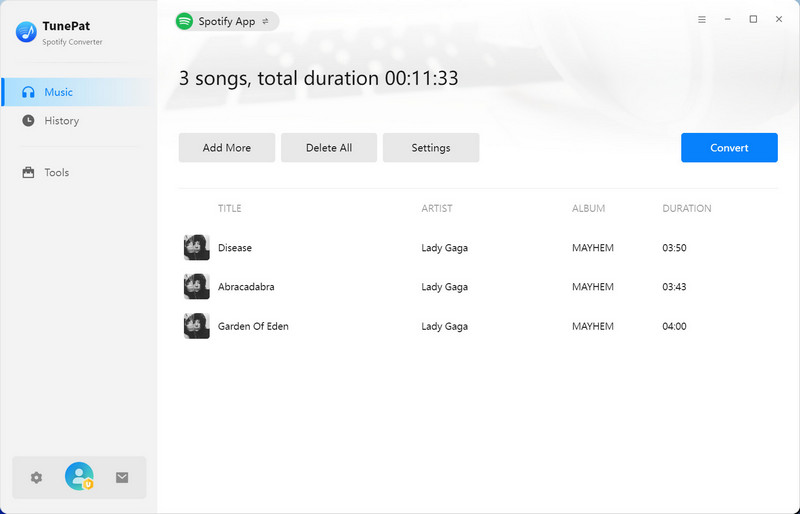
Step 5 If you want, you can use the "Add More" button to add songs from other playlists or albums into the same conversion. When you have all your Spotify content ready in the list, click "Convert" to start downloading everything at once.
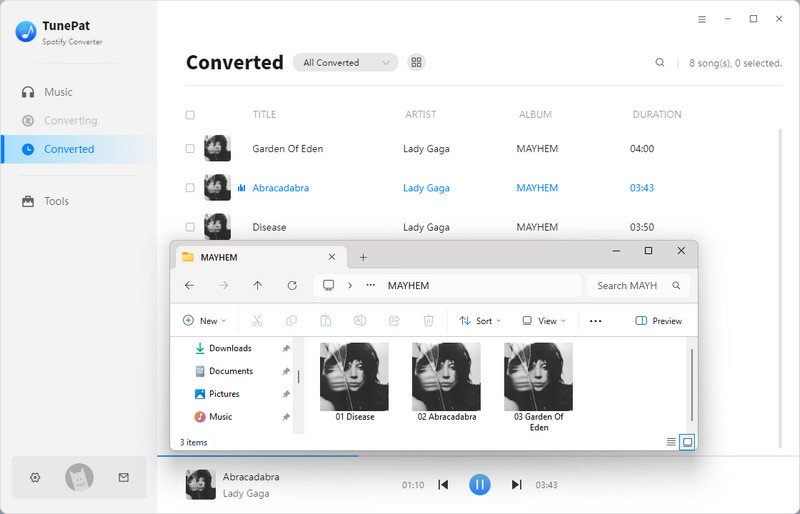
Once the conversion is done, you can find your downloaded Spotify songs in the "History" section. You can listen to them using TunePat's built-in player or any music app. Plus, you can easily move these Spotify files to other devices whenever you want.
Part 7: FAQs About SpotDL
Q1: What is SpotDL and how does it work?
A: SpotDL is an open-source Spotify downloader that grabs song info from Spotify and finds matching audio files from other sources, downloading them as MP3s on your computer. Check the detailed steps here on how to use SpotDL.
Q2: Is SpotDL free and safe to use?
A: Yes, SpotDL is completely free and safe when downloaded from its official GitHub page. It runs locally, so your data stays private.
Q3: What audio formats and quality does SpotDL support?
A: SpotDL downloads music only in MP3 format with up to 320 kbps quality. It does not support lossless formats like FLAC or WAV.
Q4: Do I need technical skills to use SpotDL?
A: Yes, basic command-line knowledge is required because SpotDL runs through the terminal or command prompt, which may be challenging for non-technical users. You can use this simple and powerful SpotDL alternative instead.
Q5: Is downloading music with SpotDL legal?
A: Downloading copyrighted music without permission may violate Spotify's terms and local laws. Use SpotDL responsibly and only for personal, offline listening.
Conclusion:
In summary, this SpotDL review has covered everything you need to know about the open-source Spotify downloader, including what SpotDL is, how to install and use it, and its main strengths and weaknesses. We also discussed important safety and legal considerations, compared the GitHub SpotDL with the SpotDL online tool, and introduced a top alternative that offers more features and greater ease of use.
TunePat Spotify Converter is definitely worth trying. Whether you want full control and privacy or prefer a simpler, more user-friendly option, this SpotDL alternative can meet your needs. Don't wait! Download TunePat now and start enjoying your favorite Spotify music offline in high quality!
Olivia Anderson
Senior Writer