
Searching for a SpotveeC alternative can be a confusing process. Many users are not looking for another complex repository or a confusing technical tutorial, they simply want Spotify to work smoothly, without ads, playback restrictions, or hours spent troubleshooting.
This guide explains what SpotveeC actually is, why people look for alternatives, what users usually mean when they say "SpotveeC alternative", and which solutions are best depending on your level of technical comfort. By the end, you will understand all available options and know which path is easiest for a smooth Spotify experience.
Part 1: What Is SpotveeC and Why Can It Be Confusing?
SpotveeC is often described as a Spotify mod or hacked app, but technically, that is not correct. SpotveeC is a distribution repository, not a tweak or standalone app.
Its main purpose is to compile and share builds of EeveeSpotify, the tweak that modifies Spotify. EeveeSpotify unlocks client-side features such as ad removal, unlimited skips, and unrestricted playback. However, server-side features, like offline downloads, remain unavailable.
Because SpotveeC distributes these builds, many users confuse its name with the functionality itself. People may search for SpotveeC expecting it to be an app or tweak, which leads to frustration when installation instructions are technical, and the builds stop working unexpectedly.
Part 2: Why Users Look for SpotveeC Alternatives?
Even when SpotveeC works, there are reasons why users look for alternatives:
- Apps stop opening unexpectedly: Certificates for modified builds can expire, leaving apps unusable.
- Compatibility issues: New iOS versions may break modified apps or tweaks.
- Lagging updates: Modified builds often fall behind the official Spotify app, delaying features and bug fixes.
- Complex tutorials: Many guides assume technical knowledge, making setup difficult for casual users.
- Safety concerns: Installing modified apps from unofficial sources carries a risk to account security and device stability.
In short, users want a reliable Spotify experience without unnecessary complexity, maintenance, or risk.
If this kind of setup feels overwhelming or time-consuming, but you still want a simple way to enjoy ad-free Spotify music and listen offline, this safe and one-click Spotify downloader is a great option. 👇
Part 3: Best SpotveeC Alternatives: From Complex to Simple
There are a few different SpotveeC alternatives. Some need a bit of technical work, like applying tweaks or installing modified builds. Others are much easier and work almost right away. Knowing the difference can help you pick the option that actually makes your Spotify life simpler.
SpotveeC Alternatives Quick Overview:
| Alternative Type | Complexity | Risk & Maintenance | Quick Notes | Recommendation |
|---|---|---|---|---|
| Spotify Tweak-Based Solutions | High | High | Full control, jailbreak | ⭐ |
| Spotify Modified App Builds | Medium | Medium | Pre-applied tweaks, reinstall | ⭐⭐ |
| Spotify Semi-Automated Solutions | Medium | Low-Medium | Guided setup, easier | ⭐⭐⭐ |
| Spotify Downloader 🔥🔥 | Low | Low | Easy, stable, safe | ⭐⭐⭐⭐ |
3.1 Spotify Tweak-Based Solutions
Tweak-based solutions modify Spotify at a system level, usually requiring a jailbroken device.
Representative examples: EeveeSpotify, Flex Tweaks, Cydia Substrate module, Substitute plugins.
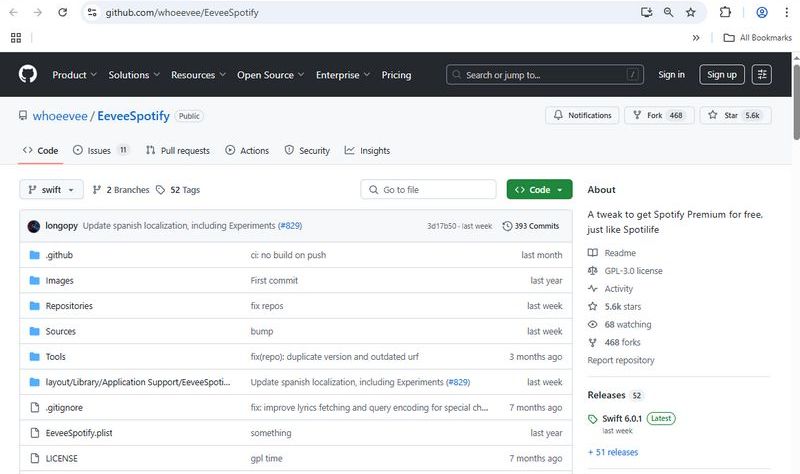
These methods offer the most control, allowing users to remove ads, unlock unlimited skips, and even adjust advanced playback settings. Advanced users can customize behavior in ways official apps cannot. However, they are difficult to set up, require ongoing maintenance, and updates may break functionality. New iOS versions can introduce compatibility issues that need manual fixes.
Real-world considerations: Some users enjoy this approach for its flexibility, but it demands technical knowledge, patience, and troubleshooting skills. Even small mistakes can result in app crashes or account login problems.
Best for:
- Users who are comfortable jailbreaking their iOS device.
- People who enjoy customizing apps and experimenting with extra features.
- Those who are willing to spend time troubleshooting when Spotify or iOS updates break functionality.
Let's be honest, jailbreaking an iOS device is a headache. It takes time, technical knowledge, and there is always the risk of something going wrong. And even if it works today, it might break tomorrow after a system update. If you just want to enjoy Spotify without ads and listen offline, there is a much simpler solution. This safe, one-click Spotify downloader lets you do exactly that: 👇
3.2 Spotify Modified App Builds
Spotify modified app builds are pre-built versions of Spotify that already include tweaks or premium-like features. SpotveeC builds are the most well-known, but there are also alternatives available.
Representative examples: Spotify++, SpotveeC builds, AltStore community builds, TweakBox IPA repository, AppValley apps.
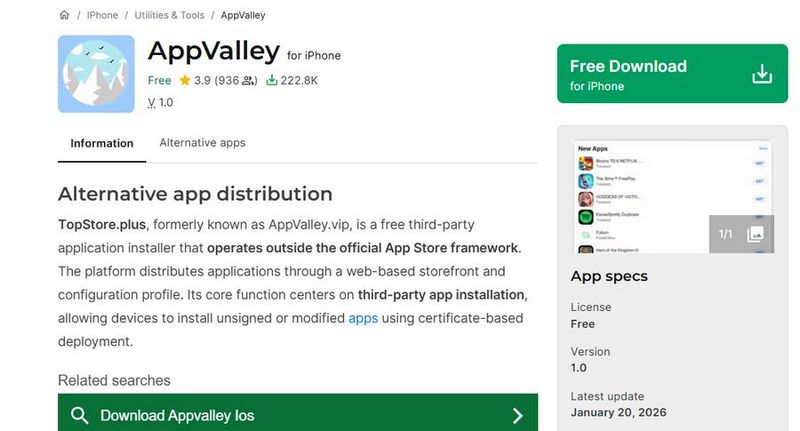
These builds are easier to install than tweak-based solutions because the modifications are already applied. Users just download and install the app, and it works in most cases. That said, there are a few things to keep in mind:
- Certificates can expire, which makes the app unusable until reinstalled.
- Updates may lag behind the official Spotify release, delaying new features or bug fixes.
- Occasionally, troubleshooting may be needed if the app stops working.
Best for:
- Users who want premium-like features without manually applying tweaks.
- People okay with occasionally reinstalling apps due to expired certificates.
- Those who follow iOS modding communities for updated builds.
3.3 Spotify Semi-Automated Solutions
Spotify semi-automated solutions aim to simplify installation by guiding users through part of the setup or handling steps automatically.
Representative Tools: AltStore, Sideloadly, guided installers from CokernutX or iOSGods
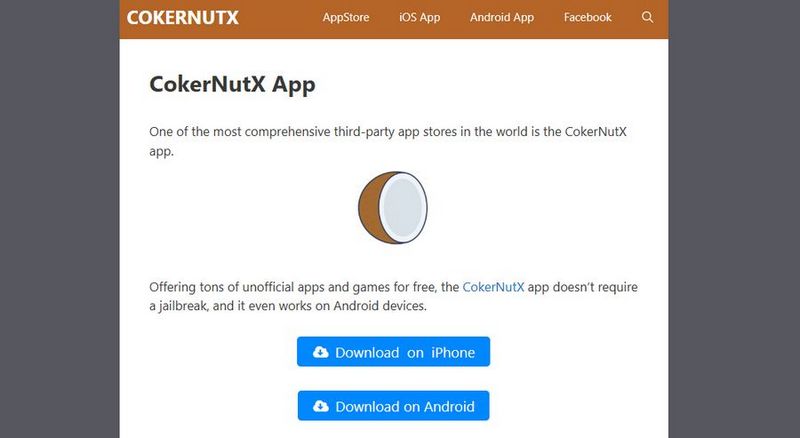
These platforms make it easier to sideload Spotify IPA files without manually performing every step. Some handle certificate signing or send reinstallation notifications. Despite being simpler, they still rely on modified builds or tweaks, so updates or certificate issues can occasionally cause problems.
Best for:
- Users who don't want to tweak apps manually but can follow guided installers.
- People who are comfortable installing apps via tools like AltStore or Sideloadly.
- Those who want an easier setup than full tweaks but are okay with minor maintenance.
3.4 Spotify Downloader
For most iOS users, the easiest way to enjoy Spotify is through a trusted Spotify downloader or by subscribing to the official Spotify Premium. This approach avoids the complications of tweaks or modified builds and provides a smooth and reliable experience. It works across devices and updates automatically, offering ad-free listening, unlimited skips, and offline playback.
Using a Spotify downloader also prevents certificate errors and installation headaches that are common with modified builds. Many downloaders now include step-by-step installation guides with verification checks to ensure the app remains functional and to prevent issues like expired certificates or broken builds, making them accessible even to non-technical users.
Best for:
- Everyday users who just want Spotify to work reliably without ads or playback limits.
- Beginners who want a quick and stable setup without any technical knowledge.
- Anyone who prioritizes ease, stability, safety, and minimal ongoing effort.
Once you've decided that a Spotify downloader is the best option for you, the next step is learning how to set it up and start downloading your favorite Spotify songs safely and quickly.
Part 4: How to Quickly Download Spotify Songs with Spotify Downloader?
Imagine spending hours trying to install a SpotveeC build or experimenting with other SpotveeC alternatives, carefully following every step, only to have the certificate expire the next day. You struggle with jailbreaking, troubleshooting errors, and chasing updates, and all you really want is to listen to your favorite playlists without interruptions. For most users, this level of technical effort is frustrating and unnecessary.
The good news is that there is a much simpler way. With the trusted TunePat Spotify Converter, you can enjoy ad-free playback, unlimited skips, and even offline access in just a few minutes. There is no need to deal with complex tweaks or modified builds. This tool lets you download Spotify songs, albums, playlists, podcasts, and audiobooks in common formats, so you can listen to your favorite content anywhere, even outside the Spotify app.
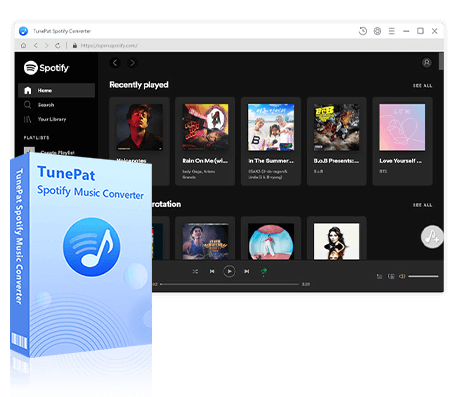
TunePat Spotify Converter
TunePat Spotify Converter enables users to convert and get Spotify songs, albums, playlists, podcasts, radio, and audiobooks from the Spotify app or web player and then save them permanently.
The operation to export Spotify music is simple, and we will provide a detailed guide below. Now, you can say goodbye to complicated installation steps. Simply click the "Download" button above to get TunePat. Once downloaded, double-click to run it and start converting your songs. Please note that the converted Spotify tracks will be saved as standard audio files on your computer, and you can transfer them to any device you like for playback, including your iOS devices.
Step 1 Open TunePat Spotify Converter
After installing TunePat, launch the program. You can convert songs from either the Spotify app or the Spotify web player. Choose one option, then log in to your Spotify account to access your library smoothly.
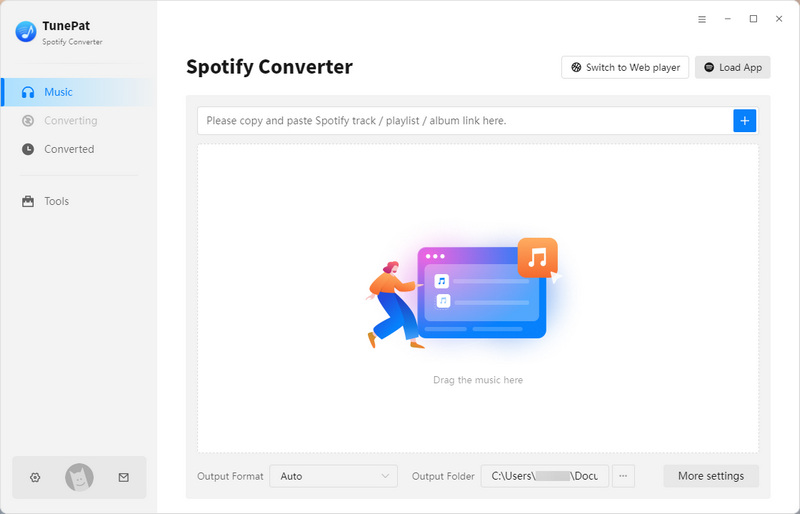
Step 2 Customize the Output Settings
Before selecting Spotify songs, click the "Settings" button on the left sidebar to adjust the output parameters. You can change the conversion mode, output format (MP3, AAC, FLAC, WAV, AIFF, ALAC), bit rate, sample rate, output folder, output file name, and more.
For the best experience, you can pick the output format based on your needs. AAC works particularly well on iOS devices, offering better sound quality and smooth system integration. MP3, on the other hand, is the most widely compatible format and can be played on almost any device. Choose the one that fits your device and listening preferences best.

Step 3 Open Spotify Songs You Need
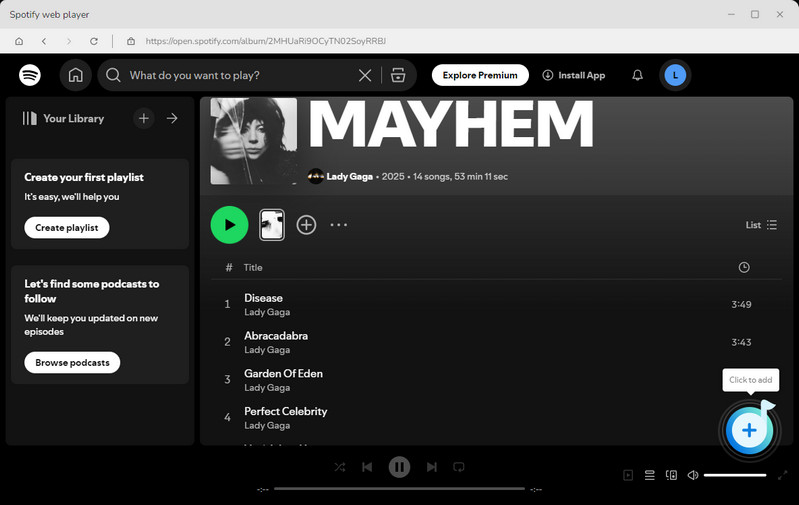
Once your settings are ready, return to your Spotify library and open the songs, playlists, or albums you want to convert. Then click the "+" button in the lower-right corner to let TunePat analyze the content.
Step 4 Pick the Spotify Music for Conversion
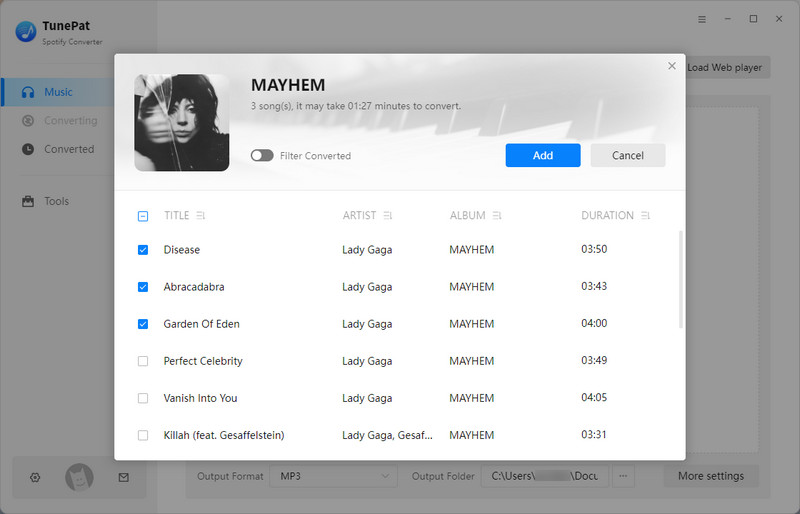
After the analysis is complete, a window will pop up listing all the Spotify songs available for conversion. By default, all songs are selected. You can manually deselect any tracks you don't want. Then click "Add" to proceed to the next step.
Step 5 Convert Your Songs and Transfer to iOS
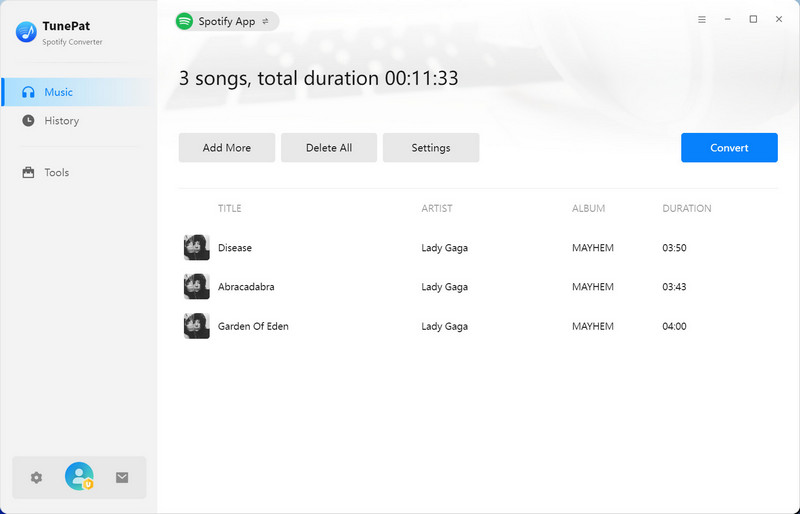
On this page, you'll see an Add More button. This is convenient if you want to convert large batches of songs from different playlists at the same time. If you have finished selecting your songs, click the "Convert" button to start the conversion process.
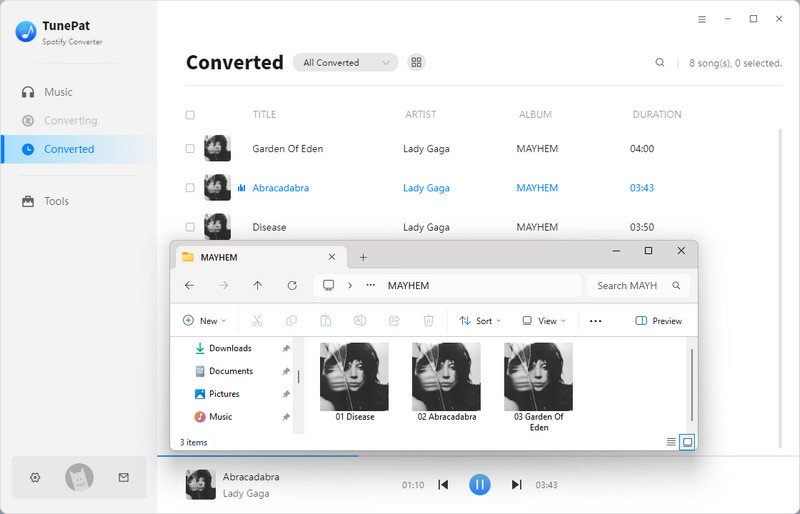
TunePat uses advanced decoding technology to convert your songs. All you need to do is be patient while the program works. Once the conversion is complete, you can view your converted tracks in the "History" module. Alternatively, you can locate the Spotify music files directly in your local folder and transfer them to your iPhone or iPad using iTunes or the free Syncios Mobile Manager.
Part 5: FAQs About SpotveeC Alternatives
Q1: What is the best SpotveeC alternative?
A: For most users, the best option is a stable solution like official Spotify Premium or a trusted Spotify downloader like TunePat. These options work reliably across devices and require minimal maintenance.
Q2: Are there free SpotveeC alternatives?
A: Some options reduce ads or enhance playback, but server-side premium features like offline downloads cannot be fully replicated without an official subscription.
Q3: Are these solutions safe?
A: Safety depends on the source. Tweaks and modified builds carry a higher risk than official apps or verified downloaders.
Q4: Can these solutions stop working suddenly?
A: Yes. Certificates, iOS updates, or server-side changes can break setups, especially modified builds or tweak-based solutions.
Q5: Do any of these support offline downloads?
A: Modified builds may claim offline features, but are often unreliable. You can consider getting Spotify Premium for free or using the secure and easy-to-use desktop Spotify downloader.
Conclusion:
The popularity of SpotveeC alternatives shows that most users prefer fewer problems rather than more complexity. Tweaks and modified versions may offer more control or a novel experience, but they also come with maintenance hassles, technical hurdles, and occasional instability.
For most users, the easiest way to enjoy smooth and uninterrupted music is by using a Spotify downloader or the official Spotify Premium app. Unlike Spotify Premium, which requires a recurring monthly subscription, using TunePat Spotify Converter is a more long-term solution. The songs you get can be permanently saved. You can transfer them to your iOS devices for playback, save them as MP3 files to listen anytime, or store them via USB and other devices. Sounds great, right? Don't hesitate, and give it a try!
Olivia Anderson
Senior Writer