OGMP3 Review: Is It Still a Reliable YouTube to MP3 Tool in 2026?
 By Olivia Anderson
Music Tips
Updated on 9/08/2026
By Olivia Anderson
Music Tips
Updated on 9/08/2026
OGMP3 is a popular, free online tool that allows casual users to quickly convert YouTube videos to MP3 or MP4 without any installation. However, many users still question its stability, safety, and actual audio quality. In this comprehensive OGMP3 review, we will test how it really works, share hands-on user experiences, and compare it with the best alternatives available today to help you find the most reliable solution.
Part 1: OGMP3 Review: Overview, Features, and Real User Experience
🔗: https://ogmp3.com/vca/ ; https://ogmp3.com/anx/
1.1 What Is OGMP3?
OGMP3 is a browser-based YouTube converter that lets users download videos as MP3 or MP4 files without installing any software. The website says it is a new version of "YTMP3". However, "YTMP3" is not a single official website. It is just a popular name used by many similar download sites, and many copycat versions have appeared over time.
Because of this, it is hard to know where OGMP3 officially came from. For example, the famous old site ytmp3.cc now redirects to other websites. OGMP3 also mentions another old site, ytmp3.ec, but most people do not know that one. Our editor tried downloading a 2026 hit and noticed that while the download works, it is still hard to tell who actually runs the site.
During our test, we found that OGMP3 is just like many other YTMP3-style tools. These sites are easy and convenient to use, but their web addresses change all the time and copies are everywhere. Because of this, users might face problems like sudden pop-up ads, and it is important to be careful when using these tools.
1.2 How to Use OGMP3?
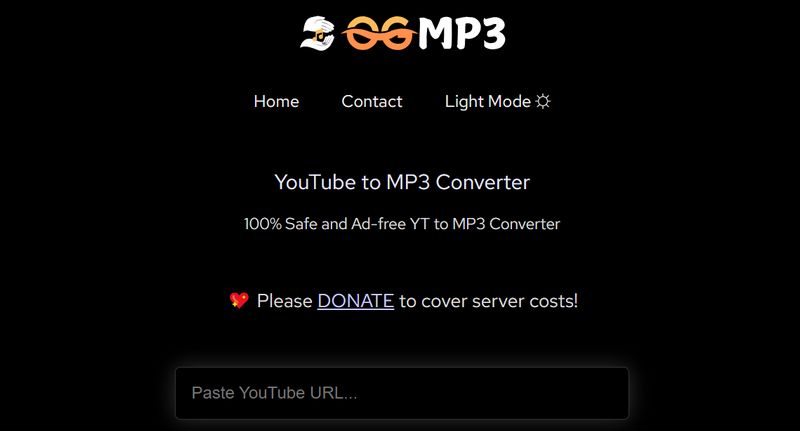
Before getting started, here is a quick overview of how OGMP3 works as a lightweight YouTube to MP3 converter that runs directly in your browser.
Step 1 Copy the YouTube video URL.
Step 2 Paste it into the OGMP3 input box.
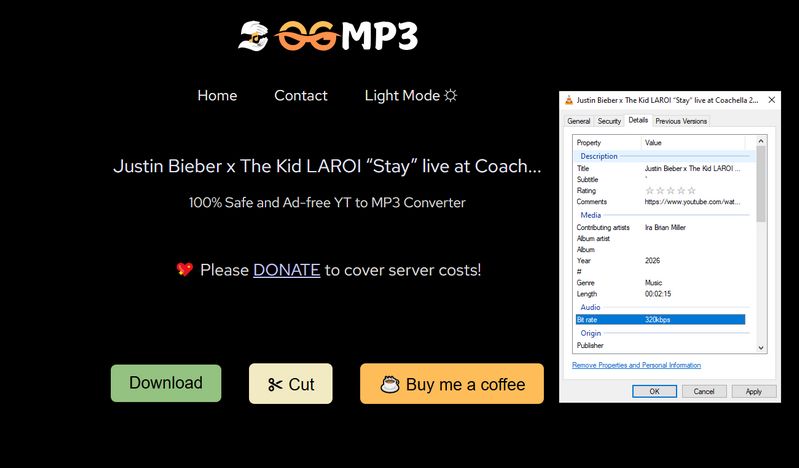
Step 3 Select MP3 or MP4 format, choose quality such as 320k, then click Download.
1.3 Real User Experience & Issues
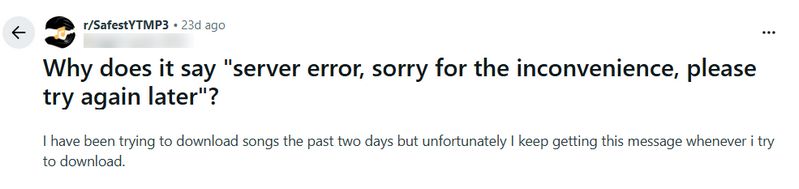
While OGMP3 is easy to use in general, real user feedback shows that its performance is not always stable.
Some users report server errors during conversion, especially when selecting higher quality audio.
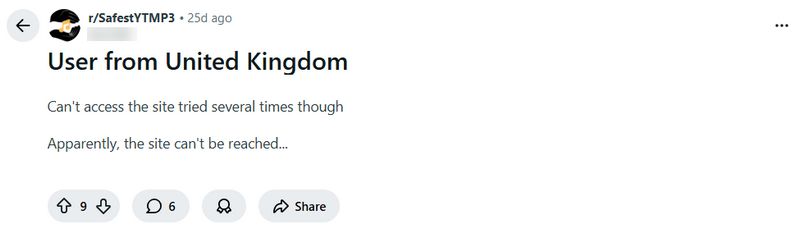
In certain regions, the website may not load properly without a VPN.
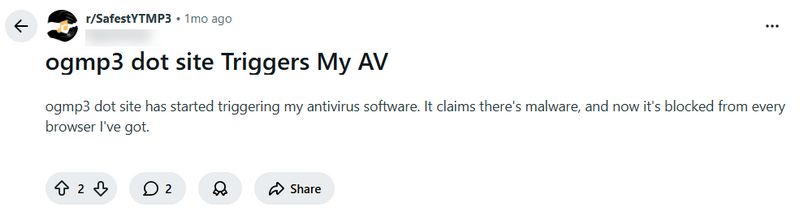
Antivirus software may sometimes flag the site when accessed through unofficial domains.
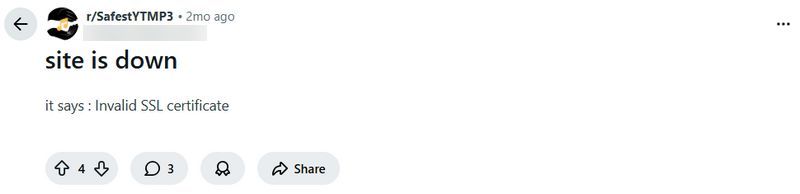
SSL certificate warnings can also appear, and the tool may stop working temporarily without a clear explanation.
OGMP3 Review: Ratings & Rationale
- The Reality Check: While copying and pasting a single link is easy, attempting to download entire playlists is frustrating due to the lack of batch processing and frequent stability issues.
- ⚠️ Fake 320kbps Audio: Spek analysis shows that even if you select 320kbps, the site just upscales a low-quality file (like 128kbps). The high frequencies are cut off at 20 kHz with severe data loss, meaning the sound details are permanently gone.
- Support all audio sources such as Spotify, Apple Music, SoundCloud, Amazon Music, Tidal, YouTube Music, Deezer, YouTube, Beatport, etc.
- Up to 10X download speed & Batch conversion & Filter ads.
- Convert songs to MP3, AAC, WAV, FLAC, AIFF, or ALAC.
- Preserve the original quality of the songs and podcasts after conversion.
- Keep ID3 tags including Track Number, Title, Album, Artist, etc.
- Supports personalized output parameters & Retains lyrics.
- With tools available to AI separate the vocal and instrumental tracks, free download podcasts, change the output format, edit tags, etc.
🤫 My Honest Review:
OGMP3 is strictly for super quick, one-off downloads when convenience is your only priority. For building a permanent music library, I recommend looking elsewhere.
🔄 [Update: May 28, 2026] In my latest test, the intrusive pop-up ads have been removed, making the interface significantly cleaner. However, the upscale-converted fake audio issue remains unresolved.
👇 Tired of slow, one-by-one downloads? If you want 320kbps MP3s and want to download entire playlists in bulk, you can try this professional desktop YouTube to MP3 Downloader.
Part 2: Best OGMP3 Alternatives
Since OGMP3 comes with limitations in terms of stability, audio quality, and batch processing, many users eventually start looking for a more reliable long-term solution that can handle everyday use more smoothly.
2.1 TunePat Music One - Convert YouTube to MP3 in Bulk 👍
After reviewing OGMP3 and similar online tools, one thing becomes clear. While they are convenient, they often come with limitations such as unstable performance, failed downloads, and inconsistent audio quality. If you are looking for a more reliable long-term solution, TunePat Music One is worth considering.
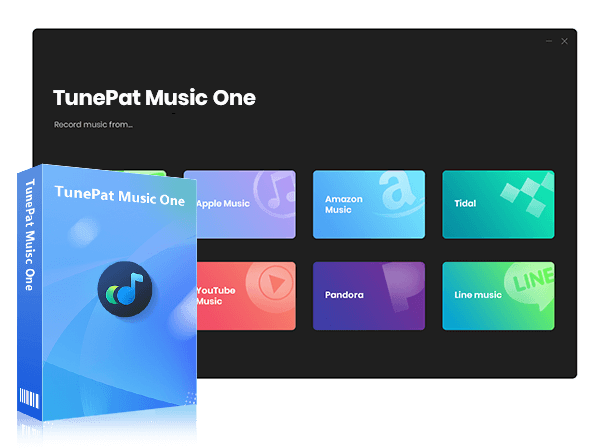
TunePat Music One is a professional desktop application developed by an experienced team. It focuses on stability, security, and high-quality output, making it suitable for users who want a more dependable experience compared with browser-based tools.
It offers stable performance without server errors or regional restrictions. It also supports multiple platforms, including YouTube, Spotify, Apple Music, Amazon Music, Tidal, and SoundCloud. Users can convert audio into MP3, FLAC, WAV, AAC, AIFF, and ALAC formats, and also use batch conversion to process multiple files at once. More importantly, it helps preserve original audio quality and avoids bitrate loss issues common in online tools.
TunePat Music One
TunePat Music One is an all-in-one converter that can support any music streaming platform.
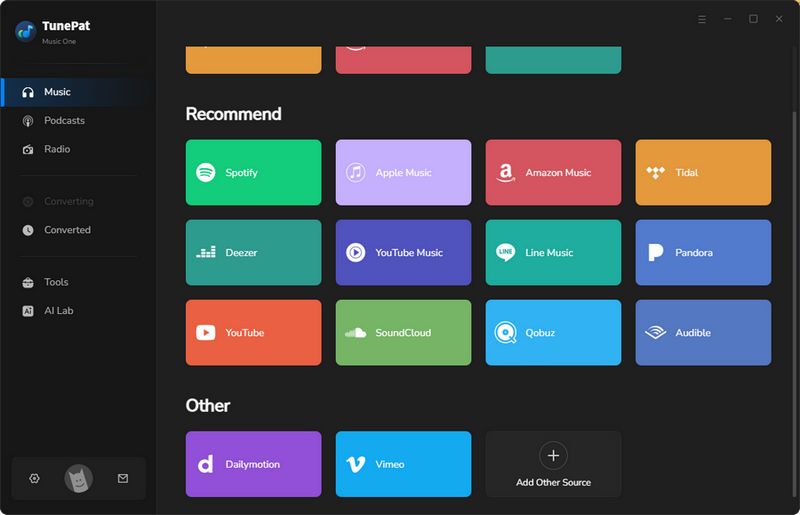
Step 1 Select YouTube and Log in
Open TunePat Music One and select "YouTube" from the popular streaming platform tabs on the homepage. You can then choose to log in with a Premium account, a Free account, or use it without logging in to analyze the videos.
Step 2 Adjust Output Settings
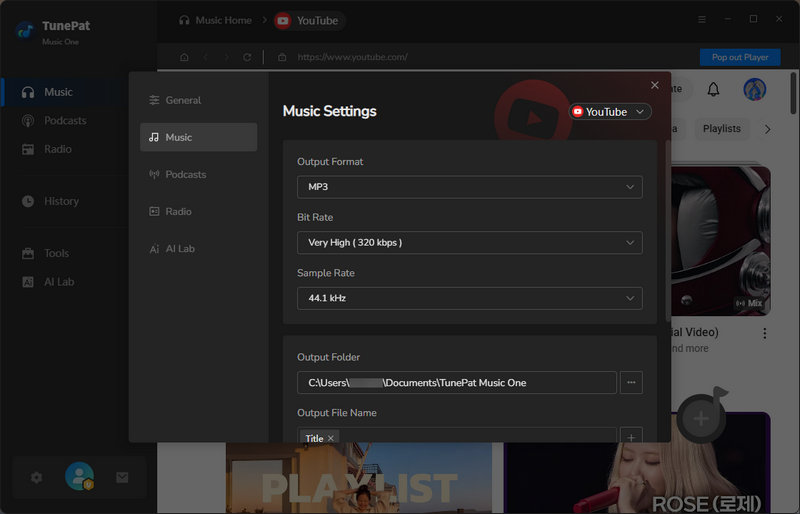
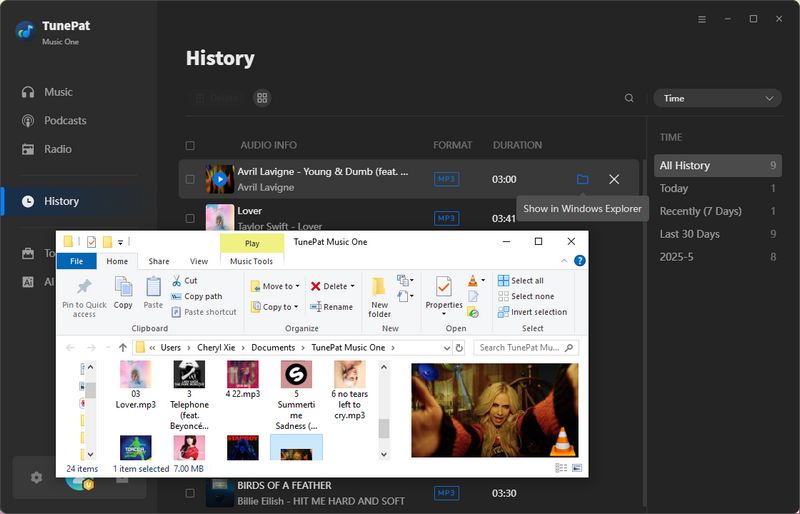
Click the "Settings" icon to open the settings window. Based on your needs, you can adjust the output format, bit rate, and sample rate. In addition, you can also choose the output folder for your downloaded songs. Once everything is set, simply close the window.
Step 3 Add Videos and Start Conversion
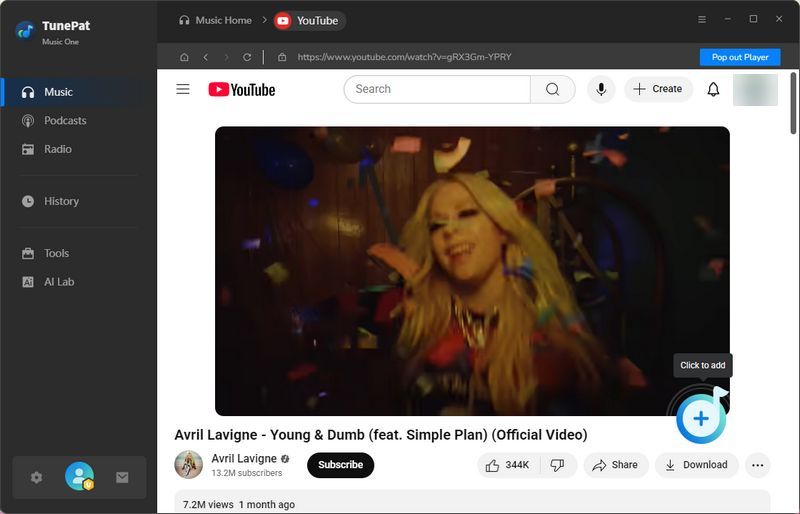
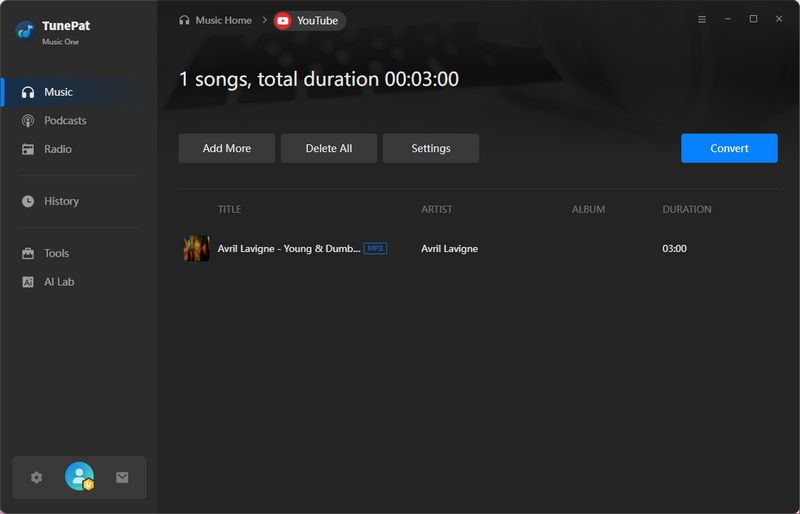
Open the video you want to convert and click the "+" button in the bottom-right corner to analyze it, then click "Add" to confirm.
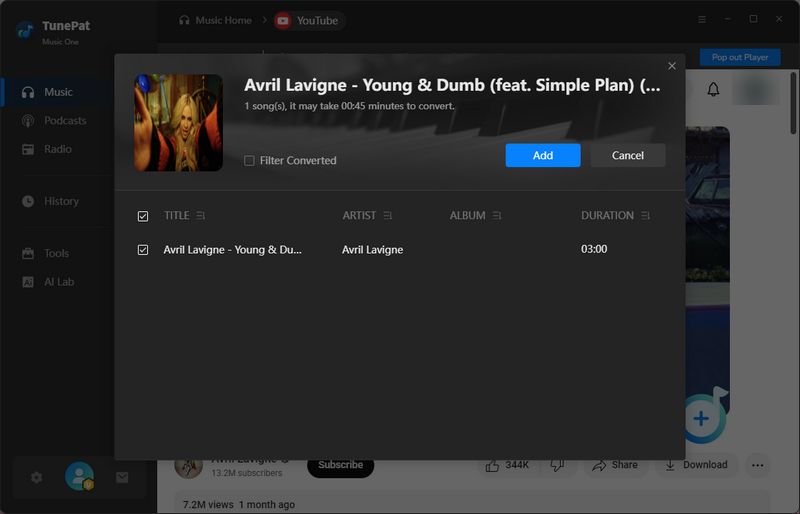
On the next page, you can click "Add More" to analyze additional videos for batch conversion. After adding all the videos you need, click "Convert" to start the process.
TunePat Review: Ratings & Rationale
🤫 My Honest Review:
I've tested this desktop tool so many times now, and it’s honestly on a different level of stability and safety. If you're trying to build a serious music library, the batch downloading and auto-organization are absolute lifesavers. It's a bummer that it's desktop-only (Windows/Mac) and requires an install, but for the sheer reliability and multi-platform support, it is 100% worth it.
2.2 CnvMP3 – YouTube to MP3 Converter
CnvMP3 is an online tool similar to OGMP3 that allows users to convert YouTube videos into MP3 or MP4 files directly in the browser. Compared with OGMP3, it supports more platforms, including TikTok, Instagram, Facebook, Twitter, Reddit, and Twitch.
In real usage, the experience is simple but not always consistent. Although it claims to support 320kbps audio, most downloads are closer to 128kbps. Higher quality selections may also lead to connection errors.
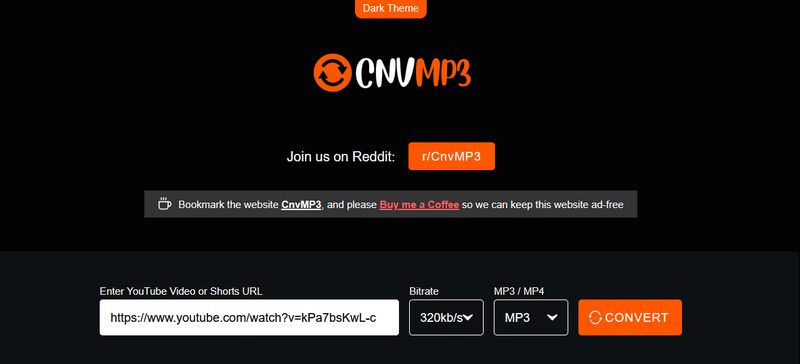
Step 1 Paste the YouTube video link into the input box.
Step 2 Select MP3 format and choose a quality such as 320kbps.
Step 3 Click Convert and wait for processing, then download the file.
CnvMP3 Review: Ratings & Rationale
🤫 My Honest Review:
I tested CnvMP3 out in 2026. Yeah, the site has no ads and the buttons don't randomly redirect you, but the whole experience is pretty mediocre. The biggest dealbreaker is the terrible audio quality. It says 100+ kbps, but it sounds way worse when you actually listen to it. You also can't do batch downloads. It's fine for a one-time thing, but I wouldn't recommend keeping it around. Check out the full review of CnvMP3 here.
2.3 Loader.to – YouTube to MP3 Downloader Online
🔗: https://en.loader.to/1/1080p-video-downloader.html ; https://en.loader.to/4/
Loader.to is a free online downloader that supports multiple formats and platforms, including MP3, M4A, FLAC, OGG, and more.
However, real usage shows mixed performance. Playlist download features often do not work properly, and users may be redirected to third-party software pages that require installation.
The site also contains multiple redirects and promotional pages, which can affect user trust and experience.
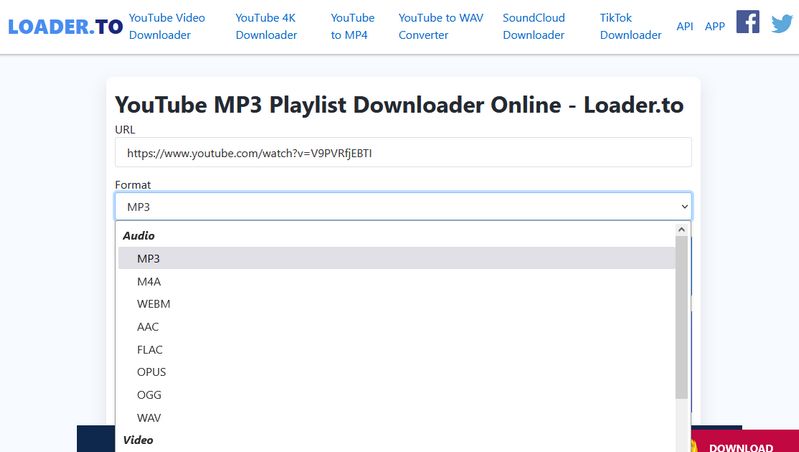
Step 1 Paste the video URL into the search bar.
Step 2 Select output format such as MP3, M4A, FLAC, WEBM, OGG, etc.
Step 3 Click "Download" to start processing. Then, click "Download" again to save the file to your device.
Loader.to Review: Ratings & Rationale
🤫 My Honest Review:
I just tested this site again, and it does have some redirection issues. But as far as online tools go, it's actually one of the better ones. The best part is that it handles so many formats like MP3, M4A, OGG, and even video. Still, it has the same old flaws every online tool has. There is no batch conversion, and sometimes it just randomly stops working. Maybe it'll come back in a few minutes, or maybe it won't work at all. That's why I still recommend just getting a solid desktop app instead. Check out the full review of Loader.to here.
Part 3: FAQs About OGMP3
Q1: Is OGMP3 safe to use?
A: OGMP3 is generally safe to access, but safety depends heavily on the exact domain you are using. Some users report security warnings or antivirus alerts when visiting unofficial or redirected versions of the site.
Q2: Why is OGMP3 not working sometimes?
A: OGMP3 may stop working due to server overload, regional restrictions, or temporary SSL certificate issues. In some cases, changing the browser or trying again later may resolve the problem.
Q3: Does OGMP3 really support 320kbps audio?
A: No, it does not. While you can select "320kbps," our Spek spectral tests show that the site just upscale-converts low-quality files (typically 128kbps). The high frequencies are consistently cut off between 16 kHz and 20 kHz, meaning the true audio details are permanently lost.
Q4: Can I download multiple YouTube videos with OGMP3?
A: No, OGMP3 does not support batch downloading. Each video must be processed individually, which can be inconvenient for users who want to convert playlists or multiple files.
Q5: What are the best OGMP3 alternatives?
A: If you need more stability and better output quality, tools like TunePat are often considered stronger alternatives. They offer batch conversion, higher format support, and more reliable performance compared to browser-based tools.
Conclusion
This OGMP3 review shows that while the tool is fine for quick and occasional conversions, its limitations in stability and consistency make it less suitable for regular or long-term use. It can still be helpful in some simple scenarios, but users may experience issues such as unstable performance or inconsistent output quality over time.
If you need a more reliable and long-term option, TunePat Music One is worth considering. It offers more stable performance, better output quality, and support for multiple platforms, making it a more practical choice for users who convert music or videos more frequently. Compared with CnvMP3 and Loader.to, it provides a smoother and more dependable overall experience, especially when handling multiple files or higher-quality audio needs.

Olivia Anderson
Senior Writer