Top-Rated Music Download Sites (Free & High-Quality)
 By Olivia Anderson
Music Tips
Updated on 8/27/2026
By Olivia Anderson
Music Tips
Updated on 8/27/2026
Looking for the top music download sites? Whether you're an audiophile searching for lossless music, a content creator who needs royalty‑free music, or simply someone who wants to download songs from popular streaming services for offline listening, this guide has you covered. We've rounded up the top-rated music platforms available. Let's get started!
Part 1: Top-Rated Music Sites for High-Quality Audio Downloads
#1 HDtracks
🔗 https://www.hdtracks.com/
HDtracks is one of the top music download sites specializing in high-resolution music downloads, designed for users who demand superior sound quality. It offers lossless audio formats such as FLAC, AIFF, WAV, and ALAC, with resolutions reaching up to 24-bit / 96kHz or even 192kHz, well beyond the sound quality of standard CDs or most streaming services. Unlike typical streaming services such as Spotify, HDtracks operates on a pay-per-track or album download model, giving users permanent ownership of DRM‑free music files. As such, it's an excellent choice for anyone looking to build a high-quality local music library.
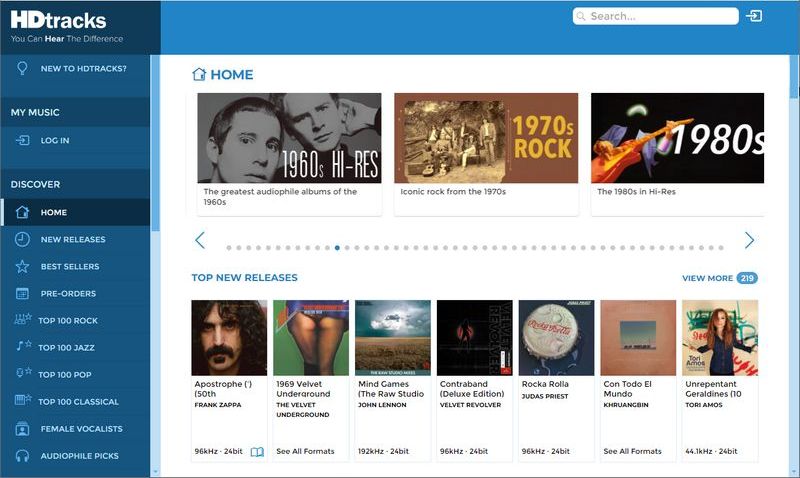
| Audio Quality | Price | Pricing Model | DRM | Region | Library | ID3 Tags | |
|---|---|---|---|---|---|---|---|
| HDtracks | Hi-Res (Up to 24-bit/192kHz FLAC, WAV, AIFF) | $15–$30 per album | Pay-per-download | No DRM | US & limited regions | Rock, Jazz, Pop, and Classical | Complete metadata & album art |
#2 iTrax
🔗 https://www.itrax.com/
iTrax is a niche platform and record label specializing in high-resolution music downloads. It sources audio directly from original high-resolution masters, offering true high-quality sound in lossless formats such as FLAC and WAV, with sampling rates of 24-bit / 96kHz or higher. Unlike some platforms that upscale lower-quality recordings, iTrax emphasizes native high-resolution recordings, delivering superior fidelity and dynamic range. Its library is relatively small, focusing primarily on jazz, classical music, and live recordings.
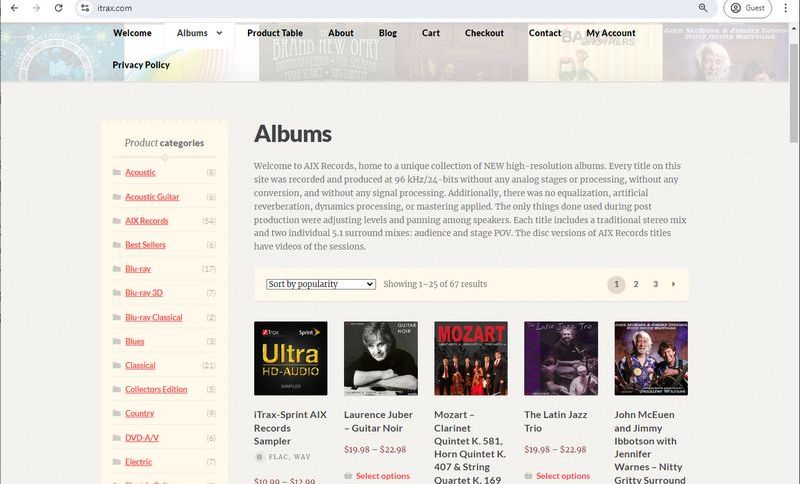
| Audio Quality | Price | Pricing Model | DRM | ID3 Tags | Library | |
|---|---|---|---|---|---|---|
| iTrax | Hi-Res (24-bit/96kHz FLAC, WAV) | $10–$25 per album | Pay-per-download | No DRM | Basic metadata | Classical, Jazz, and Label |
#3 ProStudio Masters
🔗 https://www.prostudiomasters.com/
ProStudio Masters is an online platform focused on high-resolution music downloads, designed for audiophiles and serious music enthusiasts. It offers a wide range of lossless audio formats, as well as high-resolution audio technologies like DSD and MQA, with resolutions up to 24-bit / 192kHz. The platform covers a variety of genres, including pop, rock, jazz, and classical. ProStudio Masters uses a pay-per-download model, most of which are DRM-free. It also partners with major record labels to provide a relatively extensive catalog of high-quality music. Availability may vary by region due to licensing restrictions imposed by record labels. Overall, ProStudio Masters is one of the top-rated music download sites, balancing audio quality and catalog size, making it a solid choice for users looking to build a high-quality local music library.
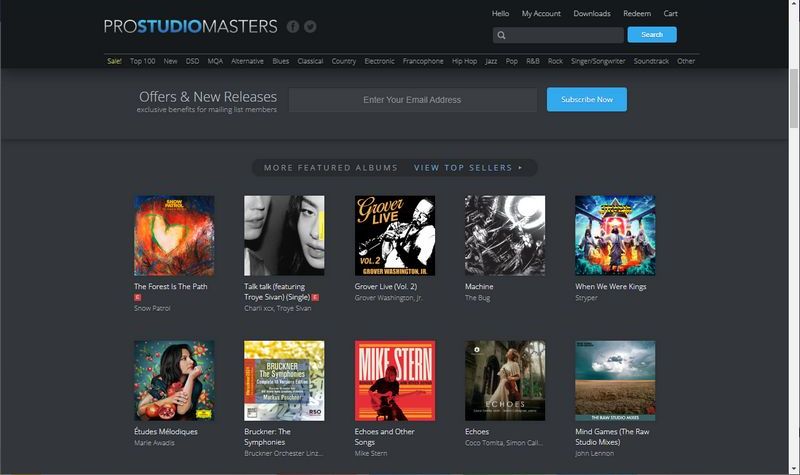
| Audio Quality | Price | Pricing Model | DRM | |
|---|---|---|---|---|
| ProStudio Masters | Hi-Res (Up to 24-bit/192kHz FLAC, MQA) | $18–$35 per album | Pay-per-download | No DRM |
#4 TIDAL
🔗 https://tidal.com/
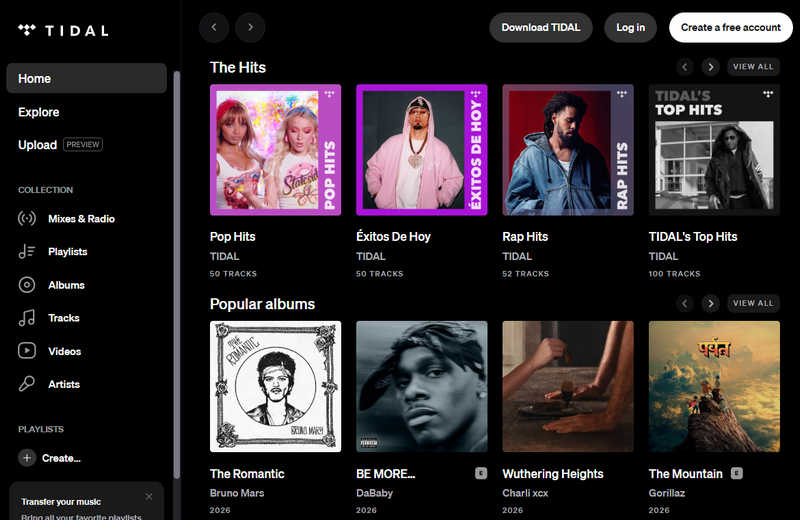
TIDAL is a streaming service built around high-quality audio and immersive listening. It offers lossless and high-res formats (e.g., FLAC up to 24-bit / 192kHz) through its Max quality setting, as well as spatial audio like Dolby Atmos. Compared to traditional platforms, TIDAL places stronger emphasis on audio fidelity and artist support. Its catalog spans pop, hip-hop, R&B, electronic, jazz, and more, plus music videos, exclusive content, and curated playlists. Users can stream and download music via subscription, but downloads are DRM‑protected and limited to in‑app use. Overall, TIDAL is an excellent choice for those who want both convenience and superior sound quality.
| Audio Quality | Price | Pricing Model | DRM | Best For | |
|---|---|---|---|---|---|
| TIDAL | Lossless & Hi-Res (FLAC, up to 24-bit/192kHz) | $11.99–$19.99 per month | Subscription | With DRM | Listeners who demand both lossless hi-res and Dolby Atmos |
Love Tidal's high-quality music but don't want to be limited to online and in-app playback? Then you can try the tool in Part 3, TunePat Music One. It can help you download music from several streaming services, including Tidal, and save it as local files to your computer.
Part 2: Best Royalty-Free Music Download Sites
#1 Pixabay
🔗 https://pixabay.com/music/
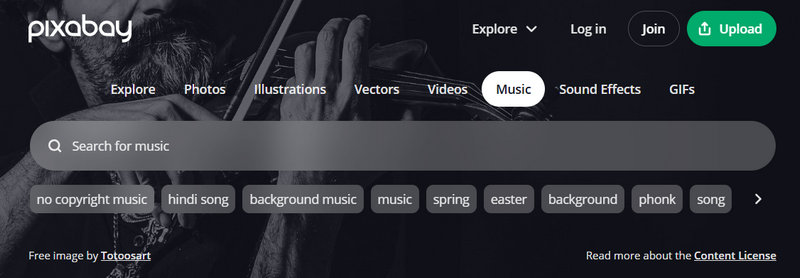
Pixabay offers a free music library where users can download a wide range of background music and sound effects, covering genres such as pop, electronic, ambient, and cinematic tracks. The files are typically available in MP3 format, making them suitable for videos, social media content, advertisements, and game projects. Most tracks can be used for both personal and commercial purposes without paying royalties, and attribution is generally not required. Overall, Pixabay's music library is practical and creator-oriented.
#2 Free To Use
🔗 https://freetouse.com/music
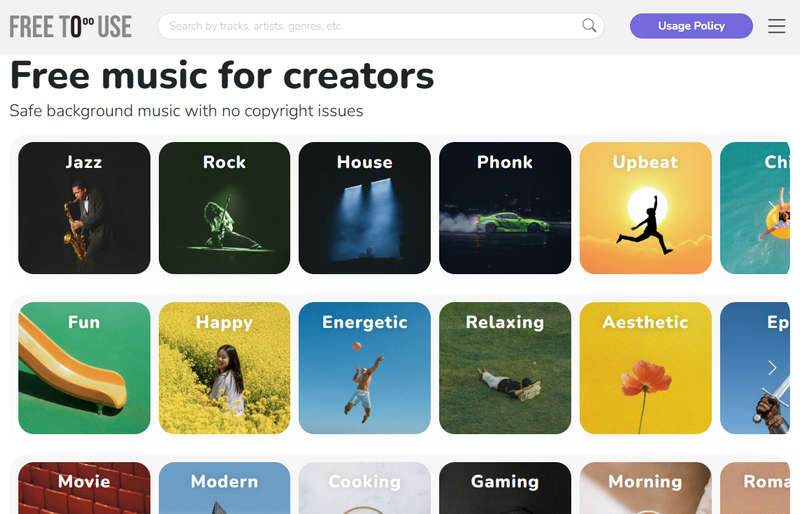
FreeToUse is a website that provides royalty‑free music for content creators, featuring a library of over 1,000 downloadable tracks. The platform offers background music typically labeled as "royalty‑free" or "no copyright", allowing users to freely use the audio as long as they follow the usage terms. The music library is organized by genre and mood, such as electronic, lo‑fi, and cinematic styles, and users can easily preview and download tracks without needing an account. However, some tracks may require attribution or have specific licensing requirements. Therefore, it is important to check the terms for each track before use to avoid potential copyright issues.
#3 Envato Elements
🔗 https://elements.envato.com/audio
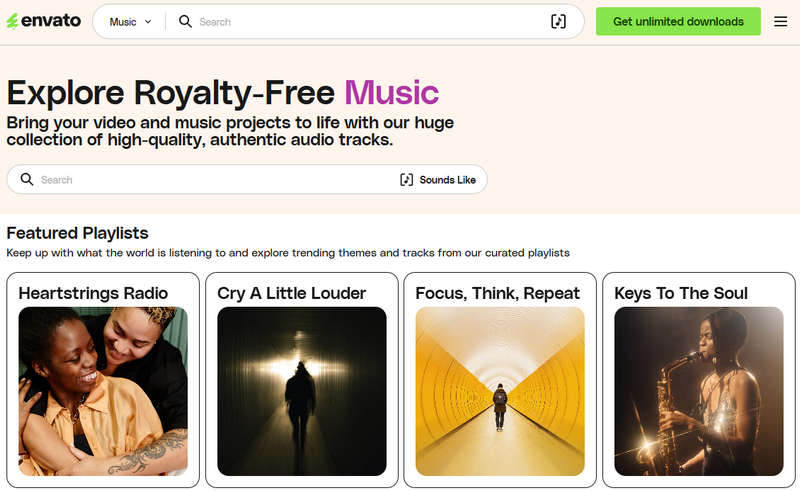
Envato Elements is a subscription‑based creative resource platform that lets users download unlimited audio tracks during their active subscription. It offers a broad range of music genres, including electronic, pop, corporate soundtracks, and film scores. Unlike free music websites, Envato Elements requires a paid subscription for access. Most tracks come with clear commercial licenses, and audio files are typically available in high‑quality formats such as MP3 and WAV. However, once the subscription ends, a new subscription is generally required to continue using the service for new projects.
#4 Uppbeat
🔗 https://uppbeat.io/music
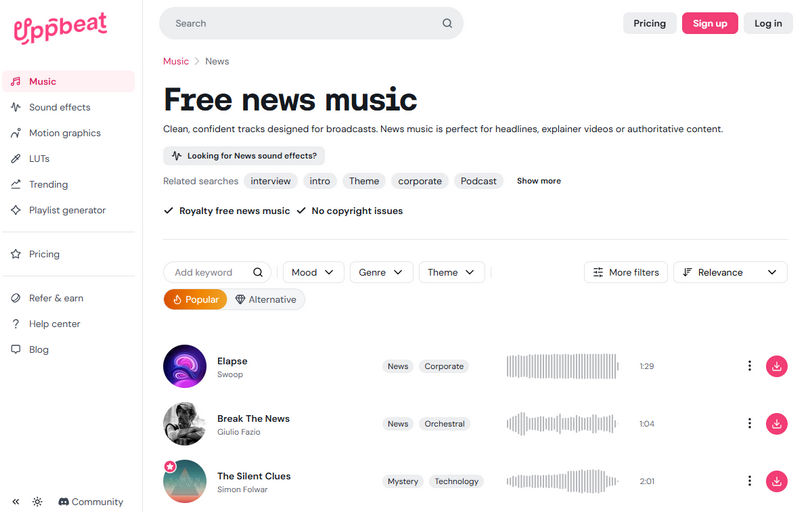
Uppbeat offers a vast library of high‑quality music and sound effects across a wide range of genres and styles. Users can easily search, preview, and download tracks for their own content. Many tracks are available for free under certain conditions, while subscription options unlock additional content and features. The platform also provides curated playlists, popular tracks, and even a playlist generator to help users quickly find the right music. Overall, Uppbeat is a modern, user‑friendly, and high‑quality music download site.
Part 3: How to Download Music from Popular Streaming Services
After exploring various top-rated music download sites for high-quality and royalty-free music, you may still find that your favorite songs aren't always easy to get. In fact, most users today rely on streaming services like TIDAL, Spotify, Apple Music, or Amazon Music. While these platforms offer vast libraries and convenient listening, DRM protection prevents you from actually downloading and saving music as local files.
So what if you want to own your favorite songs permanently, transfer them between devices, or enjoy unlimited offline listening? This section shows you how to download music from popular streaming services, such as Tidal, Spotify, Amazon Music, YouTube, and Apple Music, and save it as local files, using a professional tool that makes it easy. TunePat Music One helps you download music from multiple streaming platforms and save it in formats like MP3, AAC, WAV, FLAC, AIFF, and ALAC. It also includes practical features for efficiency: up to 10× download speed, batch downloading for entire playlists, and full ID3 tag preservation.
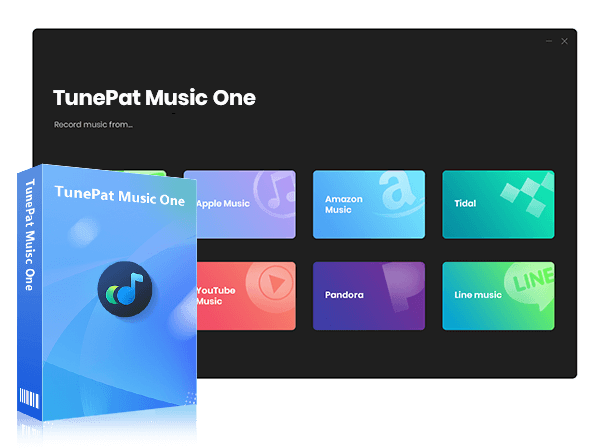
TunePat Music One
It is an all-in-one converter that can support any music streaming platform.
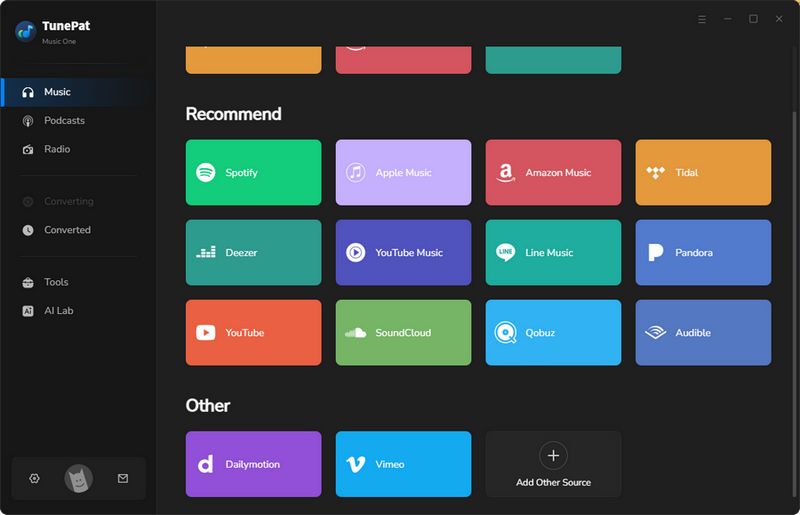
Step 1 First, launch TunePat Music One on your computer. The main interface will open, displaying a list of supported streaming services. Next, we'll use Tidal as an example to show you how to download music to your local computer. To begin, simply click the "Tidal" tab.
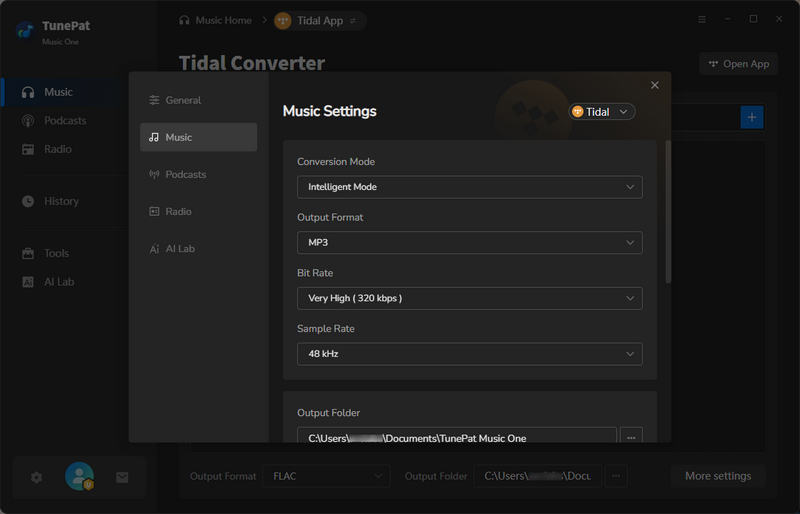
Step 2 To customize how TunePat saves your music, click the settings icon in the lower‑left corner. This will open the output settings panel, where you can adjust various options to fit your conversion needs. For example, you can change the conversion mode, select your preferred output format, and choose a specific output folder where the converted files will be saved. You can also modify other parameters like bit rate or sample rate, depending on the format you select. Once you've made your changes, close the settings window, and the program will automatically save and apply your new settings.
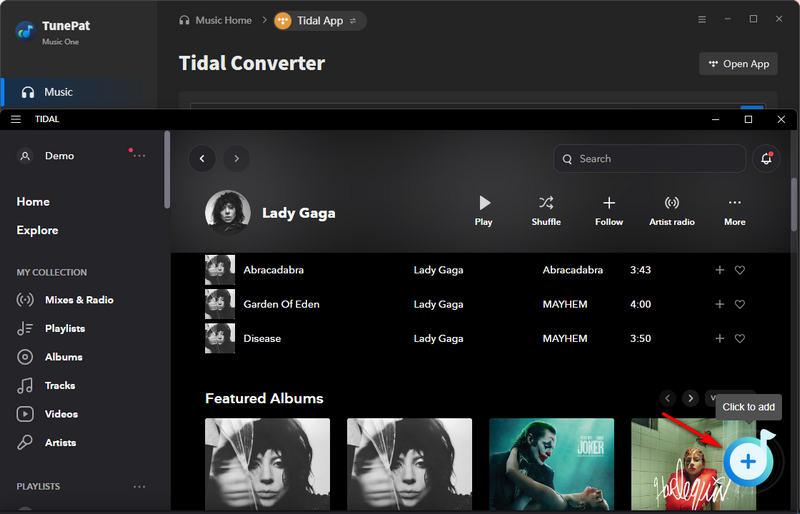
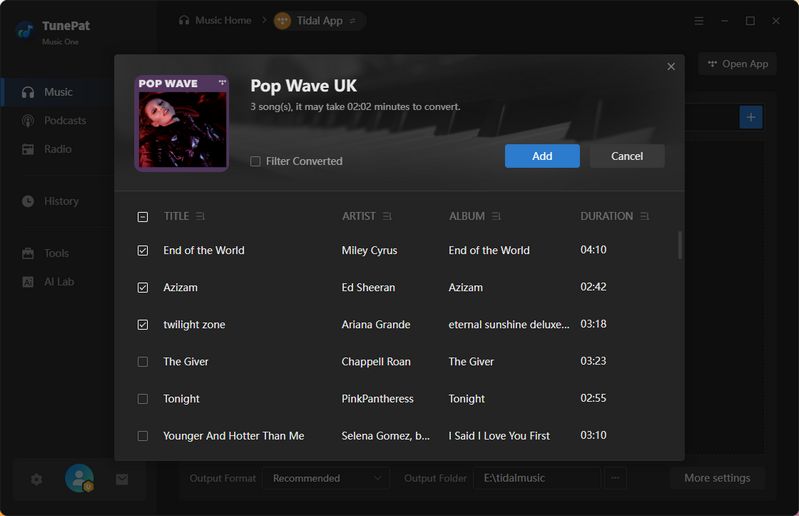
Step 3 In this step, you can choose to download and convert songs from the Tidal app and the Tidal web player. For the best sound quality, please choose to convert from the Tidal app. Select the playlist, album, or other content you want to download, and click the "+" button to load tracks. All parsed tracks will be displayed in the pop-up window and selected by default. Uncheck the songs you do not want and click the "Add" button to proceed to the next step.
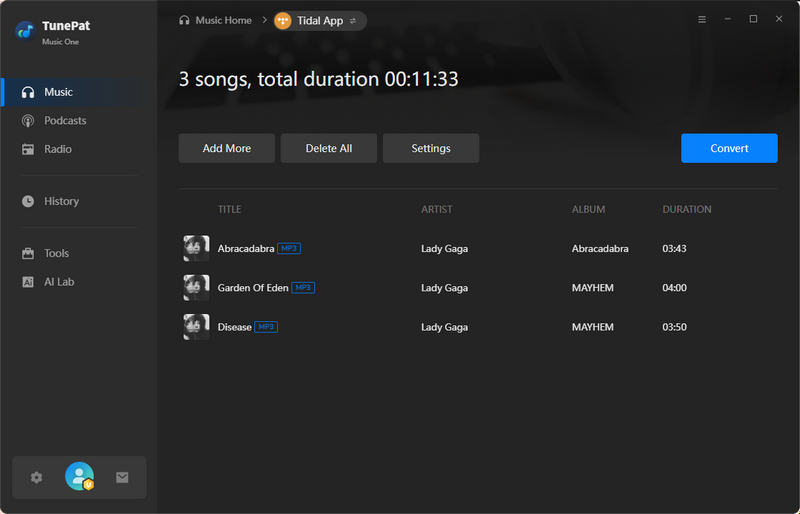
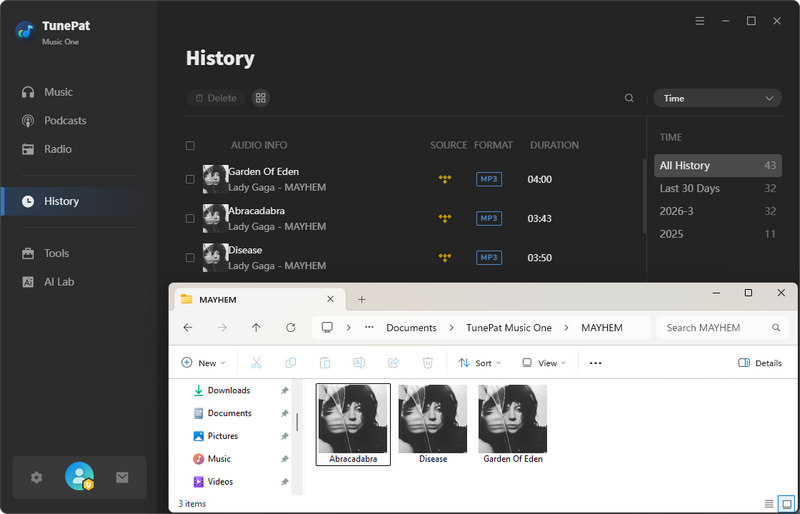
Step 4 Click "Convert" to start the process. TunePat will then begin converting and downloading your Tidal music, reaching speeds of up to 10× faster than real time. Once the conversion is complete, a notification will appear. You can click "History" or simply navigate to your preset local folder to find all your converted tracks, now saved in your chosen format and ready for offline use on any device.
Part 4: FAQs About MP3 Music Downloads
Q1: Is it legal to download MP3 music from the internet?
A: It depends on the source. Downloading from legitimate platforms is legal if you purchase or follow their licensing terms. Royalty-free music can also be used freely within its license. For streaming services, offline downloads are usually limited to in-app playback. If you want more flexible listening without such restrictions, tools like TunePat Music One can help you save music for personal offline use.
Q2: Can I convert streaming music into MP3 files?
A: Most streaming services use DRM, so downloaded songs can only be played inside the app. To convert them to MP3 or other common formats, you need a dedicated tool like TunePat Music One, which lets you download and convert songs into MP3, FLAC, or WAV for offline playback across devices.
Q3: Will downloading music reduce audio quality?
A: Downloading from high-resolution music platforms preserves the original sound quality, whereas other online platforms may introduce some loss. Notably, TunePat Music One allows you to download music in its original quality, exactly as it sounds on the source platform.
Q4: Can I use downloaded music for YouTube or commercial projects?
A: Use is only permitted when the license allows. Royalty‑free music can generally be used in YouTube videos, ads, or other commercial projects, as long as you follow the license terms (e.g., attribution). However, music downloaded from streaming services is usually not licensed for commercial use and is therefore not recommended for such projects.
Conclusion
There are many top-rated music download sites available. For audiophiles, high-resolution platforms like HDtracks are a great choice; for creators, royalty-free sites like Pixabay work perfectly. Streaming services such as TIDAL and Spotify offer convenience, but they limit local downloads. Fortunately, TunePat Music One can help. If you're interested, download it and give it a try!
Olivia Anderson
Senior Writer