TunePat Spotify Music Converter Review: Is TunePat Safe?
 By Olivia Anderson
Reviews
Updated on 10/28/2026
By Olivia Anderson
Reviews
Updated on 10/28/2026
TunePat Spotify Music Converter is a desktop tool designed to convert Spotify music into common audio formats for offline listening. But how well does it work in real-world use? Is it worth paying for, and what should you know about its audio quality, download speed, free trial, and safety before installing it? In this review, we'll look at TunePat's features, supported formats, pricing, and limitations, alongside hands-on tests of its audio quality and download performance. We also compare TunePat with ViWizard and TuneFab, focusing on output formats, trial limits, and conversion workflows.
- Part 1: TunePat Spotify Music Converter Test Results
- Part 2: TunePat Spotify Music Converter Pricing and Free Trial
- Part 3: Is TunePat Spotify Music Converter Safe and Legal?
- Part 4: TunePat Spotify Music Converter Pros and Cons
- Part 5: TunePat Spotify Music Converter Alternatives
- FAQs About TunePat Spotify Music Converter
TunePat Spotify Music Converter Test Results
We tested TunePat Spotify Music Converter version 3.6.4 on a Windows 11 computer on October 27, 2026, using a stable Wi-Fi connection. To evaluate its performance across different account types, we used both Spotify Free and Spotify Premium accounts to convert a total of 34 tracks from one album and one playlist via the Spotify web player. We set the output to MP3 at 320 kbps and used an activated version of TunePat to test full-track conversion rather than the one-minute trial previews.
1. Conversion Speed and Success Rate
We added 34 songs to the conversion queue at once. The conversion process took approximately 40 minutes, and all 34 tracks were converted successfully, giving the test a 100% success rate. We encountered no errors or interruptions during the test. TunePat processes one track at a time rather than downloading multiple tracks simultaneously. However, it automatically proceeds to the next song in the queue, allowing users to do other tasks while the conversion continues. Although this sequential process can make converting large playlists time-consuming, it does not require users to manually start each track, making the limitation less significant in everyday use.
2. Output Audio Quality
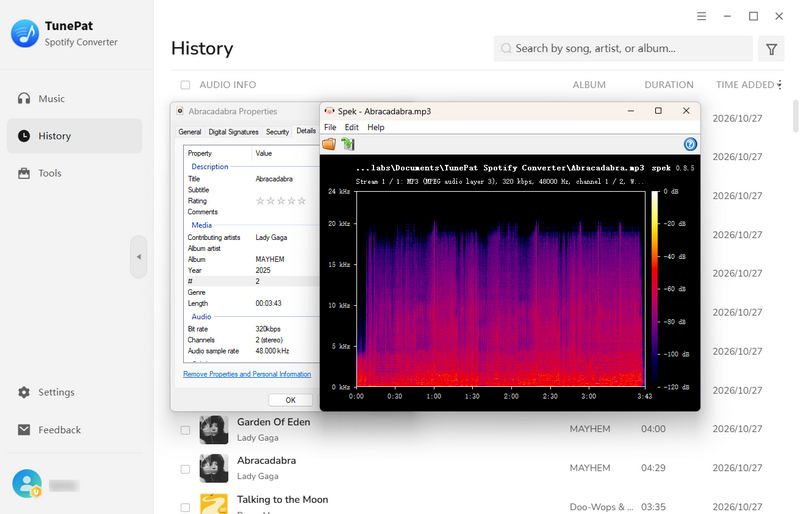
For our audio quality test, we tested TunePat Spotify Music Converter using both Spotify Free and Spotify Premium accounts. The songs converted from a Free account had slightly lower audio quality, while those from a Premium account reached 320 kbps. We compared the converted tracks with their playback in Spotify and did not notice any audible differences during listening. Throughout the test, we encountered no obvious audio issues, such as distortion, unwanted noise, or playback interruptions. We did not encounter any audio advertisements.
3. ID3 Tags and Metadata Accuracy
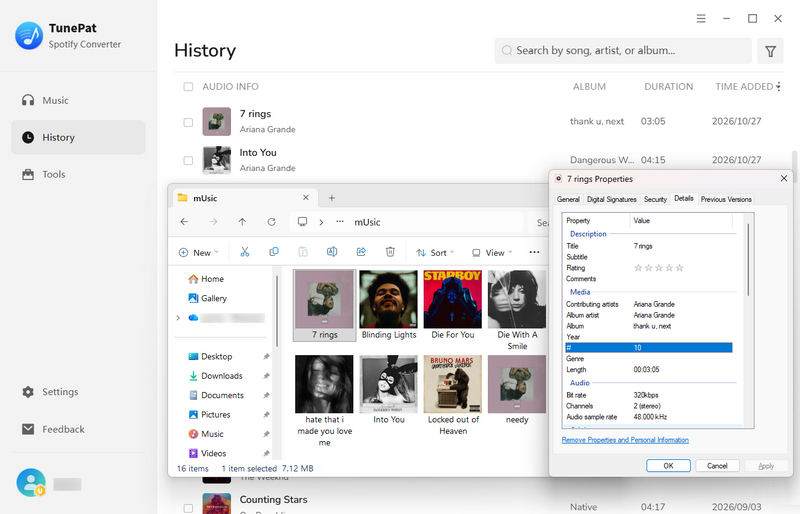
We checked the metadata of all converted tracks and playlists during our test. TunePat Spotify Music Converter preserved the song titles, artist names, album information, album artwork, and track numbers. The original playlist order was also maintained, making it easier to keep converted songs organized in the same sequence as the source playlists. We did not find any missing or incorrect metadata in the files we checked. Overall, TunePat performed well in preserving music information and playlist organization in our test, reducing the need for manual corrections after conversion.
TunePat Spotify Music Converter Pricing and Free Trial
Pricing is an important factor when deciding whether to purchase TunePat Spotify Music Converter. The total cost depends not only on the advertised price but also on the license duration, renewal conditions, supported operating systems, and refund policy.
2.1 Free Trial Limitations
TunePat Spotify Music Converter offers a free trial, but it only converts the first minute of each track. This lets you explore the interface, adjust output settings, and check short audio samples before purchasing. However, it does not let you verify full-track output or assess conversion time for complete songs and playlists. A paid license is required to remove this restriction.
2.2 Paid Plans and License Coverage
| Plan | Price (USD) | Equivalent Monthly Cost |
|---|---|---|
| 3-Month License | $29.95 every 3 months | Approx. $9.98/month |
| 1-Year License | $44.95 every year | Approx. $3.75/month |
| Lifetime License | $89.90 one-time payment | N/A (one-time payment) |
Monthly equivalents are shown for comparison only; subscriptions are billed every three months or annually. At the prices listed above, the lifetime license costs the same as two years of annual payments, making it worth considering if you expect to use the software for longer.
Each plan covers one computer. Quarterly and annual plans include free updates during the subscription period, while the lifetime license includes free lifetime upgrades. Windows and Mac licenses are sold separately and cannot be used interchangeably.
2.3 Renewal and Refund Terms
Quarterly and annual subscriptions renew automatically unless cancelled before the next billing date. Cancelling automatic renewal does not automatically refund the current payment.
Refund requests must be submitted within five days of purchase for quarterly and annual plans, or within 30 days for lifetime licenses. Eligibility is subject to TunePat Refund Policy, so review its conditions before purchasing or requesting a refund.
Is TunePat Spotify Music Converter Safe and Legal?
To reduce security risks, download TunePat from its official website rather than unfamiliar third-party sources. As with any desktop software, users should review installation permissions, keep the application updated, and scan the installer if necessary.
Converting Spotify music does not automatically grant users the right to distribute or commercially use the resulting files. Copyright rules vary by jurisdiction, and personal copying, public sharing, and commercial use may be treated differently. Users should avoid redistributing copyrighted music without permission and should not assume that a Spotify subscription grants ownership of downloaded tracks. Ultimately, whether a particular use is lawful depends on the applicable law, the content involved, and how the files are used.
TunePat Spotify Music Converter Pros and Cons
Pros
-
 All 34 tracks in our test were converted successfully in approximately 40 minutes, with no conversion errors or interruptions.
-
TunePat allows users to download songs at up to 320kbps, providing a high-bitrate output option.
-
TunePat supports MP3, ALAC, FLAC, WAV, AIFF, and AAC output formats. We could also adjust settings such as the bitrate, sample rate, destination folder, and file sorting order.
-
TunePat can save album artwork and ID3 tags while maintaining playlist order. It can also automatically skip songs that have already been downloaded and are present in the local library.
Cons
-
 The free trial converts only the first minute of each track.
-
No parallel downloads.
TunePat Spotify Music Converter Alternatives
| Method | Best For | Advantages | Limitations |
|---|---|---|---|
| TunePat | Users who want Spotify conversion with flexible output settings | Supports common audio formats, including ALAC; filters previously converted tracks; offers customizable output settings and file organization | Free trial converts only the first minute of each track |
| ViWizard | Users who need M4B output and adjustable playback speed | Supports M4B output; organizes files by artist or album; filters previously converted tracks; includes playback-speed controls | Does not list ALAC as an output format; free trial converts only the first 30 seconds of each track |
| TuneFab | Users who want multi-service music conversion and full-track trials | Support Spotify and other streaming services; simultaneous downloads; local music import | Free trial is limited to three full songs, making it insufficient for evaluating larger playlists; higher price for the full suite |
Note: This table compares the Spotify converters offered by TunePat and ViWizard with TuneFab All-in-One Music Converter. TuneFab brings converters for multiple streaming services together in one program, with the option to purchase either an individual converter or the full suite. The full suite costs more than the Spotify converter alone.
5.1 ViWizard vs. TunePat Spotify Music Converter
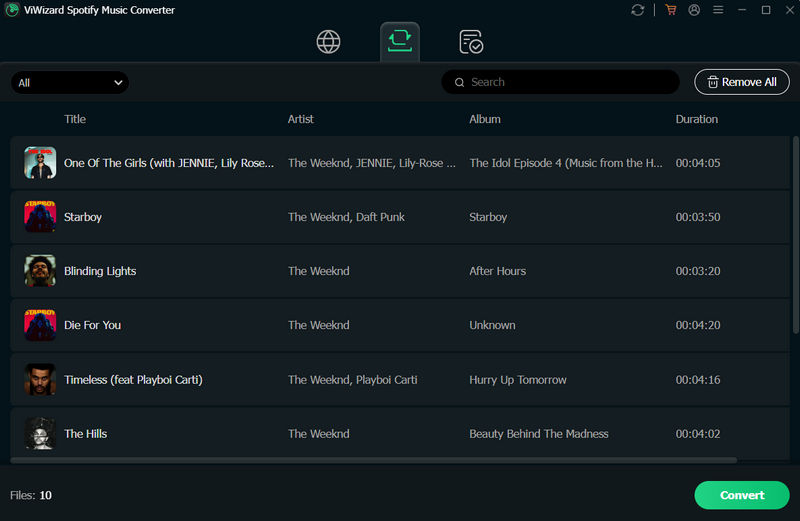
ViWizard Spotify Music Converter converts Spotify songs, albums, playlists, podcasts, and audiobooks into local audio files. It also includes tools for organizing output files and playing converted audio.
Our testing: We tested ViWizard version 4.1.2, which supports MP3, M4A, FLAC, WAV, AIFF, and M4B, but does not list ALAC among its output formats. M4B output may appeal to users with compatible audiobook players. ViWizard also lets users organize output files by artist or album and adjust playback speed in its built-in player. Unlike TunePat, it does not include a separate audio format converter or tag editor.
Trial limitations: The free trial version of ViWizard converts only the first 30 seconds of each track, preventing users from testing full-song conversions. It also lacks some built-in tools, such as a format converter and tag editor.
User feedback on Spotify account bans: As of October 28, 2026, the four most recent negative Trustpilot reviews we checked reported Spotify account bans after using ViWizard. Although these reports do not establish that ViWizard directly caused the account bans, users should consider this potential risk before purchasing.
Best for: Users who need M4B output or want to adjust playback speed without opening a separate player.
5.2 TuneFab vs. TunePat Spotify Music Converter
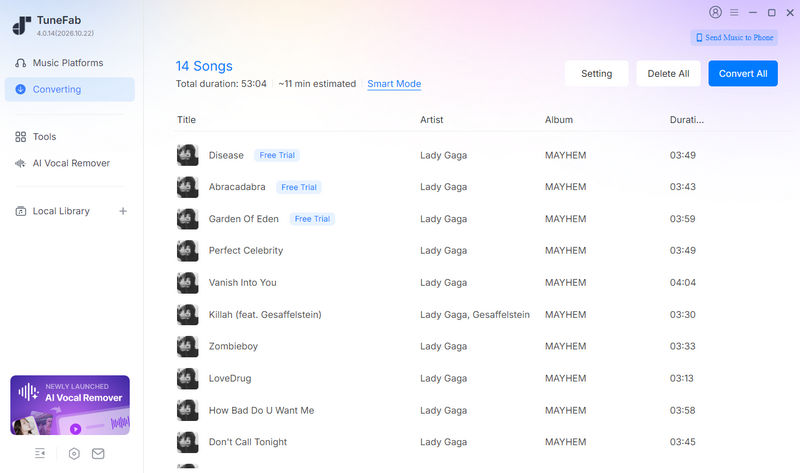
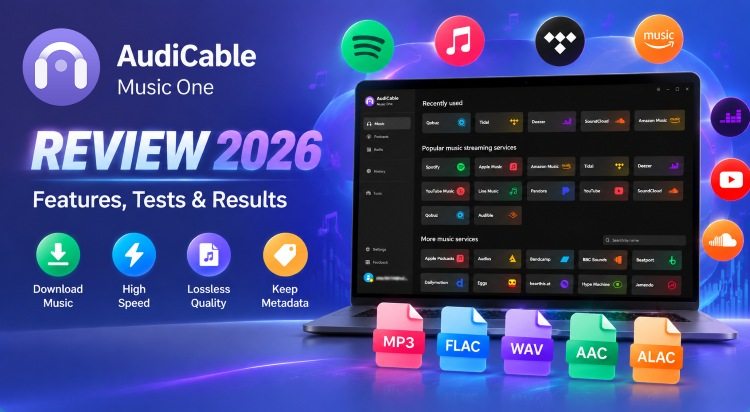
TuneFab All-in-One Music Converter combines converters for multiple streaming services in one program. Users can purchase access to an individual converter or the full suite, depending on which services they need. For users considering a multi-service package, TunePat Music One is another option worth comparing alongside TuneFab's full suite.
Our testing: We tested TuneFab version 4.0.14, which supports downloading up to three tracks simultaneously and lets users import local music through the History section. Its free trial allows users to convert three complete Spotify songs, making it useful for checking full-track conversion and playback before purchasing. However, support for simultaneous downloads does not, by itself, establish a speed advantage over TunePat.
Trial limitations: The three-song allowance is useful for a quick check, but too limited to assess conversion reliability and processing times across a larger playlist.
User feedback on activation and refunds: To highlight potential post-purchase concerns, we selected two recent Trustpilot reviews discussing software activation and refund conditions. These individual experiences do not represent overall customer feedback. One reviewer reported activation problems and troubleshooting links that returned 404 errors. Another reviewer reported being unable to obtain a refund within the stated refund period, saying that refunds were only granted for technical issues.
Best for: Users who want to test full-track output before purchasing and prefer having local music tools alongside Spotify conversion.
FAQs About TunePat Spotify Music Converter
Q1: Is TunePat free to use?
A: TunePat Spotify Music Converter offers a free trial, but it is not completely free. The trial version can convert only the first minute of each track. To convert full songs, you need to purchase a license.
Q2: Does TunePat work with a free Spotify account?
A: Yes. TunePat works with both Spotify Free and Spotify Premium accounts, so you do not need a paid Spotify subscription to use the converter.
Q3: Is there a TunePat Spotify Converter for Android?
A: No. TunePat Spotify Music Converter is desktop software for Windows and macOS and does not offer a dedicated Android app. If you want to convert Spotify music directly on an Android device, you can try TuneCable Spotify Downloader for Android. Alternatively, you can use TunePat on your computer and transfer the converted audio files to your Android device for offline playback.
Q4: Why did TunePat stop working after a Spotify update?
A: A Spotify update may change how Spotify content is accessed, which can temporarily affect TunePat's compatibility. First, update TunePat to the latest version, restart the program, and sign in to Spotify again. If conversion still fails, check your internet connection and confirm that the tracks play correctly in Spotify or TunePat's built-in player. If the issue persists, contact TunePat support for further assistance.
Conclusion:
TunePat Spotify Music Converter completed all 34 tracks in our test without conversion errors and retained the metadata we checked. We noticed no obvious audio issues during listening, though tracks were processed one at a time and the free trial limits output to one minute per track. TunePat is worth considering if you value straightforward batch conversion and organized files. ViWizard and TuneFab offer different options for users who need M4B output, multi-service support, or full-track trials.


Olivia Anderson
Senior Writer