
Tired of Spotify restricting offline listening to Premium users? Wish you could permanently save your favorite Spotify tracks as local MP3 files, but Spotify doesn’t allow it? Tools like Spotidown have become a popular workaround. In this guide, we’ll thoroughly review Spotidown, weighing its pros and cons, rating key aspects, and introducing several alternatives to Spotidown. If you’re looking for a reliable Spotify downloader, you’ll find the right solution here.
Part 1: Overview of Spotidown
🔗 https://spotidown.app/
Spotidown is a free online Spotify downloader. Without requiring any software installation or a Spotify account, users can easily convert Spotify link to MP3, including tracks, albums, or playlists. Accessible via browsers on Windows, macOS, Android, and iOS, it’s easy to use and works without a Spotify Premium subscription.
Spotidown supports downloads up to 320 kbps and preserves audio metadata, though it adds a watermark to the track title. However, the download process can be unreliable; for example, users may encounter redirects to external pages or need multiple attempts to succeed. Furthermore, customization options are limited. Users cannot choose the bit rate or output format. Also, free users can only download the first five tracks from a playlist, with full access requiring a paid upgrade. As with many online tools, Spotidown raises concerns around security and long-term stability. While it may serve for occasional, quick downloads, it is not recommended for regular use due to its inconsistent performance and operational limitations.
How to Use Spotidown
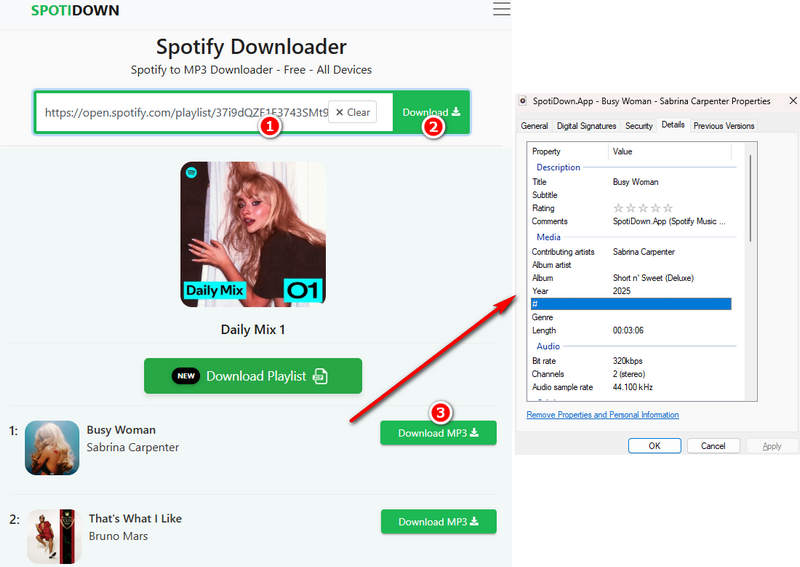
Step 1 We recommend copying the official link above directly into your browser. This is because if you search for "Spotidown" directly, you might find some similar-sounding but completely different Spotify downloaders.
Step 2 Open Spotify, find the tracks, playlists, and albums you want to download, and copy the URL in the navigation bar. Then paste this URL into the green box in the middle of the Spotidown website.
Step 3 Click "Download". If you have pasted a URL for playlists or albums, Spotidown will display all the tracks in the list. However, free account users can only access the first five songs at once. To get an entire playlist, you will need to manually click "Download MP3" for each track, wait for the link to be processed, and then follow the redirect to a new page to save the file. After each song, you must return to the previous page and repeat the process for the next track, making it a somewhat repetitive and time-consuming procedure.
Spotidown Review: Ratings & Rationale
*Note: Not fully satisfied with Spotidown? For a superior downloading experience, we recommend TunePat Spotify Converter, rated 4.8/5. It supports batch downloads, lossless music downloads, and complete metadata, making it the ultimate choice for Spotify downloader users.
Part 2: Alternatives to Spotidown [Safe & Fast]
1. TunePat Spotify Converter - The Most Recommended Spotify Downloader
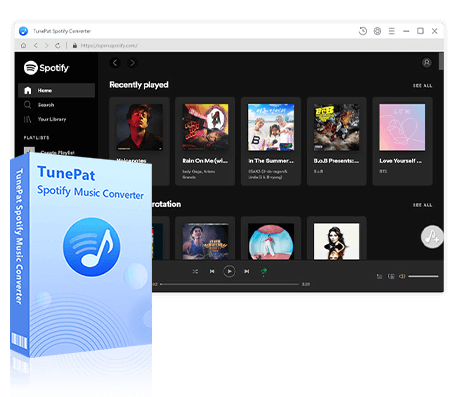
TunePat Spotify Converter is a professional desktop Spotify downloader designed for users who demand high-quality audio, a stable experience, and the ability to customize download settings. Compared to online tools, desktop Spotify downloaders typically offer more powerful features and reliability, and TunePat excels in this category.
TunePat can download various content from Spotify, including tracks, playlists, albums, podcasts, audiobooks, music videos, and podcast videos, converting them to plain formats such as FLAC, MP3, AAC, WAV, AIFF, ALAC, and MP4. TunePat maintains the original sound quality while preserving all ID3 metadata. Notably, TunePat now supports Spotify lossless music downloads. Additionally, TunePat supports batch downloading, with conversion speeds up to 10 times faster, significantly saving time. Downloaded files can be stored directly on your computer for easy transfer to other devices for offline playback. With its stable and ad-free experience, it is particularly suitable for users with extensive music libraries who require long-term and efficient management of Spotify content, making it alternatives to Spotidown and other online Spotify downloaders.
TunePat Spotify Converter
TunePat Spotify Converter enables users to convert Spotify audio content from the Spotify app or web player.
Step 1 After launching TunePat Spotify Converter on your computer, you can choose to convert music from the Spotify app or web player. For lossless Spotify music download, please convert from the Spotify app. (A Spotify Premium account is required. Free users can click to see how to get Spotify Premium for free.)
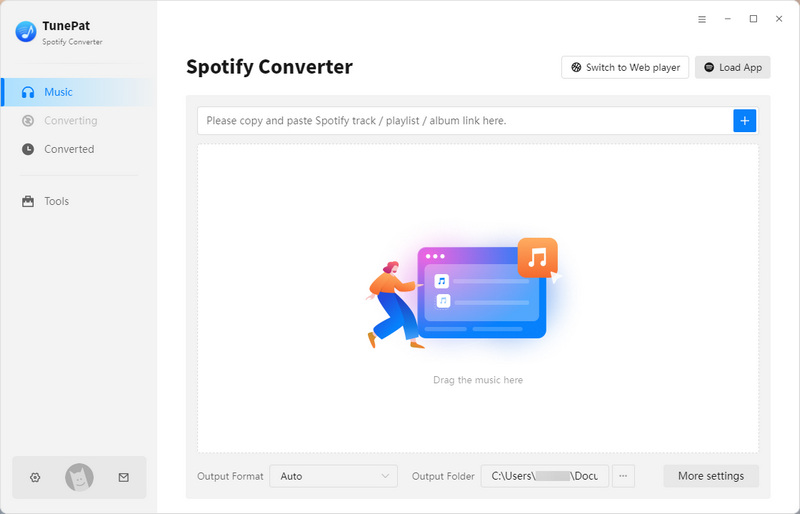
Step 2 Before converting, go to the settings window to customize your download settings. Here, you can choose the conversion mode, output format, bit rate, sample rate, output folder, and file naming options. After saving the settings, TunePat will remember your preferences and apply them automatically in future conversions.

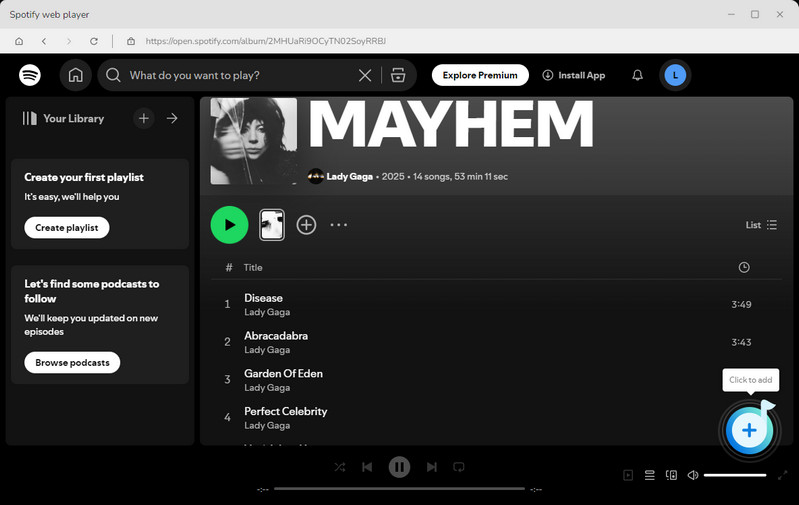
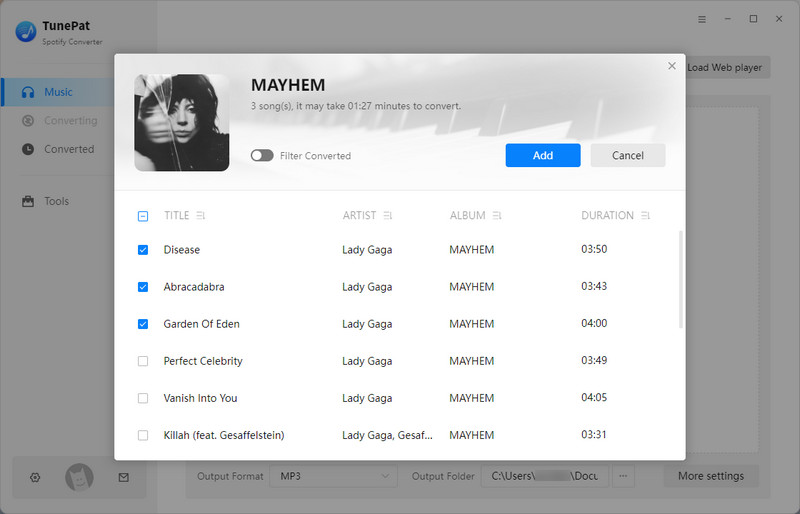
Step 3 Return to Spotify, find the desired music, and click the "+" button. TunePat will automatically load the tracks and display these songs in a new window. Review the list, select the songs you want, and click the "Add" button to confirm your selection.
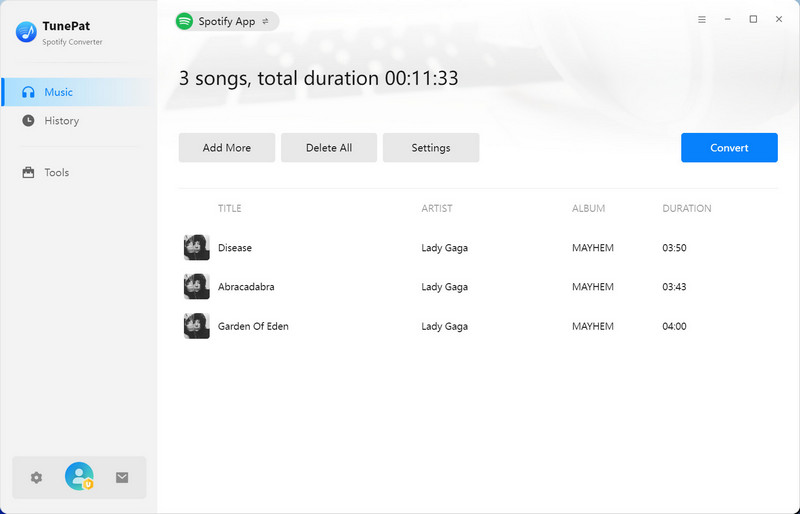
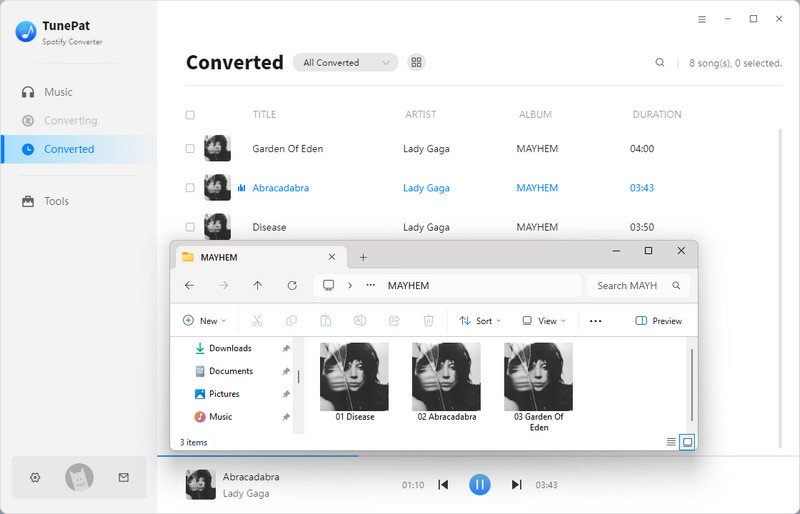
Step 4 To add more songs, click "Add More". Otherwise, click the "Convert" button to start the conversion. TunePat supports batch conversion at speeds up to 10 times faster. After the conversion is complete, you can also view the "History" section to see all the downloaded Spotify songs.
TunePat Review: Ratings & Rationale
2. Spotisongdownloader
🔗: https://spotisongdownloader.com/en1/
Spotisongdownloader is a free online Spotify downloader that allows users to directly convert songs, albums, and playlists to MP3 or MA4 files within their browser without installation or login, making it ideal for quick or temporary downloads. However, for playlist or album downloads, free users can only download the first two songs (in ZIP folder); the remaining songs must be downloaded one by one. A subscription is required to unlock batch downloading of entire playlists. Overall, Spotisongdownloader offers a smoother experience with a subscription and is a suitable online tool for users willing to pay for the full functionality. This is worth mentioning in our Spotidown review for those comparing different options.
Step 1 Copy the link of the Spotify song, album, or playlist you want, so you can use it for further processing.
Step 2 Paste the copied Spotify link into the input box on the Spotisongdownloader website, and click "Download".
Step 3 Once the song parsing is complete, you can choose your preferred format and bit rate for download.
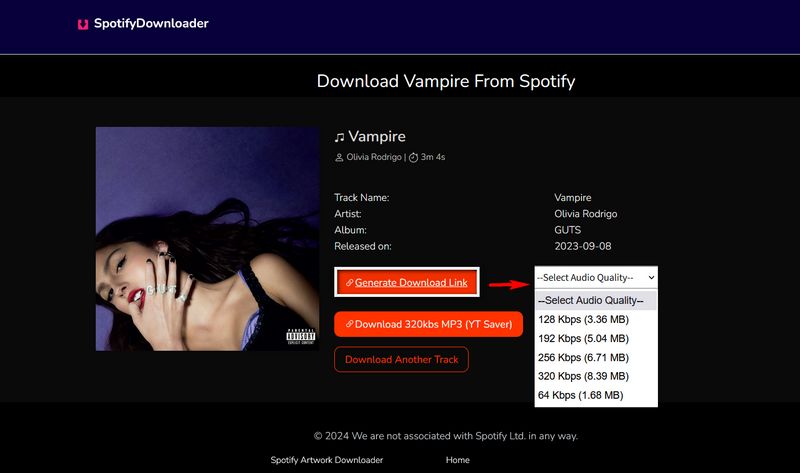
Spotisongdownloader Rating & Evaluation
3. SPOTDL
🔗: https://spotdl.io/v2
SPOTDL is a solid alternative to Spotidown. It supports downloading Spotify playlists, albums, and singles with good audio quality while retaining most metadata. However, it does not preserve album artwork. Batch downloading is available only to premium users; free users must download tracks one by one, which can be time-consuming. Here’s how to use it.
Step 1 Paste the prepared Spotify link into the box, then click "Start" to let SPOTDL parse the song.
Step 2 Choose whether to download the entire playlist with one click (paid) or download individual tracks.
Step 3 Click "Download" to access the song. However, sometimes clicking will redirect to a new webpage. In this case, please go back and click the button again to save the Spotify music.
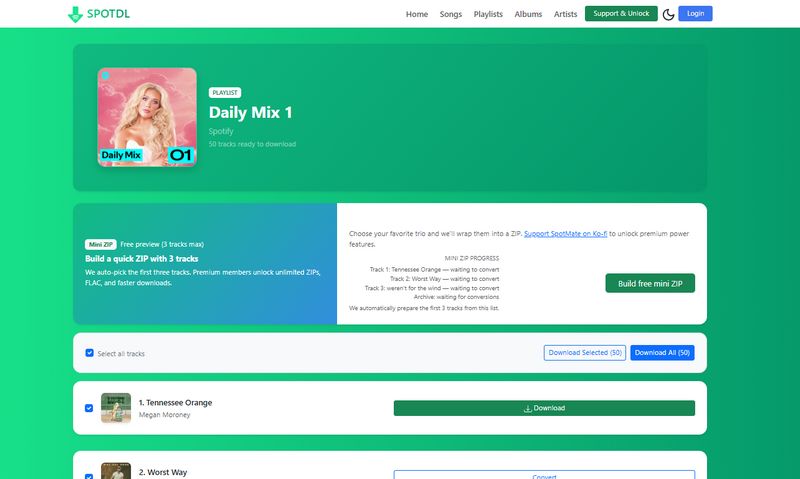
SPOTDL Rating & Evaluation
4. Spotidownloader
🔗: https://spotidownloader.com/
Looking for an easy way to download music from Spotify? Spotidownloader offers a straightforward and free solution as a reliable Spotify downloader. It stands out by allowing direct playlist access without extra fees. You can save Spotify tracks directly to your computer or phone for offline playback. Spotidownloader is ad-free and preserves most metadata for organized playback. Its main limitations are a narrow range of supported formats and no lossless audio option, which is also why some users explore alternatives to Spotidown.
Step 1 First, paste the copied URL, then click "Download". The website will then require you to verify it. After verification, wait for the website to parse the URL.
Step 2 After the parsing is complete, you can choose to download the zip file or the individual track. Downloading a zip file may be a bit slow. Please be patient.
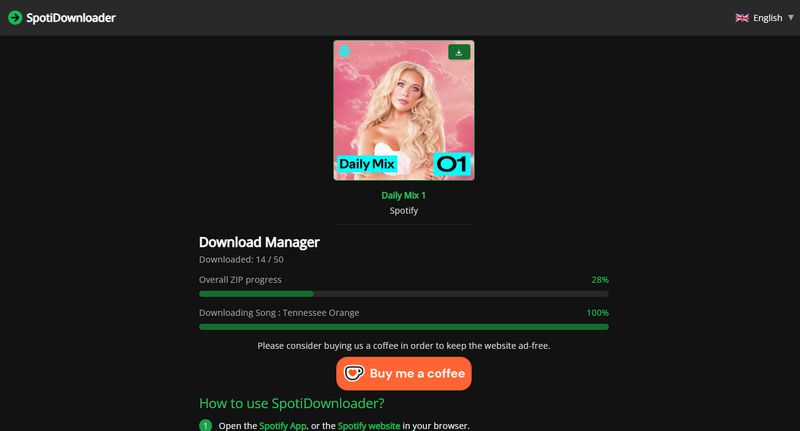
Spotidownloader Rating & Evaluation
- Looking for more details? Check out our full SpotiDownloader review.
Part 3: Spotidown vs Other Spotify Downloaders
| Feature | Spotidown | TunePat | Spotisongdownloader | SPOTDL | Spotidownloader |
|---|---|---|---|---|---|
| Overall Score | 3.6 / 5 | 4.8 / 5 | 4.3 / 5 | 3.8 / 5 | 3.6 / 5 |
| Audio Quality | Up to 320 kbps | Up to Lossless (24-bit/44.1kHz) | Up to 320 kbps | Up to 320 kbps | Up to 320 kbps |
| Output File Name | Watermark - Title - Artist | Fully Customizable | Title Only | Title - Artist | Watermark - Title - Artist |
| Input Source | Music only | Music, Audiobooks, Podcasts, Videos | Music only | Music only | Music only |
| Output Format | MP3 | All Formats (MP3/FLAC/WAV...) | MP3, M4A | MP3 | MP3 |
| Batch Download | ⚠️ Limited | ✅ Full Support | ⚠️ Limited | ⚠️ Limited | ⚠️ Limited |
*Note: The above websites have limits on batch downloads for free users (Spotidown: first 5 tracks; Spotisongdownloader: first 2 tracks; SPOTDL: first 3 tracks; Spotidownloader: first 3 tracks).
Part 4: FAQs About Spotidown
Q1: Is Spotidown safe to use?
A: Spotidown is not fully safe. While it can download Spotify tracks without logging in, its websites often contain ads, pop-ups, and redirects that may pose security risks. For a safer Spotidown review alternative, consider reputable desktop tools like TunePat Spotify Converter, which provides a more secure and stable downloading experience.
Q2: Can Spotidown download playlists?
A: Spotidown allows batch downloads for paid users, but free users can only access tracks one by one, which can be slow and inconvenient. For a more efficient solution, tools like TunePat Spotify Converter allow users to download entire playlists and albums in batchs.
Q3: What is the best alternative to Spotidown?
A: Based on our ratings and comparisons, the best alternative to Spotidown is TunePat Spotify Converter. It delivers faster, more stable downloads with higher sound quality and full playlist support compared to most online Spotify downloaders.
Conclusion:
Based on our comprehensive Spotidown review, Spotidown allows for quick downloads of Spotify songs without requiring software or a premium account. However, some of its limitations make it less suitable for long-term or frequent use. For users seeking a reliable Spotify downloader, TunePat Spotify Converter is undoubtedly the best choice. Whether you need to download songs occasionally or want to manage a large music library offline, choosing a trusted desktop solution like TunePat ensures a smoother, more efficient, and more secure experience.
Olivia Anderson
Senior Writer