Top 2026 Spotify Album Downloaders (Desktop/Online/Android)
 By Olivia Anderson
Spotify Tips
Updated on 9/15/2026
By Olivia Anderson
Spotify Tips
Updated on 9/15/2026
Are you looking for a reliable way to download full Spotify albums for offline listening or personal use? While Spotify lets you listen offline, it does not allow you to save albums as real audio files that you can keep or play on other devices. That is why many people turn to third-party Spotify album downloaders to grab full albums in MP3, FLAC, or other formats.
But not all Spotify album downloaders are the same. Some are desktop apps designed for long-term use. Some are Android apps for downloading on the go. Others are online tools for quick, one-time downloads. There are also command-line options for tech-savvy users. Each type has its own pros and cons when it comes to stability, audio quality, ease of use, and features.
In this guide, we compare popular Spotify album downloaders across desktop software, Android apps, online websites, and GitHub tools. Each tool is reviewed using the same criteria: audio quality, ID3 tags, ads, output formats, batch download, supported devices, and ease of use. This helps you quickly find the right downloader.
- Part 1: TunePat Spotify Converter (Safe Desktop Spotify Album Downloader) 🔥🔥
- Part 2: TuneCable for Android (Download Spotify Albums on Your Phone)
- Part 3: Free Online Spotify Downloader Sites (No Installation Needed)
- Part 4: spotDL for Advanced Users (Open-Source CLI Tool)
- Part 5: FAQs About Spotify Album Downloader
Part 1: TunePat Spotify Converter (Safe Desktop Spotify Album Downloader)
Among all the tools listed, TunePat Spotify Album Converter is the best choice for downloading full Spotify albums on a desktop. It is a stable and powerful Spotify album downloader. Besides albums, it also supports podcasts, audiobooks, radios, music videos, and podcast videos, so you can save many types of Spotify content in high quality.
Unlike most downloaders that only export MP3, TunePat supports MP3, AAC, WAV, FLAC, ALAC, and AIFF. This means you can play your downloaded Spotify music on any device. With advanced decoding technology, TunePat offers fast conversion speed and can download lossless Spotify music.
If you want to manage your local music library with ease, this tool is a great fit. It keeps Spotify ID3 tags and can export Spotify lyrics to TXT or LRC files. You can also set output options like output file name and output file order. The program is easy to use and does not require tech skills. We will walk you through the steps below.
TunePat Spotify Converter
TunePat Spotify Converter enables users to convert and get Spotify songs, albums, playlists, podcasts, radio, and audiobooks from the Spotify app or web player and then save them permanently.
Step 1 After installing TunePat, open the program. You can convert albums from either the Spotify app or the Spotify web player. Choose one, then log in to your Spotify account to access your library.
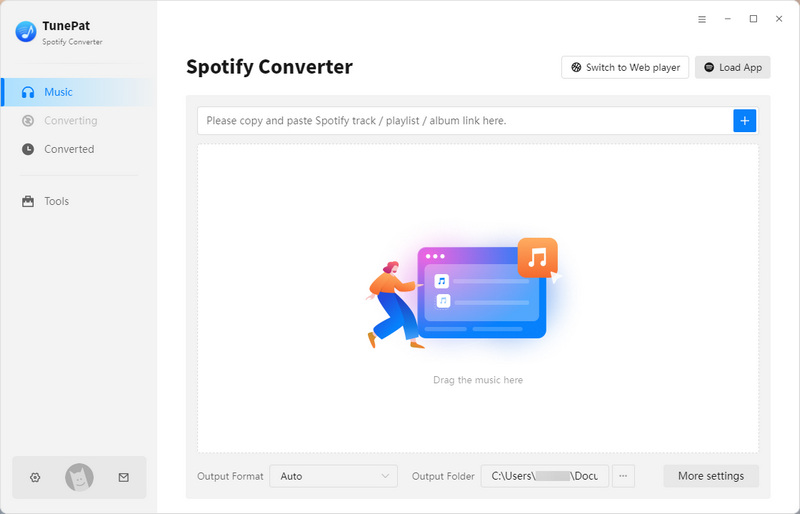
Step 2 Before selecting Spotify albums, click the "Settings" button on the left sidebar to adjust output options. You can change conversion mode, output format (MP3, AAC, FLAC, WAV, AIFF, ALAC), bit rate, sample rate, output folder, output organized (Playlist, Artist, Album, Genre, Year, Disc Number, etc.), and more parameters.
To better manage your Spotify albums, scroll down in the settings menu, find Output Organized, and change this option to "Album" or "Artist/Album". This will export all songs from the same album into a folder named after the album, and if you choose Artist/Album, it will organize songs into folders by artist and album, which is convenient for keeping your music library well-organized.
Once you've made your settings and closed the pop-up window, the changes will be applied automatically and remain until you modify them again.

Step 3 Go back to your Spotify library and open the albums you want to convert. Click the "+" button at the lower-right corner. TunePat will analyze the albums automatically.
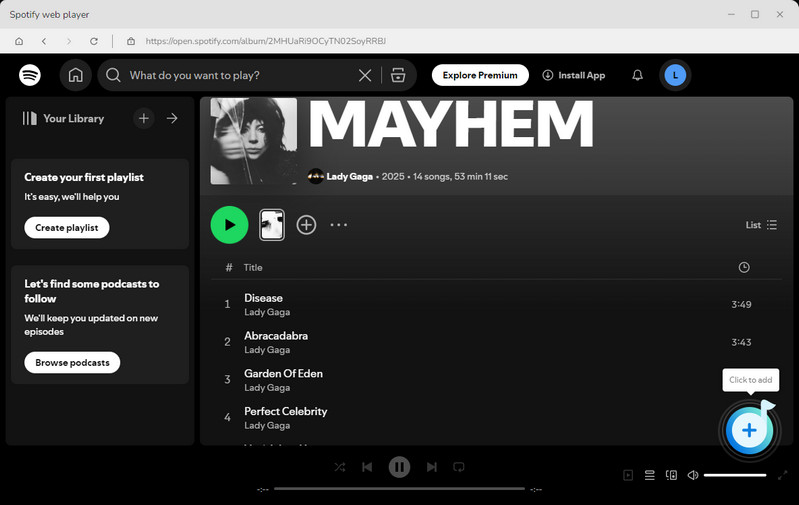
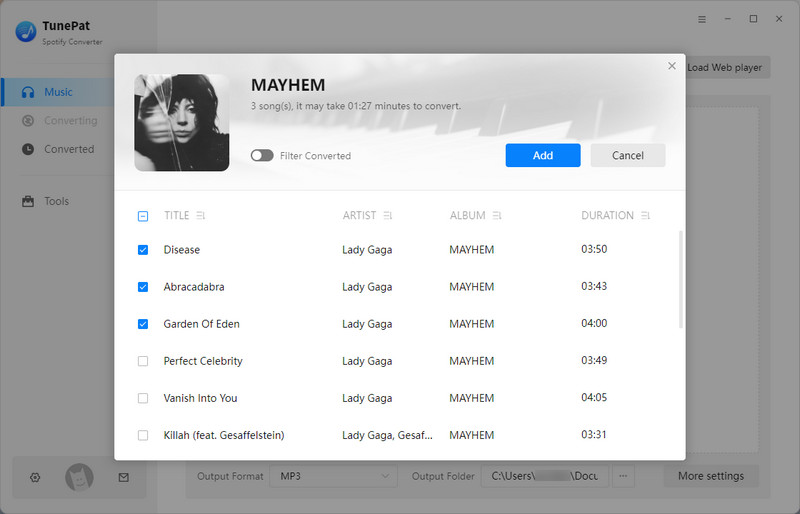
Step 4 When the analysis finishes, a list of all available tracks will appear. By default, all Spotify tracks are selected. You can deselect any you don't want. Then, click "Add" to continue.
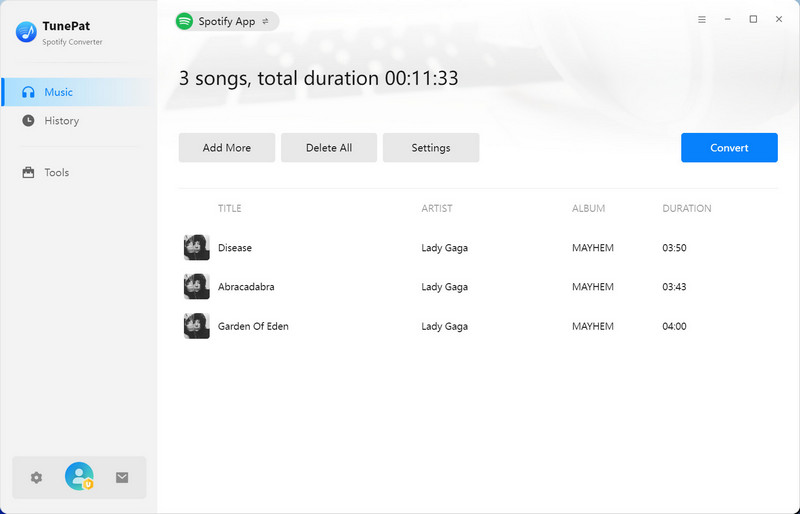
Step 5 If needed, use the "Add More" button to select albums from different places. When ready, click "Convert" to start.
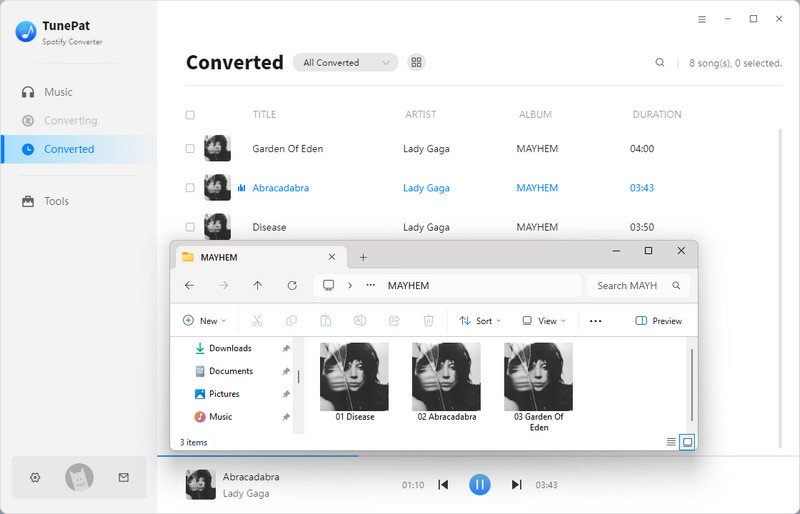
After conversion, find your downloaded Spotify albums in the "History" section or in your output folder. You can then transfer the Spotify music to devices like iPhone, Android, USB, Canva, and more.
Part 2: TuneCable for Android (Download Spotify Albums on Your Phone)
TunePat Spotify Album Converter for Desktop is a great tool, but it does not support Android devices. If you are looking for a safe and professional Spotify album downloader for Android, TuneCable Spotify Downloader for Android is a solid choice.
TuneCable lets you download full Spotify albums and playlists directly on your Android phone or tablet. It supports high-quality downloads up to 320 kbps in MP3, M4A, FLAC, or other common formats. TuneCable is easy to use and free of ads, making it a smooth experience for mobile users who want to save Spotify albums offline. The operating steps are very simple. Please refer to the steps below:
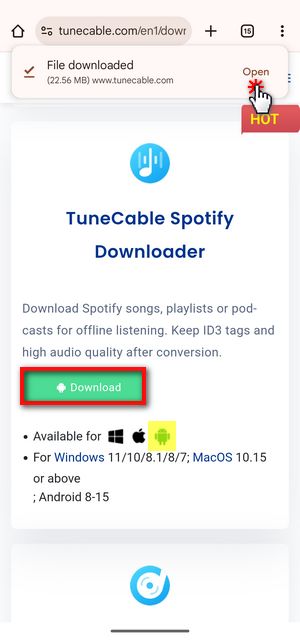
Step 1 First, click the "Download" button to get the TuneCable Spotify Downloader APK.
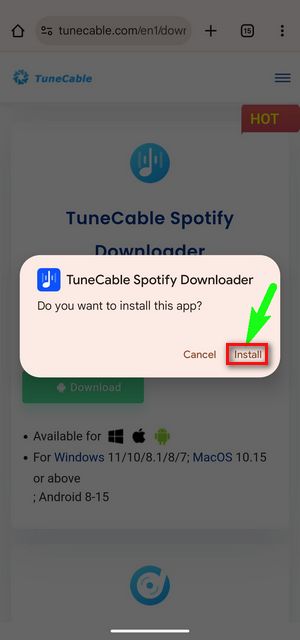
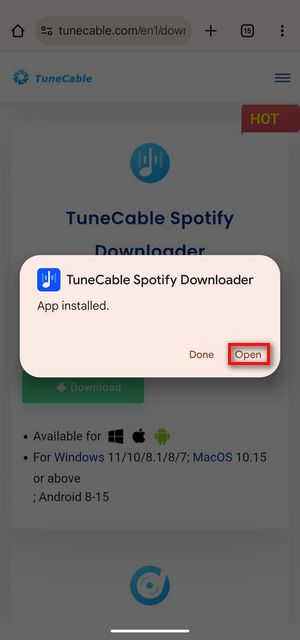
Step 2 When the download finishes, tap "Open" at the top right. When asked "Do you want to install this app?", tap "Install". If a scan prompt appears, choose "Install without scanning". After a moment, TuneCable will be installed. Tap "Open" to launch it. At first launch, allow the notification permission when asked. Now you are ready to use TuneCable on your phone.
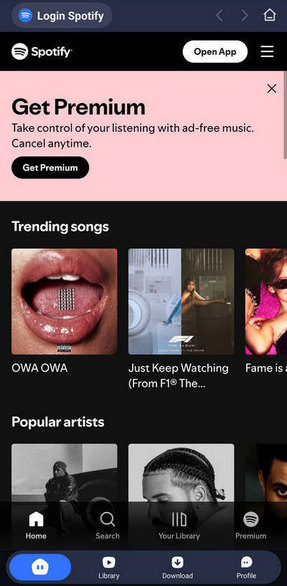
Step 3 Open TuneCable, and you will see the Spotify interface. TuneCable supports both free and premium Spotify accounts. To download your Spotify albums with one click, tap "Login Spotify" and sign in.
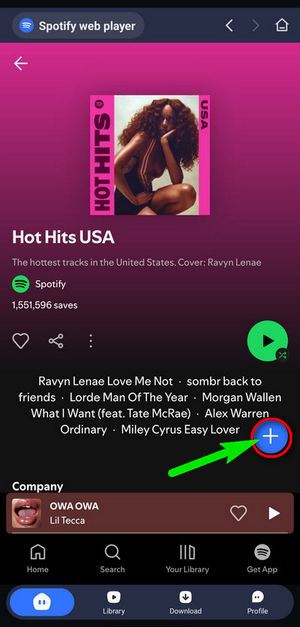
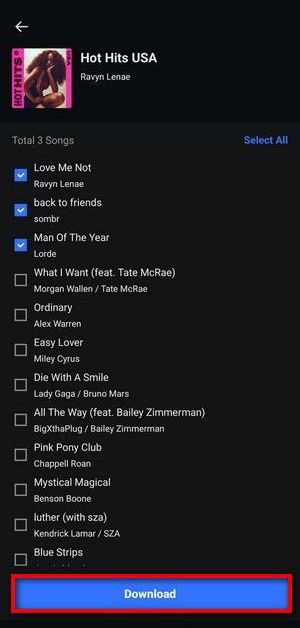
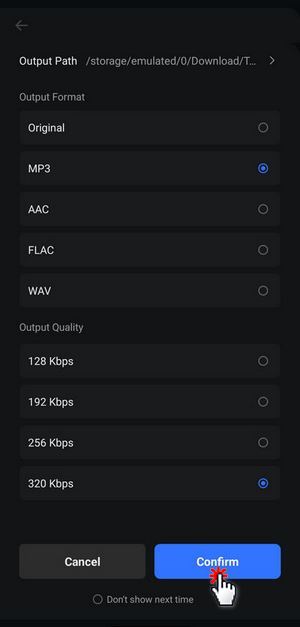
Step 4 Find the Spotify album, playlist, song, or artist that you want to download, just like in the Spotify app. Tap the "+" button to load the album into TuneCable. Check the boxes next to the songs you want, then tap "Download". Before downloading, adjust the settings to pick your favorite audio format, quality, and output path. When ready, tap "Confirm" to start.
❓ Want to download Spotify albums with lossless quality kept? Use Spotify Downloader for desktop instead.
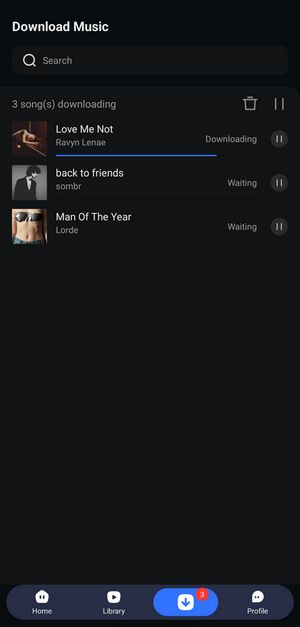
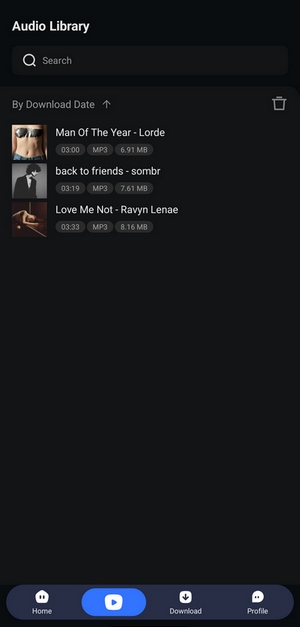
Step 5 TuneCable will download your Spotify album to your phone. After it finishes, tap the "Library" button at the bottom to see your downloads. You can check details like duration, file size, and format here.
Part 3: Free Online Spotify Downloader Sites (No Installation Needed)
After exploring the best Android options for downloading full Spotify albums, let's take a look at some popular free online Spotify album downloaders. These web-based tools don't require installation and let you download albums directly through your browser. While convenient and accessible from any device, online downloaders often come with limitations such as ads, download speed caps, or less consistent stability compared to desktop software.
Below, we provide a quick overview of eight well-known free online Spotify album downloaders. Each has its own strengths and trade-offs. Use this table to quickly compare features like audio quality, batch download capabilities, and more before diving deeper into their detailed reviews.
Top 6 Online Spotify Album Downloaders Quick Overview:
| Tool Name | Audio Quality | Batch Download | Ads & Pop-ups | Requires Payment |
|---|---|---|---|---|
| spotdl.io | 320 kbps (MP3) | √ (3 songs only) | No | Starting from $3 |
| spotisongdownloader | 262 kbps (M4A) | √ (2 songs only) | No | Starting from $7.99 per Month |
| spotidown.co | 192 kbps (MP3) | √ (Full album) | No | Free |
| spotidown.app | 320 kbps (MP3) | √ (5 songs only) | No | $20 per month |
| spotdown.org | 232 kbps (MP3) | × | Yes (Redirects/Unknown) | Free |
| spotmate.online | 320 kbps (MP3) | √ (3 songs only) | Yes (Promotional page) | $5 per 31 days |
*Note: For fairness, the comparison data in this table were gathered using the same song, "VOY A LLeVARTE PA PR" by Bad Bunny from the album Debí Tirar Más Fotos.
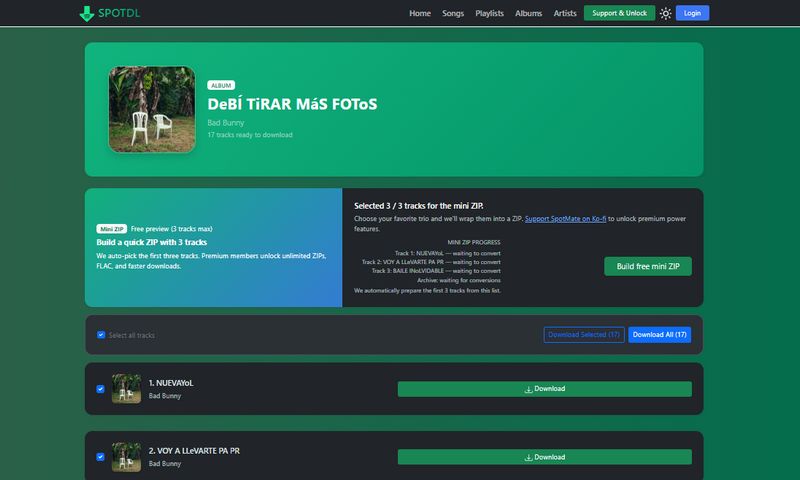
3.1 spotdl.io
spotdl.io is a popular online Spotify album downloader that's fast and reliable. It helps you easily download full Spotify albums in high-quality MP3. If you want a free and easy way to get complete albums from Spotify, spotdl.io is a great choice.
3.2 spotisongdownloader
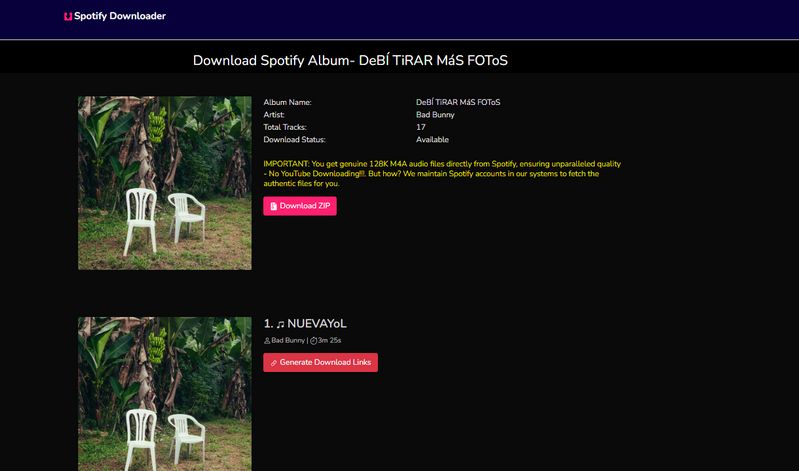
🔗: https://spotisongdownloader.com/en1/
spotisongdownloader.com is a simple and user-friendly Spotify album downloader. You can download entire albums online with just a few clicks. It supports batch downloads and offers good audio quality, making it perfect for anyone wanting to save full Spotify albums quickly.
3.3 spotidown.co
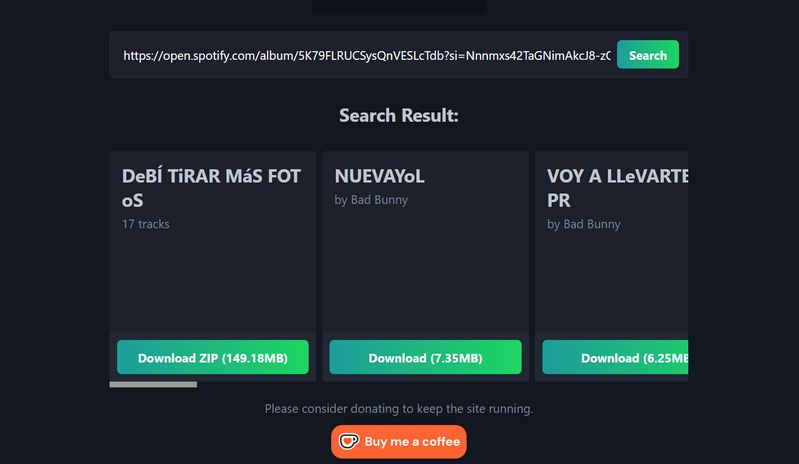
spotidown.co is a versatile online Spotify album downloader. Just paste the Spotify album link, and it lets you download the whole album easily. It focuses on giving stable downloads with decent audio quality, suitable if you want a no-fuss way to save Spotify albums.
3.4 spotidown.app
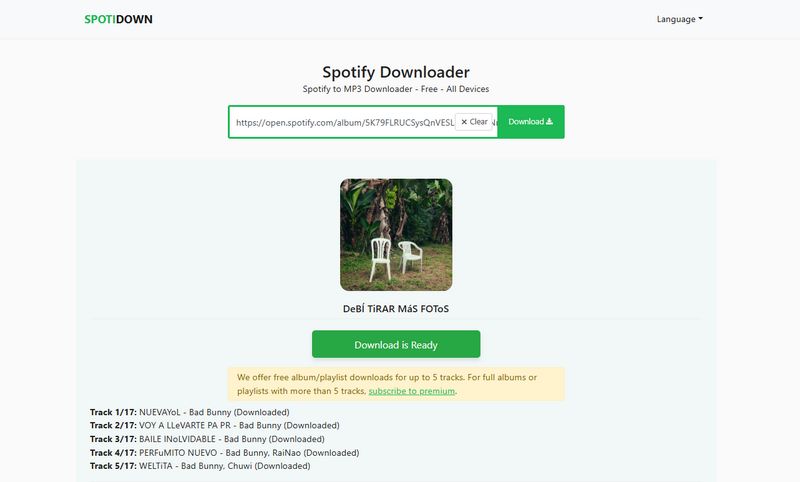
spotidown.app offers a clean and easy-to-use interface for downloading full Spotify albums online. It supports batch downloading and delivers good-quality MP3 files. If you want a quick and simple Spotify album downloader, this tool is worth trying.
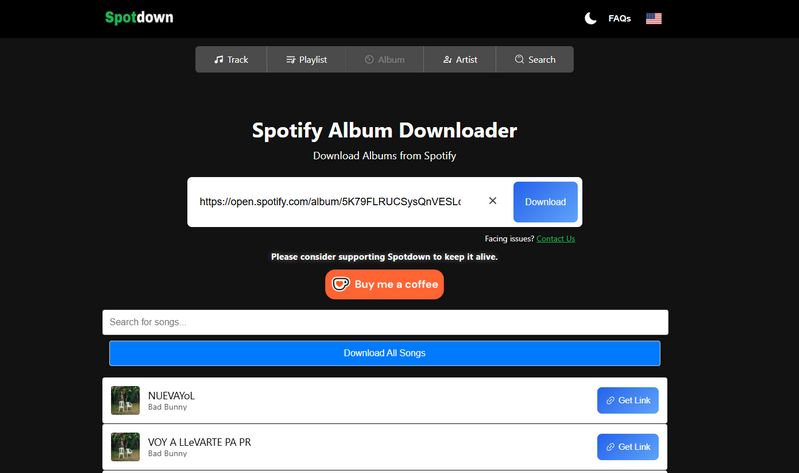
3.5 spotdown.org
spotdown.org lets you download Spotify albums right from your browser, no software needed. It offers stable download speeds and good audio quality, making it an easy choice for saving Spotify albums online.
3.6 spotmate.online
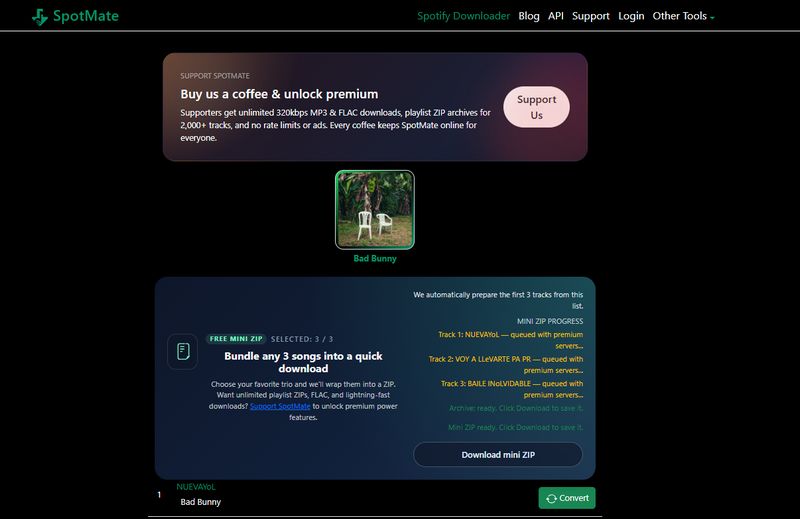
🔗: https://spotmate.online/en1
spotmate.online is a handy online Spotify album downloader. Just paste a Spotify album link and download the whole album quickly. It balances download speed and audio quality well, making it a reliable free option for grabbing Spotify albums online.
Part 4: spotDL for Advanced Users (Open-Source CLI Tool)
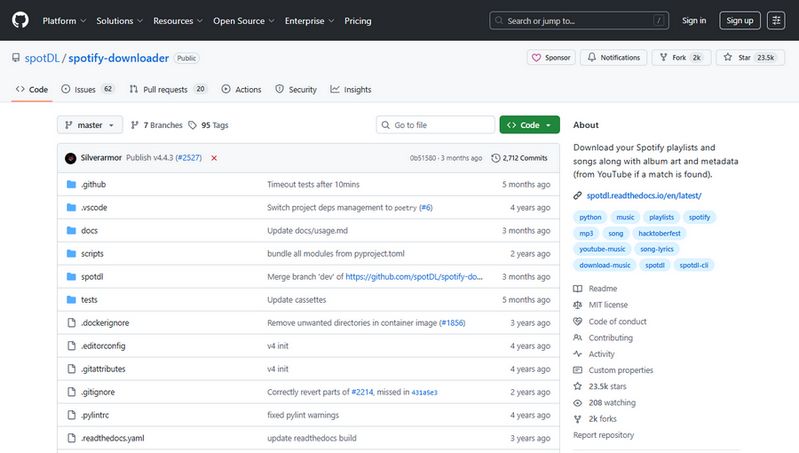
The online Spotify album downloaders we talked about before are good for quick and easy downloads without installing anything. However, spotDL is quite different. It is a free, open-source tool that runs from the command line and requires some technical knowledge to use. Because of its complexity, it is not recommended for most users. SpotDL offers better quality and more options, but only if you feel comfortable using text commands on your computer. Looking for a simple desktop Spotify album downloader? Try TunePat.
📚: You might also be interested in this: How to Install and Use SpotDL?
Part 5: FAQs About Spotify Album Downloader
Q1: What is a Spotify album downloader?
A: A Spotify album downloader lets you save full albums from Spotify as local audio files (MP3, M4A, FLAC, etc.), so you can listen offline without relying on the Spotify app.
Q2: Can I download full albums from Spotify?
A: Spotify only allows offline listening inside the app. With a Spotify album downloader, you can save the entire album as real files on your device and keep them permanently.
Q3: Do I need Spotify Premium?
A: These downloaders generally support free Spotify accounts, but the audio files obtained may differ, for example, the sound quality may be worse.
Q4: Will the sound quality and tags be kept?
A: Good downloaders keep high audio quality and preserve tags like artist, album name, track number, and cover art, so your library stays organized.
Q5: Can I play downloaded Spotify albums anywhere?
A: Yes. Once saved as MP3 or other audio files, you can play them on your phone, car, MP3 player, or transfer them to any device you like.
Conclusion:
After reviewing the best Spotify album downloaders for desktop, online tools, and Android, it is clear that each option fits different needs. Online tools work well for quick, small downloads. TuneCable Spotify Album Downloader for Android is handy for saving albums on your phone. But if you want stable performance, fast batch downloads, and better sound quality for full albums, desktop software is usually the most reliable choice.
If you often download Spotify albums or want to build a clean local music library, TunePat Spotify Converter is worth a try. You can download it for free and see how it works for you.
Olivia Anderson
Senior Writer