The Easy Way to Download Dolby Atmos Music (EAC3/AC4 & TrueHD)
 By Olivia Anderson
Amazon Music Tips
Updated on 7/15/2026
By Olivia Anderson
Amazon Music Tips
Updated on 7/15/2026
Looking for a reliable way to get a Dolby Atmos music download for your home theater or premium car audio? While streaming platforms like Amazon Music and Tidal sound amazing, their apps won't let you save independent files directly to a local drive. If you want to listen offline via a USB drive or NAS, you need to know exactly where to find them and how to extract them.
But before you start, keep this in mind: Dolby Atmos music isn't a one-size-fits-all format. Depending on your gear, you'll need very different audio files.
- Part 1: EAC3, AC4, or TrueHD: Which Dolby Atmos Format Do You Need?
- Part 2: How to Download Lossless TrueHD Atmos Music?
- Part 3: How to Batch Download Mainstream Dolby Atmos Music in EAC3/AC4 Format?
- Part 4: Buy vs. Download: Which Method Is Best for Your Atmos Library?
- Part 5: How to Play Your Dolby Atmos Files on TVs, AVRs & Car Audios?
- FAQs About Dolby Atmos Playback & Formats
Part 1: EAC3, AC4, or TrueHD: Which Dolby Atmos Format Do You Need?
When you try to download Dolby Atmos music, you will usually see three main audio formats. Choosing the right one can be confusing. Streaming apps often use the term "Spatial Audio" as a marketing label. In fact, "Spatial Audio" is just a general name for both Dolby Atmos and Sony 360 Reality Audio. It does not tell you the actual file format you are downloading.
In reality, choosing the right format is very simple. It depends entirely on where you want to play your music:
| Audio Codec | Audio Quality | File Size | Best For | Common Use Case |
|---|---|---|---|---|
| Dolby Atmos (EAC3) | ⭐⭐⭐ High-Quality | 20MB - 40MB | Mobile devices, standard soundbars & car audio | Streaming standard (Amazon Music, Apple Music, etc.) |
| Dolby Atmos (AC4) | 🚀 Next-Gen Efficient | 10MB - 25MB | Smart TVs & next-gen car tech | Future streaming standard with 50% better compression |
| Dolby Atmos (TrueHD) | 👑 100% Lossless | 300MB - 1GB | Audiophile home theaters & AV receivers | Pure Audio Blu-rays & premium audiophile stores |
Part 2: How to Download Lossless TrueHD Atmos Music?
If you are an audiophile chasing uncompromised audio quality for an expensive home theater setup, you can legally buy and download lossless Dolby Atmos music from specialized digital storefronts.
Here are the top 3 representative platforms to get studio-master quality downloads:
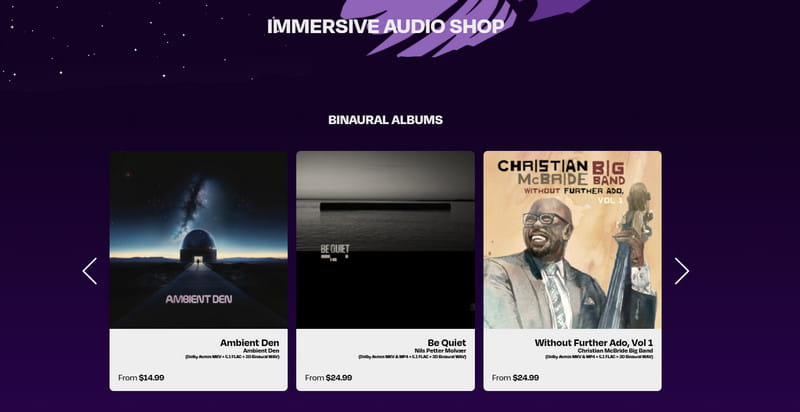
1. Immersive Audio Album (IAA)
Immersive Audio Album (IAA) is a dedicated online marketplace and hub for spatial audio, bringing together independent artists and specialized labels from all over the world.
- Formats & Quality: Both streaming-grade MP4s (EAC3) and premium, lossless MKVs (TrueHD).
- Pricing: $2 – $4 per single track; $15 – $25 per full album.
- Music Library: Mostly indie artists, niche genres, and remastered classics. No latest chart-toppers like Taylor Swift or The Weeknd.
2. NativeDSD Music
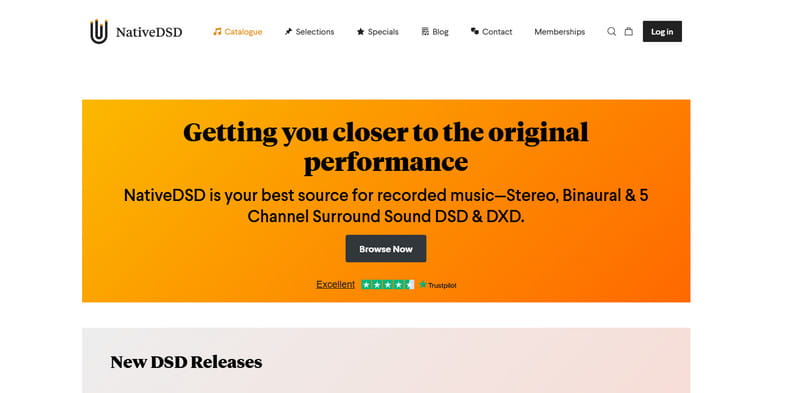
NativeDSD Music is one of the world's largest digital stores for premium high-resolution audio. (Tip: If you can't access the Dutch label TRPTK due to regional blocks, their official Dolby Atmos catalog is fully available here).
- Formats & Quality: Multi-channel DXD, DSD, and lossless TrueHD Atmos—the absolute ceiling of master tape quality.
- Pricing: On the pricier side, usually $25 to $40 per album.
- Music Library: Strictly Classical, modern Jazz, and high-fidelity instrumental music. Mainstream pop is completely absent.
3. 2L (Norwegian Record Label)
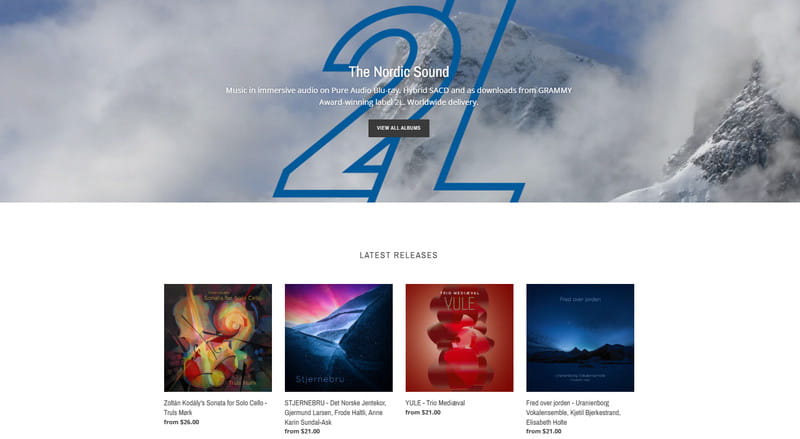
2L is a Grammy-nominated Nordic record label world-renowned for its pristine acoustic recordings captured in majestic Scandinavian churches.
- Formats & Quality: Free EAC3 (MP4) clips in their online "Test Bench" for testing, while commercial releases are premium TrueHD and DSD.
- Pricing: Premium pricing, generally $20 to $35 per album.
- Music Library: Strictly limited to Classical, Nordic folk, and contemporary symphonic music.
⚠️ The Realities of Audiophile Stores (Read Before Buying)
Before you pull out your credit card, keep these practical limitations and hidden bottlenecks in mind: 👇
- 💸 High Cumulative Costs: Building a local offline library album-by-album gets incredibly expensive very fast. Investing in just 4 or 5 hi-res albums can easily equal the cost of a multi-year streaming subscription.
- ❌ Severe Catalog Limitations: You won't find mainstream Billboard hits, top-charting pop, or modern rock artists on these platforms. The catalog is strictly catered to niche audiophile recordings.
- ⏳ Tedious Manual Downloads: There is no modern convenience here. You have to purchase, checkout, and download every single track manually via your browser, completely ruling out the ability to fetch whole curated playlists with a single click.
Part 3: How to Batch Download Mainstream Dolby Atmos Music in EAC3/AC4 Format?
But what if you want Dolby Atmos tracks for your favorite pop, rock, or hip-hop hits? Mainstream platforms like Amazon Music Unlimited have the biggest spatial audio catalog out there. However, their official offline mode is a dead end. It only saves encrypted cache files locked inside the app. You cannot copy these files to a USB drive for your car or home theater.
To solve this, you can use TunePat Amazon Music Converter. This tool allows you to batch export Dolby Atmos tracks from Amazon Music. It converts and saves the audio directly into standard EAC3 or AC4 files on your computer. This way, you can easily transfer your playlist to a USB drive and play it anywhere.
| Feature | Details |
|---|---|
| Supported Sources | Amazon Music songs, albums, playlists, and podcasts (including Dolby Atmos & Ultra HD tracks) |
| Output Formats | Dolby Atmos: EAC3, AC4 ; Standard Audio: MP3, AAC, WAV, FLAC, AIFF, ALAC |
| Audio Quality | Keeps original Ultra HD quality and real 3D Dolby Atmos surround effects. |
| Batch Conversion | One-click batch processing for entire playlists, albums, and podcasts |
| Processing Speed | Up to 10X faster speed (no real-time recording required) |
| Metadata & ID3 Tags | Preserves Artwork, Title, Artist, Album, and more |
| Bonus Tools | Built-in format converter, tag editor, lyric downloader, and CD burner |
| Compatibility | Windows & macOS |
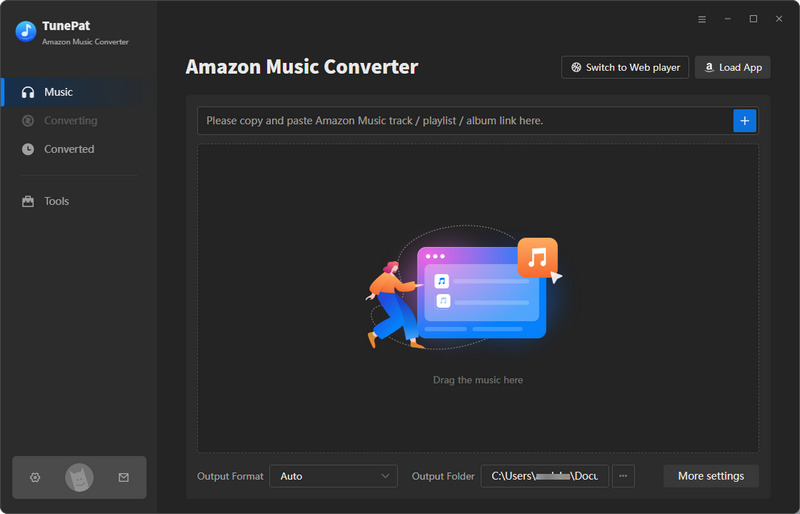
Step 1 Download and open TunePat Amazon Music Converter. Then, select the "Amazon Music web player" option from the top-left corner to export Amazon Music to Dolby Atmos format.
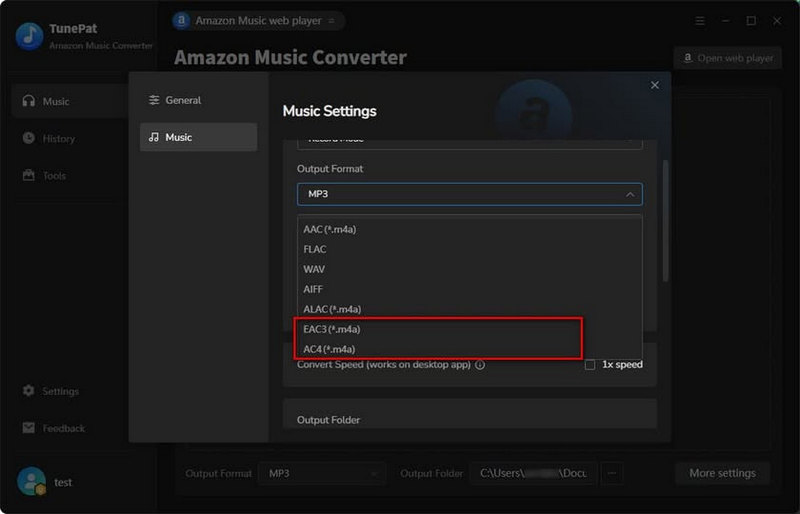
Step 2 Complete the output parameter settings, choosing either "EAC3" or "AC4" as your output format depending on your setup. You can customize other parameters according to your needs, such as the output file name , output folder, and more.
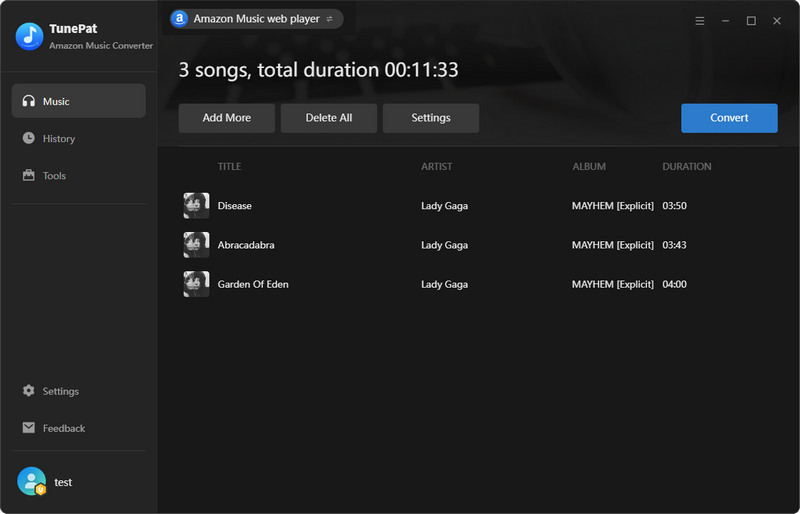
Step 3 Log in to your Amazon Music account within TunePat, open and select the content you want to convert, and click the "+" button. Once selected, click "Add > Convert" to start downloading.
(Tip: If you want to convert songs from different albums or playlists in a single queue, click "Add More" before starting the conversion.)
Part 4: Buy vs. Download: Which Method Is Best for Your Atmos Library?
Is it better to buy albums individually or use a dedicated downloader? Let's look at how they stack up:
| Feature | Buying from Audiophile Stores (IAA / NativeDSD) | Downloading via Amazon Music + TunePat |
|---|---|---|
| Mainstream Pop 🎤 | ❌ Virtually none (mostly Classical & Jazz) | ⭐ Unlimited (millions of global hits) |
| Output Formats 💾 | Lossless TrueHD / Some EAC3 | EAC3 & Next-Gen AC4 (saved as .m4a) |
| Pricing Model 💰 | Pay per album/song (Very Expensive: $20–$40 each) | Flexible TunePat plans (starting at just a few dollars a month) + standard streaming subscription |
| Download Mode ⚡ | Manual purchase (one by one) | Batch download different playlists/albums at once |
💡 Let's do the math: Buying just 3 premium Dolby Atmos albums from audiophile stores can easily cost you over $90. With TunePat, you pay only a fraction of that price. Even when you combine a standard Amazon Music subscription with TunePat's flexible plans, it still averages out to just a few dollars a month to download and keep unlimited Dolby Atmos playlists.
Best of all, unlike renting music inside a streaming app, these downloaded files are yours to keep forever. Even if you cancel your Amazon Music subscription later, the Atmos tracks you downloaded via TunePat will remain fully playable on your local devices.
Part 5: How to Play Your Dolby Atmos Files on TVs, AVRs & Car Audios?
Once you have downloaded your Dolby Atmos files, here is how to play them successfully on different setups:
For Premium Car Audio (Tesla, Nio, Li Auto, BYD, etc.)
Since most modern electric vehicles come equipped with advanced multi-channel sound systems and dedicated digital signal processors, this is one of the most popular ways to enjoy Atmos on the move:
Step 1 Ensure your USB flash drive is formatted to exFAT or FAT32 before transferring your music, as many car head units (like Tesla's MCU) cannot read NTFS or macOS file systems.
Step 2 Transfer the downloaded EAC3/AC4 (.m4a) files onto the root directory of the drive. Do not attempt to convert them to standard MP3 or FLAC, as car audio systems rely strictly on the original .m4a container and its underlying codec to recognize and trigger the Dolby Atmos surround channel decoding.
Step 3 Plug the USB drive into the dedicated data port of your vehicle (not just a charging port), open the car's native media player, select the USB source, and enjoy true 3D spatial audio on the highway.
For Home Theaters & Soundbars (TVs & AVRs)
To get the full immersive height and surround effects at home, your hardware chain must parse the audio metadata correctly without any downmixing issues.
Step 1 Transfer your Atmos (.m4a) files to a high-speed USB drive or host them on a local home NAS (Network Attached Storage) server to make them accessible to your playback system.
Step 2 Connect your smart TV or streaming box (like Apple TV or Nvidia Shield) to your Soundbar or AVR. Crucially, this requires a certified HDMI eARC connection; older ARC or Optical cables lack the necessary bandwidth to carry multi-channel Dolby Atmos streams.
Step 3 Open a capable media player application (such as Kodi, VLC, or Plex) on your smart TV or connected streaming box.
Step 4 Head into the player's advanced audio settings and toggle "Passthrough" (Bitstream) to ON. This forces the player to send the raw, untouched digital bitstream directly to your audio system, letting your receiver do the heavy lifting of decoding the 3D soundstage.
FAQs About Dolby Atmos Playback & Formats
Q1: Is there a drop in sound quality between streaming Atmos and Blu-ray Atmos?
A: For most listeners, no. While Blu-ray uses uncompressed Dolby TrueHD, streaming platforms use a highly efficient, high-bitrate EAC3/AC4 format. The .m4a tracks downloaded via TunePat retain this original streaming quality, meaning that unless you have an ultra-high-end home theater system, the audio difference is minimal, and you will still get a highly detailed 3D spatial experience.
Q2: Can I play these downloaded Atmos .m4a files on my smartphone or headphones?
A: Yes, but standard music apps and normal earbuds will only output flat, 2-channel stereo. To experience the 3D effect on your phone, you must play the .m4a files through a mobile media player that supports Dolby Atmos decoding (such as VLC) and listen using compatible spatial audio headphones or built-in stereo speakers.
Q3: Why is my Soundbar/AV Receiver showing "Stereo" or "PCM" instead of "Dolby Atmos"?
A: This happens when your hardware or player downgrades the 3D signal. If you are experiencing this, please double-check the HDMI eARC connection and "Passthrough" settings detailed in our Playback Guide above, as missing either of these two crucial steps is the most common reason for playback issues.
Q4: Can I convert regular MP3/FLAC to Dolby Atmos?
A: No. Dolby Atmos is not a simple sound effect or EQ preset that can be added to a standard stereo track. A real Atmos file contains unique audio objects and 3D spatial metadata mixed manually by audio engineers in a studio. You cannot artificially convert a 2-channel stereo file into true Atmos; you must download the official Dolby Atmos stream.
Q5: Do Dolby Atmos files take up more storage space?
A: Yes. Standard MP3 tracks only carry two channels and average 5MB to 10MB. In contrast, an EAC3/AC4 encoded Dolby Atmos track (.m4a) carries complex multi-channel data, resulting in file sizes between 25MB and 60MB per song. Make sure your USB flash drive has enough free space before batch-downloading.
Conclusion
If you want niche classical music in lossless quality and budget is no barrier, NativeDSD and 2L are fantastic options. However, if you want to enjoy the latest mainstream pop hits in immersive audio in your car or through your soundbar without breaking the bank, TunePat Amazon Music Converter is the ultimate batch solution to download Dolby Atmos music to EAC3/AC4 today. If you are interested, you can download the free trial and experience the 3D spatial sound in your own setup.

Olivia Anderson
Senior Writer